
At its core, creating a mind map is simple: you start with a central topic, draw main branches for your core ideas, and then add smaller sub-branches for all the supporting details. This simple structure is fantastic for visually organizing complex information, making it a go-to tool for brainstorming and planning.
What Is a Mind Map and Why Is It a Game Changer for Remote Teams

Let's cut through the jargon. A mind map is a visual thinking tool that helps you untangle a mess of information into a clear, organized diagram. For remote teams, though, it's more than just a diagram—it's a lifeline. It turns scattered virtual conversations into a shared visual space where every single idea has a home.
When your team is distributed, it’s all too easy for great ideas to get buried in chat threads or for people to feel disconnected from the creative process. A mind map fixes this by creating a single source of truth that everyone can see and contribute to at the same time.
The Power of Visual Collaboration
The real magic of mind mapping is how it mimics the way our brains actually think—by making associations. Instead of rigid, linear lists, ideas radiate out from a central point. This process often uncovers connections you might have otherwise missed.
This non-linear approach is especially powerful for remote teams that are dealing with common challenges like:
- Information Overload: It breaks down complex project details into a format that’s easy to scan and understand at a glance.
- Disjointed Brainstorming: It provides a structured yet flexible canvas to capture spontaneous ideas from team members, no matter what time zone they're in.
- Creative Blocks: The visual nature just gets the creative juices flowing, helping teams break free from conventional, linear thinking.
And this isn't just a hunch; the numbers back it up. The global market for mind mapping tools exploded to USD 5,124.5 million in 2024, which shows just how vital this technique has become in the modern workplace. We also know that visual learning can boost information retention by up to 32% compared to just text-based notes—a huge win for anyone leading virtual workshops.
Mind maps aren't just for organizing thoughts; they're for creating a shared understanding. When a remote team builds a map together, they aren’t just connecting ideas—they are connecting with each other.
By putting every idea on the map, you level the playing field. It gives quieter team members the same opportunity to contribute as the more vocal ones. This makes it an essential tool for fostering real collaboration and getting everyone on the same page, no matter where they are. If you want to dig deeper, it’s worth understanding the key differences between mind maps and concept maps to pick the right tool for the job.
Getting Started: Setting the Stage for a Great Mind Map
Before you even draw the first line, a bit of prep work can make all the difference between a chaotic mess and a genuinely productive mind mapping session. It all starts with a clear purpose.
When your team is spread out, you’ll also need the right digital tool. Look for a platform that’s built for live collaboration, where everyone can jump in and contribute without tripping over each other. The key is to find something with real-time editing and seamless syncing.
Think about what really matters for a remote team:
- Live updates: Everyone needs to see changes the second they happen. No lag.
- Handy integrations: Your mind map becomes a command center when you can link ideas directly to project files or chat threads.
- Version history: You need a safety net. Version control lets you track every change so a brilliant idea never gets accidentally deleted.
Setting a clear goal is just as important. It prevents your mind map from spiraling into a tangled web of unrelated thoughts. For example, I once worked with a marketing team whose Q4 goal was to boost email signups by 15%. That single, sharp objective kept every single branch of their mind map focused and relevant.
Choosing the Right Digital Tool
Your first step is to think about how people will actually use the tool during the session. It's not enough to just search for "how to create a mind map" within the software. If your team relies on face-to-face interaction, a tool without built-in video chat is going to feel clunky.
You'll want to test-drive a few platforms that combine video conferencing with a digital whiteboard. Making a smart choice here can genuinely speed up your team's decision-making.
In fact, the right digital tool can improve a remote team's decision speed by as much as 25%.
The mind mapping software market is booming for a reason—it’s expected to hit USD 1.5 billion by 2025. This growth highlights just how critical these tools have become for remote work. If you're curious about the numbers, you can learn more about mind mapping market findings.
It’s interesting to see that small and mid-sized businesses are adopting these tools twice as fast as larger corporations, mostly because they value the easy remote access and workflow tracking they provide.
To get your session rolling smoothly, I always follow a simple three-phase setup:
- Send out invites with a clear, concise brief.
- Pick a facilitator to keep the session on track.
- Set a timer to maintain focus and energy.
Defining Your Central Topic
Your central topic is the anchor of the entire session. It’s the sun that all the other ideas orbit around, turning scattered thoughts into a cohesive vision.
Of course, starting with a blank page can feel intimidating. Before your team even starts brainstorming, it's a good idea to explore how to overcome creative block and find inspiration, which is a common hurdle that mind mapping is perfectly designed to solve.
For the central topic itself, keep it simple. A single keyword or a powerful image often works best. For a sustainability plan, you might use a simple leaf icon to represent growth. This visual cue acts as a constant reminder, ensuring every branch connects back to the core theme.
Starting with a crystal-clear topic ensures every idea that follows actually adds value.
Here are a few final prep steps I never skip:
- Draft a one-sentence mission statement for the mind map. What are we trying to achieve here?
- Double-check tool permissions. Make sure everyone you’ve invited can actually edit the board.
- Share a quick agenda beforehand so everyone knows what to expect.
If you want to get deeper into managing the human side of things, our guide on group brainstorming techniques has some great tips. A little setup turns what could be a brainstorming marathon into a focused sprint.
Preparing Your Team for Success
Kick things off by assigning a couple of simple roles. Having a designated note-taker, for instance, allows the rest of the group to stay in the creative flow without getting bogged down in documentation. I like to rotate this role each session to bring in fresh perspectives.
In a remote setting, non-verbal cues are lost, so encourage your team to use emojis and reactions to show agreement or flag an idea they find interesting. It’s a small thing that makes a big difference.
A quick icebreaker can also work wonders to get the creative energy flowing. Try asking everyone to share the last book they read or a new skill they’re learning. It gets people talking and ready to collaborate.
As you go, make sure someone is documenting key decisions immediately. These notes will become the foundation for your action plan later on.
And don't forget to celebrate the small wins as the map takes shape! A quick "great idea!" or a thumbs-up emoji goes a long way in boosting morale and keeping the momentum going. An effective mind map is a living document, so keep it updated with fresh insights as they come.
Bringing Your Mind Map to Life: From a Single Idea to a Full-Blown Plan
Alright, this is where the magic happens. We're moving from a jumble of thoughts to a clear, visual structure. Don't worry about getting it perfect right away; building a mind map is an organic process. It’s all about letting your ideas flow and seeing where they take you.
The whole point is to start with one central concept and build a web of interconnected insights around it.
Let's say you're on a product team brainstorming a new feature for your mobile app—something like "Personalized User Feeds." That phrase becomes your central idea. Plop it right in the middle of your canvas. This is your anchor; every other idea will connect back to it, keeping the whole session on track.
Before your team even adds the first branch, a little planning goes a long way.
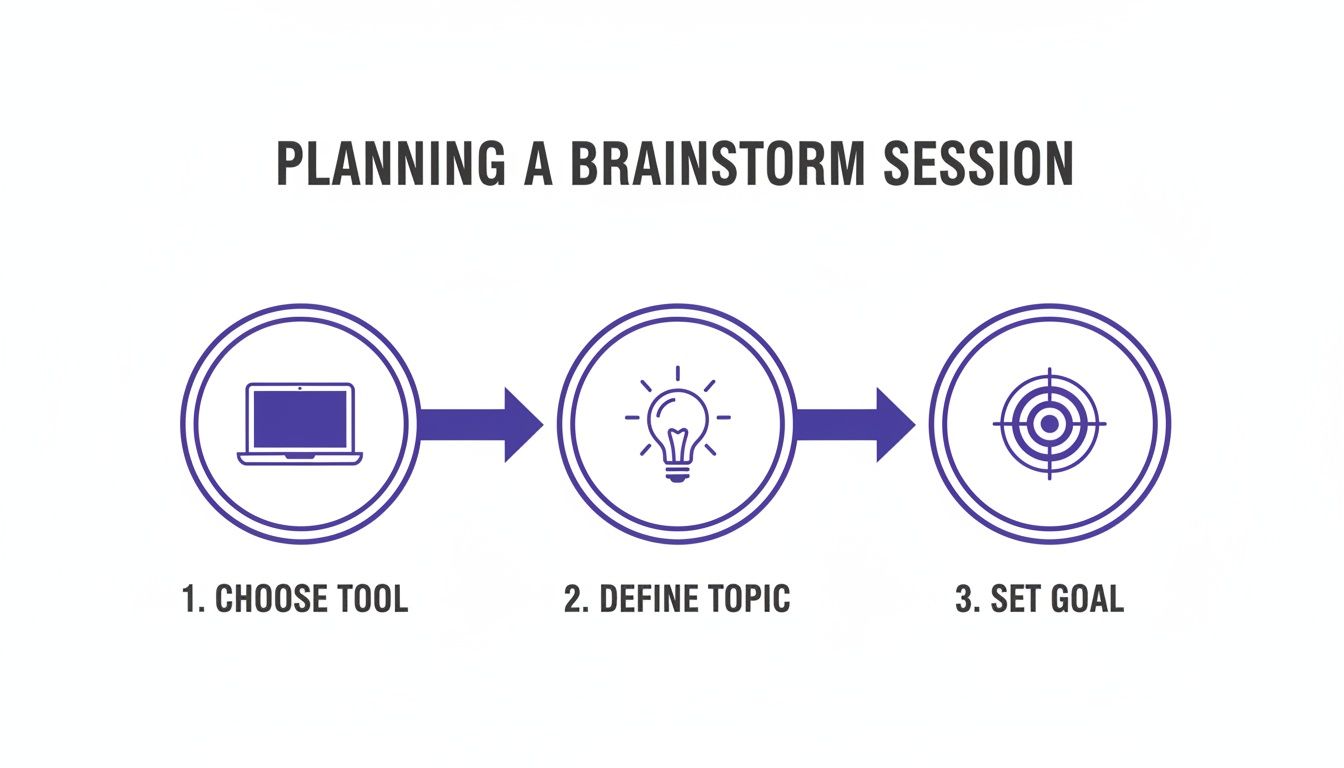
As you can see, a great mind mapping session is set up for success before it even begins. It starts with picking the right tool and having a clear goal in mind.
From Big Ideas to Fine Details
Once your central idea is locked in, start drawing your main branches. Think of these as the main chapters of your story—the big-picture categories that sprout directly from the core topic.
For our "Personalized User Feeds" example, your main branches might be:
- Content Sources (Where will the content actually come from?)
- User Interface (What will this look and feel like for the user?)
- Algorithm Logic (How does the personalization work?)
- Monetization (How do we make money from this?)
These branches give your map its initial structure. Now, the real detail work begins as you add smaller sub-branches to each one.
For instance, under "User Interface," you could add sub-branches for "Card Layout," "Infinite Scroll," and "Filter Options." You can keep going, too! "Filter Options" might sprout even more ideas, like "By Topic" or "By Date." This is the beauty of mind mapping—it creates a clear hierarchy that helps you organize even the most complex projects.
If you want to see this in action, you can explore different layouts and structures with a brainstorming graphic organizer to find a style that clicks for your team.
Use Keywords and Visuals, Not Sentences
Here’s a pro-tip I see people mess up all the time: avoid writing full sentences on your branches. It just creates clutter and makes the map impossible to scan quickly. The real power comes from using single keywords or very short phrases.
Instead of a clunky branch that says, "We need to figure out how users will interact with the new feed," just use the keywords "User Interaction." Your brain will fill in the blanks.
This simple trick forces you to be concise and helps you make connections much faster.
Now, let's make your map pop. Visuals aren't just for looks; they supercharge your map's effectiveness.
Quick Ways to Enhance Your Map:
- Color-code it. Assign a different color to each main branch and its sub-branches. This makes it instantly scannable and helps your brain group related ideas together.
- Use icons. A simple emoji or icon can add a ton of context. A dollar sign ($) next to "Monetization" or a gear icon (⚙️) next to "Algorithm Logic" works wonders.
- Drop in images. Talking about a competitor's UI? A quick screenshot is worth a thousand words. Don't be afraid to add relevant images directly to the map.
These visual cues engage more of your brain, which is scientifically proven to boost memory retention. Your mind map transforms from a boring set of notes into a vibrant, memorable story of your idea.
4. Advanced Strategies for Remote Collaboration
Once you’ve mastered the basics of building branches, you can start turning your mind maps into a true command center for your remote team. Think bigger than just brainstorming. A great mind map can be a living, breathing hub for project planning, a way to take interactive meeting notes, or even a shared knowledge base that evolves with your team.
For instance, stop just listing ideas. Start attaching the actual files—design mockups, research docs, or budget spreadsheets—directly to the nodes on your map. Suddenly, your diagram isn't just a picture; it's a rich, interactive resource where every project asset is exactly where it needs to be. No more digging through a maze of folders.
Facilitating Engaging Virtual Sessions
Running a virtual mind mapping session that actually works requires more than just hitting "share screen." If you want to keep people engaged, you need to set some clear ground rules right from the get-go.
Something as simple as a "one idea per node" rule can keep the map from getting cluttered. I also love using a designated "parking lot" branch for those great-but-off-topic ideas that pop up, so you don't lose them but also don't derail the conversation.
Make the most of your digital tool’s features to get everyone involved:
- Voting tools: Let the team vote on their favorite ideas. It's a super-fast way to see where the consensus lies and start prioritizing.
- Timed brainstorming: Set a timer for short, high-energy bursts of idea generation. This keeps the momentum up and everyone focused.
- Anonymous suggestions: If your tool has this feature, use it. It’s fantastic for encouraging quieter team members to share their thoughts without feeling put on the spot.
To really get the most out of these sessions, it’s crucial to continually improve collaboration skills across the team. When you facilitate well, you turn a passive screen-watching exercise into a hands-on, co-creative event. That’s pure gold for any distributed team.
Creating a Connected Knowledge Hub
A single mind map is useful, but a whole network of them? That's a game-changer. For a big project, I'll often create a "master" map that gives the 30,000-foot view. From there, its main branches link out to more detailed sub-maps covering specific phases or tasks. This keeps each map clean and prevents that dreaded feeling of information overload.
This approach is incredibly helpful for onboarding new remote team members, giving them a visual guide to navigate complex projects and get up to speed quickly. You're essentially building an intuitive, easy-to-explore wiki for your project. If your team is used to simpler whiteboards, you might want to look into some powerful alternatives to Jamboard that really excel at these kinds of advanced features.
A great mind map doesn’t just capture what was said; it becomes a shared memory for the team, making complex information accessible and actionable long after the session ends.
There’s a reason these tools are booming. Projections show the mind mapping market hitting USD 2.5 billion by 2033, with AI integrations adding even more firepower for remote teams. In North America's tech hubs, a staggering 65% of product managers are already using mind maps for ideation, cutting their planning time by 40%.
One study even found a 27% boost in creativity for teams using mind maps over standard text documents. When you’re ready to share your work, just switch to presentation mode—it instantly turns your collaborative chaos into a polished, stakeholder-ready story.
Common Mind Mapping Mistakes and How to Fix Them
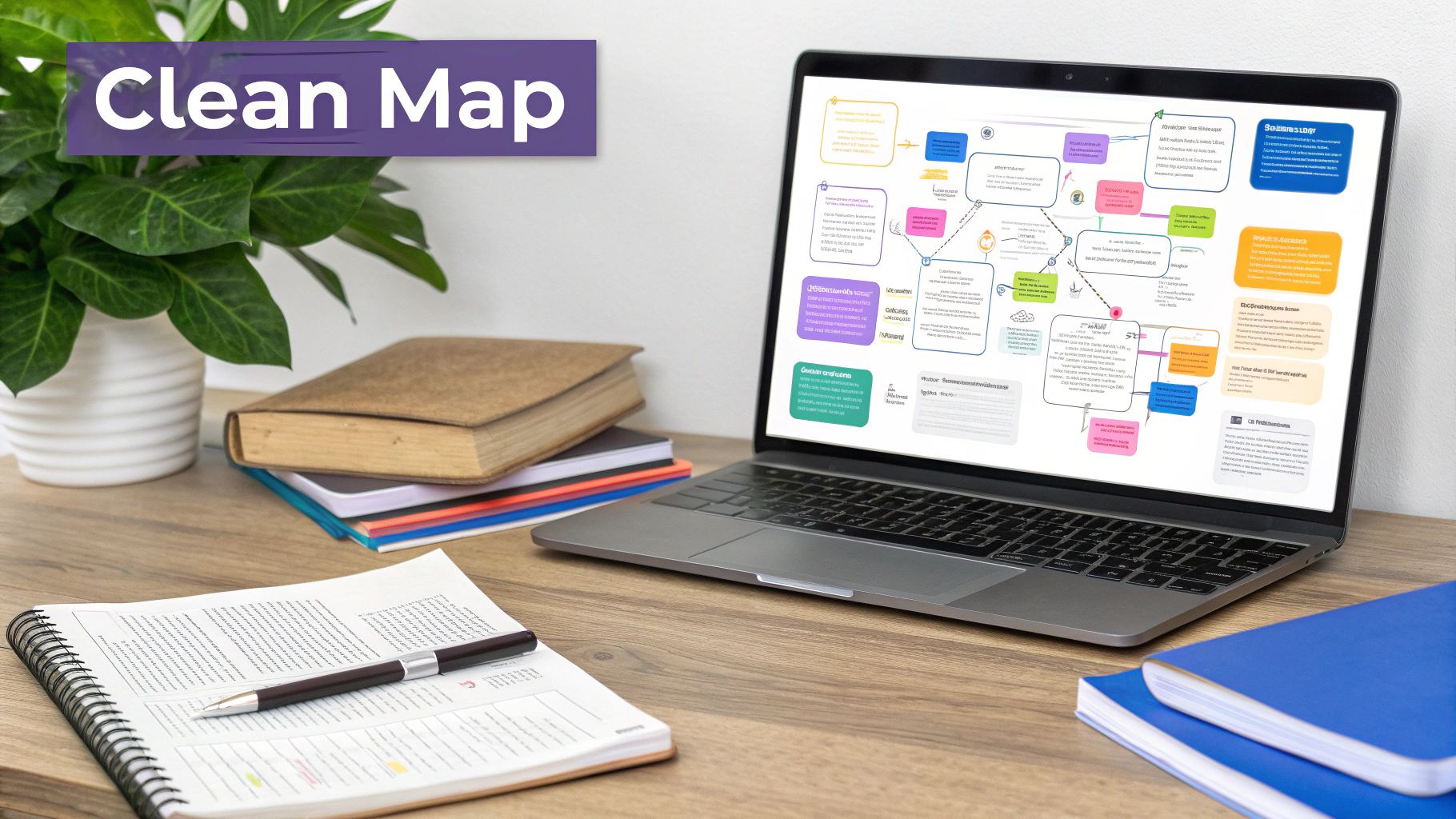
Mind mapping seems simple enough, but even experienced creators can fall into a few common traps. What starts as a tool for clarity can easily spiral into a confusing mess. The good news is that these mistakes are easy to spot and even easier to fix once you know what to look for.
The number one culprit? Writing full sentences on the branches. This instantly clutters the map and makes it impossible to scan, which defeats the whole purpose. The fix is beautifully simple: stick to single keywords or very short phrases. Your brain is great at filling in the blanks, and this keeps the map clean and your ideas punchy.
Another classic mistake is an unbalanced, chaotic structure. If all your branches are crammed into one corner or your lines are crossing like a tangled web, the map becomes visually stressful. To avoid this, think like you're drawing a bicycle wheel. Space your main branches evenly around the central topic to create a balanced, organized layout that's much easier to read.
Overcomplicating the Structure
It’s tempting to dive into the nitty-gritty details right away, but this is where many teams get bogged down. Creating dozens of tiny sub-branches before the main ideas are locked in can kill the big-picture thinking you're trying to spark.
The goal of a mind map isn't to document every single detail; it's to uncover meaningful connections between core ideas. Simplicity is your strongest ally.
To keep things from getting out of hand, build out just one or two levels of branches first. Think of these as your main chapter headings. Once that high-level framework feels solid, you can go back and add the finer details where they matter most.
Here are a few other common tripwires and how to step over them:
-
The Problem: Your map is visually boring and unengaging.
- The Fix: Use color-coding to group different themes. Add simple icons or even emojis to represent key concepts. These aren't just for looks—visuals actually help with memory and keep people engaged.
-
The Problem: The central idea is too vague.
- The Fix: Before you even draw the first line, nail down your central topic. Turn a broad idea like "Marketing" into a specific question, such as "How can we boost Q3 leads by 15%?"
-
The Problem: Your ideas feel random and disconnected.
- The Fix: Be a detective. Actively search for relationships between different branches. Don't be afraid to draw curved lines or arrows to connect related concepts, even if they're on opposite sides of the map.
Dodging these common errors turns your mind map from a messy brainstorm into a genuinely powerful thinking tool. It helps focus the conversation and prevents the kind of scattered thinking that leads to groupthink. You can dive deeper into this by understanding what groupthink is in psychology. A clear map, after all, is the first step toward clear action.
7. From Mind Map to Action Plan
So you've built this brilliant, sprawling mind map. Great! But let's be honest—a map full of ideas is just a pretty picture if it doesn't lead to anything real. This is where the magic happens, where you bridge the gap between brainstorming and actually getting things done.
The first thing to do is gather the team and take a step back. Look at the whole map together. What jumps out? You'll start to see patterns and clusters of ideas that naturally belong together. These are often your biggest opportunities. A simple way to find the winners is to give everyone a few virtual "stickers" or votes to place on the ideas they believe have the most potential. This quickly brings the team's priorities into focus.
Turning Concepts into Concrete Tasks
Once you've zeroed in on the best ideas, it's time to act. You've got all this creative momentum—don't let it fizzle out.
Start by bundling related sub-topics into larger, more tangible tasks. For instance, imagine your mind map is for a "New Website Launch." You probably have branches like "Blog Content," "SEO Keywords," and "Author Bios." You can roll all of those up into one clear project task: "Develop Initial Content Strategy."
A mind map isn't just a record of what was said; it's a blueprint for what to do next. The goal is to make sure every key branch becomes a clear, assignable action.
From there, you'll want to flesh out each of these newly formed tasks with the essentials:
- What's the scope? Get specific about what "done" looks like.
- Who owns it? Every task needs a single, clear owner to move it forward.
- What's the deadline? When does this realistically need to be finished?
This part is surprisingly easy with most modern mind mapping software. Many tools let you convert a branch into a task with a single click and then push it directly into project management apps like Asana, Trello, or Jira. This creates a direct pipeline from idea to execution, making sure none of your best thinking gets lost in translation.
Got Questions About Mind Mapping? We've Got Answers.
As you get ready to dive into mind mapping, a few questions naturally pop up. Let's tackle some of the most common ones I hear from teams who are just getting started.
How Many Main Branches Should I Aim For?
There's no magic number, but a good rule of thumb is to stick to 5 to 9 main branches shooting off your central topic. It's a sweet spot that keeps the map focused and easy to digest at a glance.
If you find yourself going way over nine, it's usually a sign that your map is getting a little crowded. Try to spot similar ideas and group them together under a new, broader branch. This helps keep things clean and clear.
What's the Real Difference Between a Mind Map and a Concept Map?
This one trips people up all the time. Think of it this way: a mind map is all about radiating out from one central idea. It’s a fantastic tool for brainstorming, exploring a single topic from every angle, and letting your ideas flow freely.
A concept map, on the other hand, is more like a web connecting multiple different concepts. It's built to show the specific, often complex relationships between various ideas.
Key Takeaway: Use a mind map to generate new ideas around one topic. Use a concept map to organize and explain existing knowledge across several topics.
Is Mind Mapping Just for Creative Types?
Not a chance. While designers and writers love it for brainstorming, its real strength is in how it simplifies complex information for any team.
I've seen it used in all sorts of fields:
- Project managers use it to break down complex project scopes.
- Developers map out intricate software architecture.
- Sales teams visualize and structure their account strategies.
Anyone who needs to organize thoughts or explain a complex system can benefit from mind mapping. It’s a surprisingly versatile tool.
Ready to transform your remote brainstorming sessions? Bulby provides a guided, AI-powered platform that ensures every idea is captured and every voice is heard. Start creating more effective mind maps today.