
Staring at a blank screen during a remote brainstorming session can feel daunting. Traditional brainstorming doesn't always translate well to virtual environments, often leading to awkward silences, dominant voices drowning out others, and a general lack of creative spark. The challenge isn't a lack of ideas; it's the absence of structure and the right techniques to unlock them. When teams are distributed, simply asking for “good ideas” is rarely enough to generate momentum. Structured facilitation becomes essential.
This guide provides a comprehensive roundup of 10 proven activities for brainstorming, specifically adapted for the unique dynamics of remote and hybrid teams. We move beyond generic advice to give you actionable, step-by-step instructions for each technique. You'll learn how to implement methods like SCAMPER, Brainwriting, and the Six Thinking Hats to foster inclusive and productive ideation. For remote environments, leveraging tools like online post-it note boards for workshops can effectively facilitate these collaborative sessions, providing a shared space for ideas to grow.
Instead of another unproductive meeting, this list will equip you with a toolkit of structured exercises designed to solve specific creative challenges. We'll cover everything from purpose and time requirements to facilitation tips and common pitfalls. You'll also see how to run each activity effectively using collaborative platforms like Bulby, turning your virtual ideation from stagnant to stellar. Get ready to discover fresh, practical methods that ensure every voice is heard and every idea has a chance to shine, no matter where your team members are located.
1. Brainwriting (Brain Netting)
Brainwriting, sometimes called Brain Netting, is a silent and written brainstorming technique designed to generate a high volume of ideas while ensuring equal participation. Unlike traditional vocal brainstorming where the loudest voices can dominate, this method has participants independently write down their ideas first before sharing or building upon them. This approach is one of the most effective remote-friendly activities for brainstorming because it levels the playing field for introverted team members and prevents groupthink from taking hold.

How It Works
The core of Brainwriting involves rounds of silent idea generation and sharing. In a remote setting, a facilitator poses a clear problem or question. Participants then spend a set amount of time (typically 5-10 minutes) writing as many ideas as possible on a shared digital document or whiteboard. After the initial round, these ideas are reviewed, and subsequent rounds can involve building upon or refining the existing suggestions.
- Step 1: The facilitator shares a clear, focused prompt, like "How can we reduce our customer onboarding time by 25%?"
- Step 2: Each participant independently writes ideas on a shared digital canvas for a timed period.
- Step 3: After the timer stops, the group silently reviews all the generated ideas.
- Step 4: A discussion and clustering phase begins, where similar ideas are grouped and the most promising concepts are identified for further exploration.
Key Insight: The silence is the magic. It removes performance pressure and allows individuals to think deeply without interruption, leading to more diverse and creative solutions.
Remote Implementation & Tooling
To run a Brainwriting session with a distributed team, digital collaboration tools are essential.
- Bulby: Use Bulby's collaborative canvas to create a dedicated space for the session. Participants can add ideas as digital sticky notes. Use the tagging feature to categorize ideas in real-time and the voting feature to quickly gauge which concepts resonate most with the group.
- Google Docs/Sheets: For a simpler setup, create a shared document where each participant has their own section for writing. This is how teams at Atlassian and Zapier often conduct distributed ideation sessions, ensuring all contributions are captured simultaneously.
2. SCAMPER
SCAMPER is a creative thinking technique that uses a checklist of seven action-oriented prompts to guide the brainstorming process. Each letter in the acronym stands for a different way to look at a problem or existing idea: Substitute, Combine, Adapt, Modify, Put to another use, Eliminate, and Reverse. Developed by Bob Eberle, this method provides a structured framework that pushes teams beyond their initial thoughts, making it one of the most systematic activities for brainstorming new product features or process improvements. It encourages a deep and methodical exploration of possibilities.
How It Works
A facilitator guides the team through the seven SCAMPER prompts, applying each one to the central problem or product. For instance, if the goal is to innovate a coffee mug, the team would ask questions like, "What material can we substitute for ceramic?" or "Can we combine it with a phone charger?" This step-by-step approach ensures all angles are considered, preventing creative blocks and generating a wide array of specific, actionable ideas. Product teams at 3M famously use SCAMPER-style worksheets to ideate on product upgrades.
- Step 1: Clearly define the product, service, or problem you want to improve.
- Step 2: Go through each letter of SCAMPER one by one, asking targeted questions related to the prompt.
- Step 3: Capture all ideas generated for each of the seven categories without judgment.
- Step 4: After completing all seven prompts, review the collected ideas, identify the most promising ones, and plan next steps for prototyping or validation.
Key Insight: The structure of SCAMPER is its strength. It provides a reliable roadmap for innovation, ensuring that the team systematically explores different creative pathways instead of waiting for a random flash of inspiration.
Remote Implementation & Tooling
Running a SCAMPER session remotely requires a shared space where ideas can be organized by category.
- Bulby: Use a Bulby template with seven distinct columns, one for each SCAMPER prompt. Team members can add their ideas as digital cards under the appropriate column. This keeps the session organized and allows the facilitator to guide the team through each step seamlessly.
- Miro/Mural: Create a digital whiteboard with seven sections labeled S, C, A, M, P, E, and R. Participants can add digital sticky notes to each section, making it easy to visualize the flow of ideas and cluster related concepts during the review phase.
3. Six Thinking Hats
Developed by Edward de Bono, the Six Thinking Hats method is a structured brainstorming technique that encourages parallel thinking by having the group examine a problem from six distinct perspectives. Each "hat" represents a different mode of thought, allowing teams to separate emotion from logic and creativity from critique. This structured approach is one of the most effective activities for brainstorming complex issues because it prevents unproductive arguments and ensures a comprehensive, 360-degree analysis.
How It Works
The facilitator guides the team to metaphorically "wear" each hat one at a time, focusing the group's entire attention on that single mode of thinking. This prevents individuals from getting stuck in one perspective, such as being overly critical (Black Hat) when the goal is to generate new ideas (Green Hat). The sequence of hats can be pre-determined or adapted based on the session's needs.
- Step 1: The facilitator introduces the problem and explains the six hats: White (facts, data), Red (emotions, intuition), Black (risks, caution), Yellow (benefits, optimism), Green (creativity, new ideas), and Blue (process, facilitation).
- Step 2: The group wears the first hat (e.g., White Hat) for a set time (5-10 minutes), with everyone contributing thoughts related only to that perspective.
- Step 3: The team switches to the next hat in the sequence, continuing until all relevant perspectives have been explored.
- Step 4: The Blue Hat is used at the beginning to set the agenda and at the end to summarize findings and define the next steps.
Key Insight: By forcing parallel thinking, this method channels the group's cognitive energy in one direction at a time, transforming potential conflict into collaborative exploration.
Remote Implementation & Tooling
Virtual tools are perfect for managing the structure and focus required for a Six Thinking Hats session.
- Bulby: Use Bulby’s collaborative canvas to create six distinct sections, each color-coded to a hat. Assign virtual hat icons to participants to visually signal the current thinking mode. Use the built-in timer to keep each round focused and time-boxed, ensuring the session stays on track.
- Miro/Mural: Create dedicated frames for each hat. Participants can add color-coded sticky notes to the corresponding frame. This visual separation makes it easy to see the contributions under each perspective and helps organize the final output for analysis.
4. Mind Mapping
Mind Mapping is a powerful visual brainstorming technique where ideas radiate outwards from a central concept, creating a spiderweb-like diagram. Pioneered by Tony Buzan, this method mirrors the brain's natural way of thinking by connecting ideas through association. It uses keywords, colors, and images to organize information non-linearly, making it one of the most intuitive and effective activities for brainstorming complex topics, exploring new concepts, and organizing large amounts of information.
How It Works
A Mind Mapping session begins with a single, central idea or question. From there, the team collaboratively draws branches for major subtopics, which then sprout smaller branches for related details, thoughts, and tasks. This creates a visual hierarchy that shows the relationships between different pieces of information at a glance, helping teams see the big picture without losing track of the details. For example, NASA’s concept development teams have used mind maps to explore complex project components.
- Step 1: The facilitator places a central topic or question in the middle of a digital canvas, such as "Q4 Marketing Campaign."
- Step 2: Participants add primary branches representing major themes, like "Social Media," "Content," "Email," and "Partnerships."
- Step 3: The team expands on each branch with related ideas, keywords, and specific actions, creating a rich visual network of thoughts.
- Step 4: Once the map is complete, the group reviews the connections, identifies key insights, and decides on the next steps for the most promising branches.
Key Insight: The visual and non-linear format frees your mind from the constraints of traditional list-making, unlocking new connections and fostering a more holistic understanding of the problem.
Remote Implementation & Tooling
Digital whiteboards are perfect for collaborative Mind Mapping with a distributed team.
- Bulby: Utilize Bulby's infinite canvas to create a dynamic mind map. Participants can simultaneously add branches, attach files, and use color-coded nodes to organize thoughts. The flexible canvas allows the map to grow organically without running out of space.
- Miro/Mural: These dedicated whiteboarding tools offer pre-built mind map templates and extensive icon libraries that help make your visual brainstorming session more engaging and structured. Trello teams often integrate mind map plugins to turn visual plans into actionable project boards.
To further enhance your understanding and application of visual idea organization, explore a comprehensive guide on using a mind map for note-taking.
5. Lotus Blossom Technique
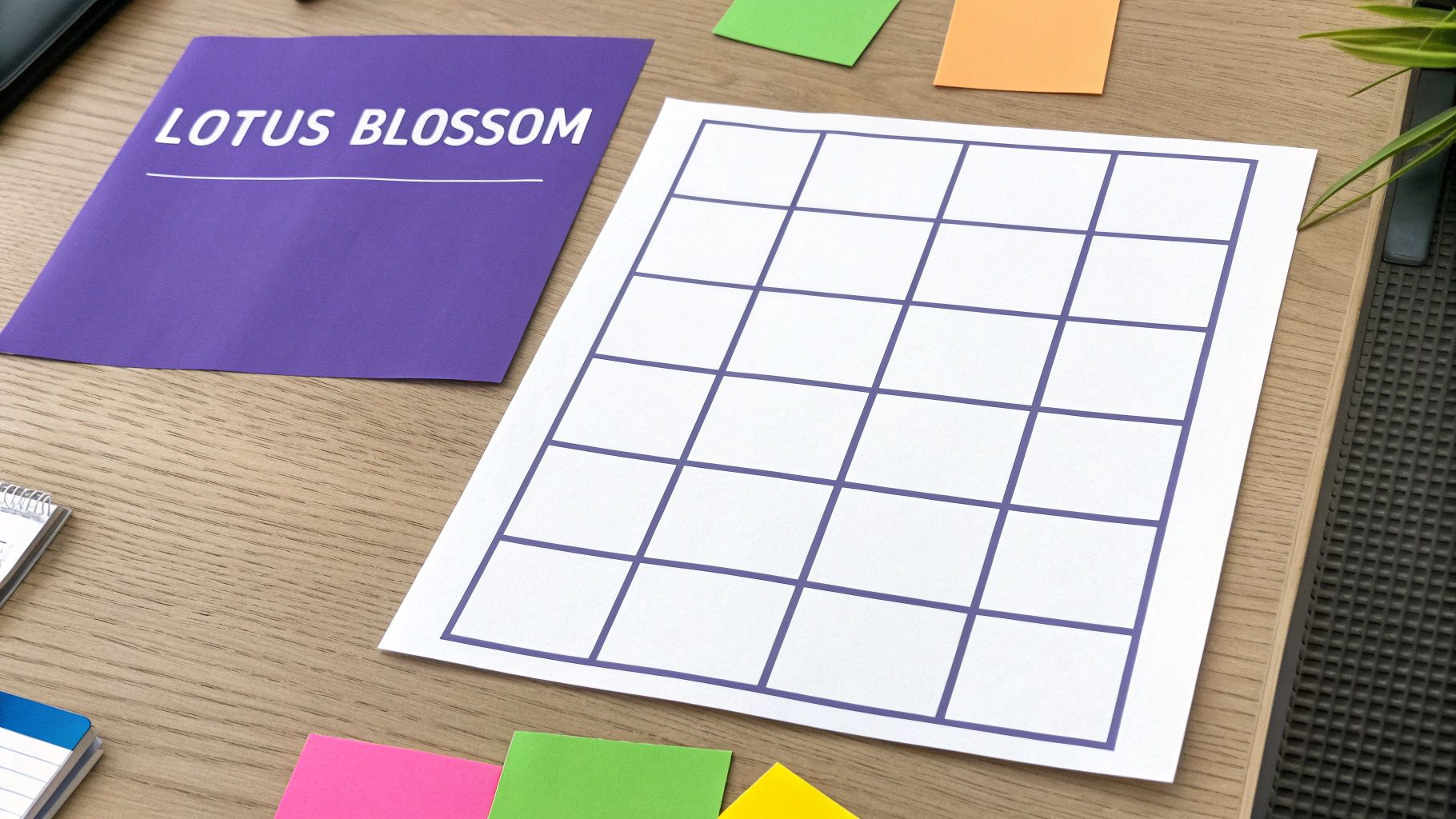
The Lotus Blossom Technique is a structured, visual brainstorming method that encourages deep exploration of a central theme by branching out into related sub-topics. Developed by Yasuo Matsumura, this grid-based approach starts with a core problem at the center and systematically expands outward, much like the petals of a lotus flower. It’s one of the most powerful activities for brainstorming complex problems because it forces participants to move beyond surface-level ideas and uncover interconnected solutions.
How It Works
The technique uses a 3×3 grid, often called a "blossom." The central square contains the main topic or problem statement. The eight surrounding squares are filled with related ideas or themes. Each of these eight ideas then becomes the center of a new 3×3 grid, prompting the team to generate eight more associated concepts for each one. This iterative process creates a comprehensive map of ideas.
- Step 1: Place the core problem or theme in the center square of the main 3×3 grid.
- Step 2: Brainstorm eight related concepts or solutions and place them in the surrounding squares.
- Step 3: Transfer each of those eight concepts to the center of eight new 3×3 grids.
- Step 4: For each new blossom, brainstorm eight more ideas related to its central theme. This results in 64 new ideas.
Key Insight: The structure forces methodical thinking. By turning initial ideas into new central themes, it prevents the team from getting stuck and ensures a thorough, multi-layered exploration of the topic.
Remote Implementation & Tooling
Visual collaboration platforms are perfect for implementing the Lotus Blossom Technique with a distributed team.
- Bulby: Use a grid template from Bulby’s library to set up the blossoms instantly. You can predefine the core challenge in the central grid before the session begins. Assign different teams to different blossoms or encourage participants to rotate blossoms every 10 minutes to cross-pollinate ideas.
- Miro/Mural: These infinite canvas tools allow you to easily create and link multiple 3×3 grids. Participants can add digital sticky notes to each square simultaneously, making it easy to see the web of ideas grow in real time. This approach is used by innovation teams at companies like Fujitsu and Sony to map out product features and strategic initiatives.
6. Round Robin Brainstorming
Round Robin Brainstorming is a structured, turn-taking technique that ensures every participant contributes one idea at a time. The process moves sequentially from one person to the next, cycling through the group until ideas run dry. This methodical approach is excellent for remote teams as it democratizes the conversation, prevents more vocal members from dominating, and encourages thoughtful, concise contributions from everyone involved.
How It Works
The facilitator presents a problem, and each participant gets a few minutes to think and jot down some initial ideas privately. Then, the sharing begins. Going around the "virtual table" in a pre-determined order, each person shares just one idea from their list. This continues for multiple rounds. Participants can choose to pass if they have no new ideas in a particular round.
- Step 1: A facilitator presents a specific challenge, such as "What are three new features we could develop for Q3?"
- Step 2: Participants are given 5-7 minutes of silent, individual time to brainstorm and write down a list of ideas.
- Step 3: The facilitator establishes a speaking order. In the first round, each person shares their top idea. No discussion or feedback is allowed.
- Step 4: The process repeats for subsequent rounds. Participants share a new idea each turn until all unique ideas are on the table.
- Step 5: Once all ideas are collected, the group discusses, clarifies, and organizes them to identify the most promising ones.
Key Insight: The "one idea per turn" rule is crucial. It prevents individuals from overwhelming the session with a long list and gives others time to process each concept before the next one is introduced.
Remote Implementation & Tooling
This structured method translates seamlessly to a virtual environment with the right tools.
- Bulby: Use Bulby’s speaker queue feature to manage the turn-taking order effortlessly. The facilitator can set a timer for each person’s turn to keep the pace brisk. All ideas are captured on the collaborative canvas, making the final discussion and clustering phase simple and visual.
- Video Conferencing Tools (Zoom/Teams): For a low-tech version, use the participant list order in your video call as the sequence. A designated scribe can type all shared ideas into a shared document or a simple digital whiteboard for everyone to see. This is similar to how teams at Buffer run marketing idea sessions in their remote meetups.
7. Crazy Eights
Crazy Eights is a fast-paced sketching exercise designed to generate a wide variety of solutions in a very short amount of time. Popularized by Google Ventures' design sprints, the technique forces participants to move beyond their first idea and explore multiple distinct possibilities. The core constraint, sketching eight ideas in eight minutes, encourages rapid, intuitive thinking over polished, detailed concepts, making it one of the most effective activities for brainstorming when you need to break through creative blocks.

How It Works
The magic of Crazy Eights lies in its strict time limit, which prevents overthinking and self-censorship. Participants take a single piece of paper, fold it into eight sections, and are given one minute to sketch a single idea in each box. The sketches are meant to be rough and conceptual, focusing on communicating a core idea rather than artistic perfection. This rapid-fire approach helps generate a high volume of diverse ideas quickly.
- Step 1: Each participant takes a sheet of paper and folds it into eight equal rectangles.
- Step 2: The facilitator sets a timer for eight minutes and announces the start.
- Step 3: For each minute, participants sketch one distinct idea into one of the rectangles. A facilitator should call out when each minute passes to keep everyone on pace.
- Step 4: After eight minutes, everyone shares their top two or three sketches, explaining the core concept behind each one.
Key Insight: The pressure of the clock is a feature, not a bug. It forces participants to prioritize ideas over execution, leading to more unfiltered and innovative solutions than a typical brainstorming session might produce.
Remote Implementation & Tooling
Running Crazy Eights remotely requires a digital canvas that allows for quick sketching and easy sharing.
- Bulby: Create a board with eight frames or sections pre-defined for each participant. Use the built-in drawing tools so team members can sketch directly on the canvas. The platform's timer feature is perfect for keeping the session on track, and everyone can view and present their sketches on the shared screen afterward.
- Miro/Mural: These digital whiteboards are also excellent for this exercise. Create a template with eight boxes for each person. Participants can use the pen tool or even drag-and-drop shapes and icons to quickly visualize their ideas. After the eight minutes, use the dot-voting feature to identify the most promising concepts.
8. Reverse Brainstorming
Reverse Brainstorming is a powerful problem-solving technique that flips the traditional ideation process on its head. Instead of asking, "How do we solve this problem?" the team first explores, "How could we cause this problem?" or "How could we make this problem worse?" By identifying potential failures, obstacles, and negative outcomes first, teams can then "reverse" these ideas to discover innovative and robust solutions that might not have been obvious otherwise. This is one of the most effective activities for brainstorming when you need to anticipate risks and uncover hidden roadblocks.
How It Works
The session is structured in two main phases: the problem-creation phase and the solution-generation phase. This approach encourages participants to think critically about potential pitfalls before jumping to solutions, often leading to more comprehensive strategies. For example, security teams at Microsoft have used similar methods to identify system vulnerabilities by first thinking like an attacker trying to cause a breach.
- Step 1: The facilitator clearly defines the problem or goal. For instance, "Our goal is to achieve 99% customer satisfaction."
- Step 2: The prompt is reversed. The facilitator asks, "How could we guarantee our customer satisfaction drops to 50%?" or "What would absolutely ruin our customer experience?"
- Step 3: The team brainstorms all the ways to cause or worsen the problem. All ideas are captured without judgment.
- Step 4: The team reviews the list of negative ideas and then "reverses" each one into a potential solution. For example, a negative idea like "Never respond to support tickets" becomes a solution: "Implement a 24-hour response time guarantee for all support tickets."
Key Insight: Focusing on the negative first frees the mind from the pressure of finding the "perfect" solution. It allows for a more open, critical, and sometimes humorous exploration of a topic, which ultimately leads to stronger, more resilient solutions.
Remote Implementation & Tooling
Running a Reverse Brainstorming session remotely requires a clear structure and tools that can handle a two-stage process.
- Bulby: Create two separate columns or frames on a Bulby canvas: "Problems/Causes" and "Solutions." First, have the team populate the "Problems" column with digital sticky notes. Then, drag each negative idea to the "Solutions" column and have the team generate corresponding positive actions, linking the cause and solution visually.
- Miro/Mural: Use a digital whiteboard to create two distinct areas. In the first phase, encourage free-form idea generation in the "problem zone." In the second phase, use arrows or connecting lines to link each problem to a newly created solution card in the "solution zone," creating a clear map of problems to solutions.
9. Random Word Association
Random Word Association is a creative thinking technique that uses an unrelated word to jolt participants out of conventional thinking patterns. By introducing a completely random stimulus, this activity forces the brain to find new connections between the problem and the unrelated concept, sparking fresh and unexpected ideas. This method is one of the best activities for brainstorming when a team is stuck in a rut or recycling the same solutions, as it effectively breaks cognitive fixedness.
How It Works
The facilitator presents a random word, and the team's task is to generate ideas for the core problem by making connections, however tenuous, to that word. For example, if the problem is "improving employee engagement" and the random word is "bridge," ideas might include creating mentorship programs (bridging seniority gaps), implementing a better cross-departmental communication tool (building bridges between teams), or organizing an offsite retreat to connect colleagues (bridging personal and professional relationships).
- Step 1: The facilitator clearly states the problem or challenge.
- Step 2: A random, unrelated word is generated and shared with the group.
- Step 3: For 5-10 minutes, each participant individually lists all the ideas that come to mind connecting the random word to the problem.
- Step 4: The group shares and discusses the ideas, focusing on how the unusual connections can be developed into practical solutions.
Key Insight: The power of this technique lies in its ability to bypass logical, linear thinking. The forced connection encourages lateral thinking, revealing pathways your team would never have found otherwise.
Remote Implementation & Tooling
Running a Random Word Association session remotely is simple with the right tools.
- Bulby: Use Bulby’s built-in random word generator to instantly spark creativity. Capture the resulting ideas on a shared digital canvas, using arrows or lines to visually map the connections between the word and the proposed solutions. This visual approach helps the entire team follow the creative leaps being made.
- Miro/Mural: Create a central space on a digital whiteboard for the problem statement. Place the random word next to it and have participants add their ideas on digital sticky notes, clustering them around the word. This mimics the feel of a physical workshop and keeps the energy high.
10. Question Storming
Question Storming flips the traditional brainstorming model on its head. Instead of generating answers or solutions, this technique focuses exclusively on generating questions related to a problem or topic. By encouraging participants to ask "why," "what if," and "how might we," this method helps teams challenge assumptions, uncover hidden constraints, and reframe the problem from entirely new angles. It is one of the most powerful activities for brainstorming when a team is stuck or needs to deepen its understanding before jumping to solutions.
How It Works
The goal of Question Storming is to produce a high quantity of questions without judgment. A facilitator presents a challenge, and the team works together to ask as many questions about it as possible within a set time. This process is commonly used by design thinking firms like IDEO to ensure they are solving the right problem. The focus is on curiosity and exploration rather than providing immediate answers.
- Step 1: The facilitator introduces a topic or challenge, for example, "Our user engagement has dropped by 15%."
- Step 2: Participants spend a timed session (e.g., 10-15 minutes) generating as many questions as they can about the topic. The facilitator should encourage open-ended questions and forbid any attempt to answer them.
- Step 3: All questions are collected and displayed on a shared digital whiteboard.
- Step 4: The group clusters similar questions together to identify key themes and knowledge gaps. They then prioritize the most impactful questions to guide the next phase of ideation or research.
Key Insight: Focusing on questions before answers prevents premature conclusions and ensures the team is solving the right problem, not just the most obvious one.
Remote Implementation & Tooling
Running a Question Storming session remotely requires a collaborative space where questions can be captured and organized seamlessly.
- Bulby: Use a Bulby board to create a space for the session. Participants can add each question as a separate card or sticky note. The facilitator can use color-coding or tags to categorize questions in real-time (e.g., "user-focused," "technical constraint," "market-related") and then use the voting feature to have the team prioritize which questions to tackle first.
- Miro/Mural: These digital whiteboards are perfect for this activity. Set up a dedicated frame for the session, provide a stack of digital sticky notes for each participant, and use a timer to keep the group focused. After the session, use the platform's grouping features to cluster related questions.
Comparison of 10 Brainstorming Techniques
| Method | Implementation Complexity 🔄 | Resource Requirements ⚡ | Expected Outcomes 📊 | Ideal Use Cases ⭐ | Key Advantages 💡 |
|---|---|---|---|---|---|
| Brainwriting (Brain Netting) | Low — simple written rounds; works async | Low — shared doc/spreadsheet; minimal facilitation | High idea diversity; reduced groupthink | Remote/distributed teams; introvert-inclusive sessions | Equal participation; anonymity option; quick digital setup |
| SCAMPER | Low — checklist-driven, repeatable | Low — templates or worksheets; facilitator optional | Systematic concept variations; incremental innovation | Product refinements; feature ideation workshops | Clear creative triggers; thorough analysis of existing ideas |
| Six Thinking Hats | Moderate — requires strict facilitation and timing | Moderate — facilitator, role signals, timeboxes | Balanced, multi-perspective analysis | Complex decisions; cross-functional evaluations | Ensures disciplined discussion; prevents single-view fixation |
| Mind Mapping | Low to moderate — tool familiarity helps | Low — paper or digital canvas; collaborative editing | Visualized relationships and hierarchies; associative idea growth | Early concepting; planning; knowledge capture | Reveals connections; supports non-linear thinking |
| Lotus Blossom Technique | Moderate — iterative grid setup and expansion | Moderate — grid templates, time per blossom, facilitator | Deeply clustered ideas; pattern discovery | Complex problem decomposition; strategic workshops | Organizes complexity; forces idea clustering and depth |
| Round Robin Brainstorming | Low — simple turn-taking rules | Low — timer/queue; minimal facilitation | Broad participation; steady idea flow | Team meetings needing equal airtime; retrospectives | Prevents dominance; encourages concise contributions |
| Crazy Eights | Low — tight constraint, easy to run | Low — paper/digital sketch tools and timer | High volume of rapid, visual concepts | Design sprints; rapid divergent ideation | Accelerates ideation; breaks analysis paralysis |
| Reverse Brainstorming | Moderate — needs careful negative framing and reframing | Low to moderate — facilitator to guide inversion | Identifies root causes; uncovers counterintuitive solutions | Problem diagnosis; security and failure-mode analysis | Exposes hidden drivers; yields creative mitigations |
| Random Word Association | Low — quick facilitator-led trigger | Low — random-word/image generator or deck | Unexpected lateral ideas; requires filtering | Creative ads, campaigns, ideation warm-ups | Breaks mental ruts; easy to implement rapidly |
| Question Storming | Low — focused on generating questions | Low — note capture and clustering tools | Clarified needs and assumptions; reframed problems | Discovery phases; problem framing workshops | Surfaces assumptions; guides targeted solution generation |
From Ideas to Impact: Your Next Steps
You've just explored a comprehensive toolkit of ten powerful activities for brainstorming. From the silent, parallel processing of Brainwriting to the structured deconstruction of SCAMPER and the rapid-fire sketching of Crazy Eights, you now have a diverse set of methods to tackle any creative challenge your team faces. This collection moves beyond the outdated, unstructured "let's just throw ideas at a wall" approach and provides a roadmap for targeted, productive, and even enjoyable ideation.
The real magic, however, isn't just knowing these techniques exist. The true differentiator between a team that generates ideas and a team that drives innovation is the ability to strategically select, skillfully facilitate, and consistently apply the right method for the right problem.
Key Takeaways: Moving Beyond the List
Think of these brainstorming activities not as isolated recipes but as a flexible system. The most important lesson is that there is no one-size-fits-all solution.
- Structure Liberates Creativity: The most common misconception about brainstorming is that rules stifle creativity. As we've seen with techniques like Six Thinking Hats and the Lotus Blossom Technique, constraints and clear structures actually create a safer, more focused environment for new ideas to emerge. They prevent the loudest voices from dominating and ensure a diversity of perspectives is heard.
- Problem-First, Technique-Second: Don't start by choosing your favorite activity. Start by deeply understanding your challenge. Are you stuck and need to break a mental logjam? Try Random Word Association. Do you need to refine an existing idea? SCAMPER is your go-to. Are you trying to anticipate future problems? Reverse Brainstorming is purpose-built for that. Let the problem dictate the process.
- Remote Brainstorming is a Skill: Facilitating these sessions with a distributed team requires intentionality. Tools are crucial, but so is the human element. Over-communicating the rules, setting clear timeboxes, and using digital collaboration platforms to make contributions visible are non-negotiable for success. This is where remote-first tools truly shine, providing a persistent and organized canvas for asynchronous and synchronous collaboration.
Your Actionable Next Steps
Having a list of great activities for brainstorming is the first step, but turning those raw ideas into tangible outcomes is what truly drives innovation. The key is consistent application and choosing the right technique for your specific challenge. Here’s how to put this guide into practice immediately:
- Conduct an Activity Audit: Look at your team's upcoming projects and challenges. Which one of these ten techniques seems like the best fit for your next big question? Match the activity to the problem.
- Schedule a "Low-Stakes" Session: Don't wait for a major crisis to try a new method. Pick a smaller, less critical problem and run a 30-minute session using a technique like Question Storming or Crazy Eights. This builds the team's "facilitation muscle" in a low-pressure environment.
- Create a Team Playbook: Share this article with your team. As a group, decide on 2-3 "go-to" activities you want to master first. Document your preferred tools and best practices for running them, creating a simple playbook that anyone on the team can use to initiate a session.
Don't be afraid to experiment with different methods or even combine elements from several to create a custom session tailored to your team's unique dynamic and the problem at hand. Your next breakthrough idea is waiting just beyond the barrier of your old routine. The path forward begins by choosing one of these activities and scheduling your team's next brainstorming session today.
Ready to supercharge your remote ideation sessions? Bulby transforms these powerful brainstorming activities into guided, AI-powered digital workshops, eliminating the setup and facilitation friction. Stop wrestling with generic tools and start running focused, productive sessions that turn great ideas into real impact by visiting Bulby to see how it works.