
Let's be honest: staring at a grid of faces on a video call isn't exactly a recipe for a creative breakthrough. This is where a graphic organizers brainstorming session can completely change the dynamic for your remote team, turning jumbled thoughts into a clear, visual roadmap. These tools are the best defense against creative ruts and disengaged virtual meetings.
Why Visuals Are a Game-Changer for Remote Creativity
The classic, in-person roundtable brainstorm just doesn't work the same way when you're all remote. The energy is different. Good ideas get lost in the cross-talk, the loudest person often gets the most airtime, and it’s way too easy for people to quietly check out. Visual brainstorming tackles these remote work problems head-on.
When you start mapping ideas visually, you're not just talking anymore—you're building something together. It takes the pressure off trying to track a long, winding conversation. Instead, your team can literally see connections form, spot new patterns, and watch possibilities pop up in real-time on a shared digital canvas.
The Magic of Structured Thinking
Graphic organizers have been helping people make sense of complicated information for decades. They’ve been a staple in education since the 1960s for a reason—they work. Research has shown that using graphic organizers can boost accuracy scores by an average of 28%, with some groups jumping as high as 35%. It's a powerful way to level the playing field for everyone on your team. You can find more compelling research on how graphic organizers supercharge idea generation.
This visual approach helps your team:
- Untangle Complex Ideas: Break down a massive challenge into smaller, more manageable pieces.
- Discover Hidden Connections: See how seemingly random thoughts actually relate to one another.
- Promote Fair Participation: Give everyone—especially your quieter team members—a structured way to add their ideas without having to fight for the mic.
By transforming abstract chatter into a shared visual language, graphic organizers give remote teams a solid launchpad for true creativity. The focus shifts from who's talking the most to how we can collectively build the best idea.
Choosing the Right Tool for the Job
Not every graphic organizer is right for every situation. The trick is to match the template to your goal. Are you just spitballing a brand-new concept? Trying to crack a specific problem? Or are you mapping out the next steps for a project? Each of these goals is best served by a different kind of visual structure.
This little decision guide can help you figure out where to start based on what you’re trying to accomplish.
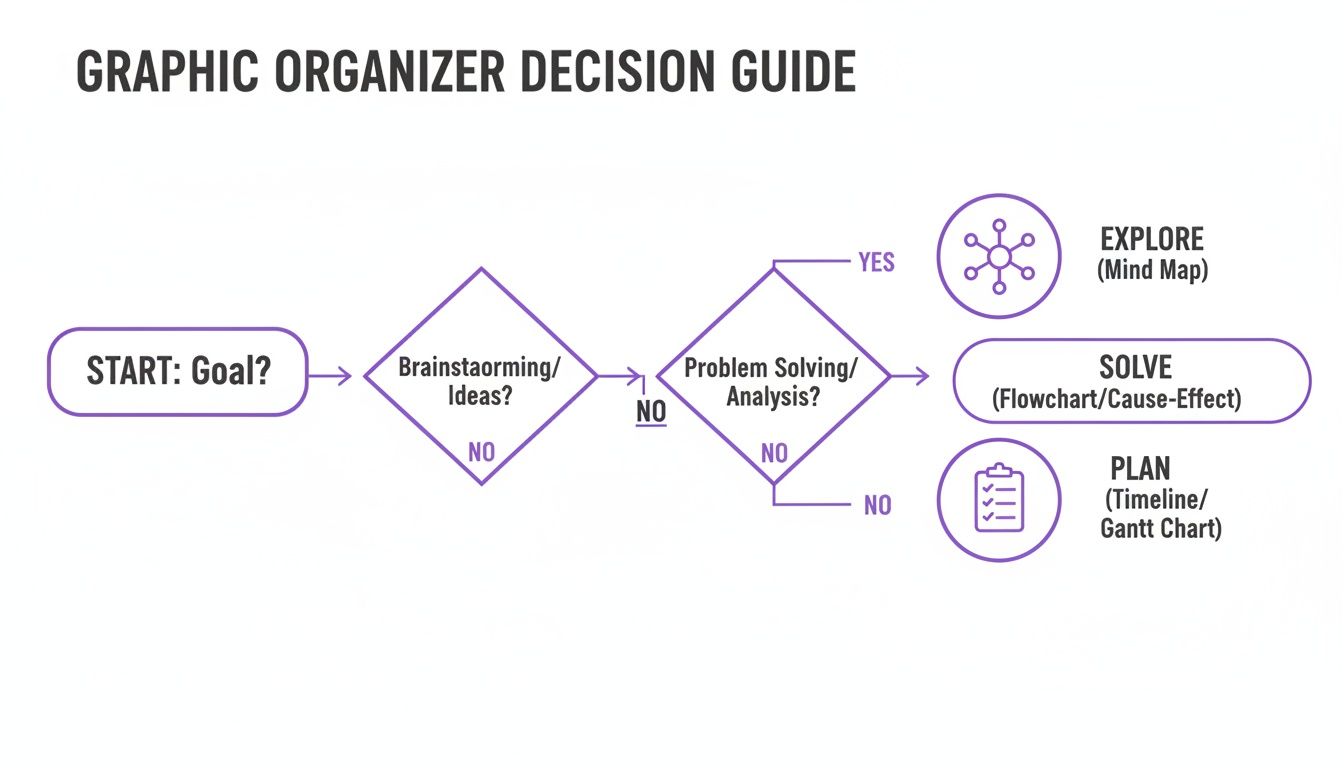
As the flowchart shows, what you're trying to achieve—exploring, solving, or planning—points you toward the perfect tool, whether that's a mind map, a cause-and-effect diagram, or a simple flowchart.
To make this even easier, here's a quick rundown of some of the most popular templates and when I've found them to be most effective.
Choosing Your Graphic Organizer Brainstorming Template
| Organizer Type | Best For | Example Use Case |
|---|---|---|
| Mind Map | Exploring a central idea and its related sub-topics | "Let's map out all the potential features for our new mobile app." |
| Flowchart | Visualizing a process or sequence of steps | "How can we improve our customer onboarding journey from sign-up to first success?" |
| Venn Diagram | Comparing and contrasting two or more concepts | "What are the overlapping and distinct needs of our two main user segments?" |
| Cause & Effect | Identifying the root causes of a specific problem | "Why did our user engagement drop by 15% last quarter?" |
| SCAMPER Chart | Innovating on an existing product, service, or idea | "How can we use the SCAMPER method to reinvent our current marketing strategy?" |
| Empathy Map | Gaining a deeper understanding of a user's experience | "What does our target customer really think, feel, say, and do?" |
Think of this table as your cheat sheet. When you're setting up your next brainstorming session, a quick glance here can save you time and ensure you're using a structure that will actually get you the results you need.
Setting Up Your Virtual Session for Success
A great brainstorming session doesn't just happen by chance—it's engineered. The real work starts long before anyone clicks "Join Meeting," especially when you're dealing with a remote team and all the distractions that come with it. Getting the setup right means your team can dive straight into creative thinking instead of fumbling with tech.
First things first, pick your digital workspace. This is your virtual conference room, and it needs to be ready for action. Digital whiteboards are pretty much the gold standard for graphic organizers brainstorming, as they give everyone a shared canvas to collaborate on in real time.
Once you’ve landed on a platform, don't just present your team with a blank screen. You need to pre-load your chosen graphic organizer onto the board. Whether you’re using a mind map or a SCAMPER chart, having it there from the get-go shows everyone that the session has a clear purpose and that you respect their time.
Crafting a Clear Agenda
A solid agenda is your best defense against a session that spirals into chaos. It turns a potentially messy meeting into a focused, productive ideation sprint. Always start by clearly defining the core problem or question you're trying to solve.
But an agenda should be more than a simple to-do list. Break it down into timed blocks to keep the session flowing. A structure I've found that works well looks something like this:
- 5 Minutes: Welcome & Icebreaker: Kick things off with a quick, fun activity to get everyone comfortable and switched on.
- 10 Minutes: Problem Framing: Clearly state the goal for the session and walk everyone through the graphic organizer you'll be using.
- 20 Minutes: Focused Ideation: This is the main event. Give everyone dedicated, uninterrupted time to add their ideas to the organizer.
- 10 Minutes: Grouping & Synthesis: Start pulling similar ideas together into clusters and have an initial chat about any emerging themes.
A well-structured agenda is the difference between a meeting that drains energy and a session that creates it. By setting clear time boundaries, you give your team the psychological safety to focus purely on creativity.
Sending this agenda out ahead of time is non-negotiable. A good pre-session email sets expectations and gets the whole team aligned before the call even begins. You can find some fantastic starting points in a good brainstorming session template to make sure you've covered all your bases.
The Right Tech Stack
To really nail your virtual brainstorming setup, you need to be familiar with the different remote collaboration tools that can host your graphic organizers and keep the interaction smooth. Your video conferencing app and digital whiteboard need to play nicely together.
If you happen to be using a more specialized tool like Bulby, a lot of this setup is already handled for you. Bulby is designed to guide your team through structured, research-backed exercises, baking the process right into the platform. This cuts out the headache of juggling multiple tools and frees you up to focus on what matters: guiding the conversation and capturing brilliant ideas.
3 Graphic Organizer Techniques You Need to Master
Alright, let's get into the good stuff. Knowing about graphic organizers for brainstorming is great, but actually using them to pull out breakthrough ideas from your team is a whole different ballgame. I'm going to walk you through three of my favorite methods for remote teams. Each one is a powerhouse for tackling a different kind of creative challenge.
1. Mind Maps: Your Go-To for Free-Flowing Exploration
Mind mapping is where I almost always start. It’s the perfect technique for exploring a central idea in a completely organic way. Honestly, it works so well because it mimics how our brains actually think—starting with one big concept and then branching out into a web of connected thoughts.
Think of it as casting a wide net during the early discovery phase of a project. Let’s say a SaaS company wants to brainstorm a new feature. They'd put "New Feature X" right in the middle of their digital whiteboard. From there, you'd see branches pop up for "Target Users," "Core Functionality," "Potential Roadblocks," and "Marketing Angles."
Running this remotely is simple. Get your core problem on the board and give everyone five minutes of quiet time to add their first thoughts as main branches. After the silent brainstorm, open up the conversation. Encourage the team to build on what’s there by adding smaller, secondary branches to other people's ideas.
The real beauty of a mind map is its visual nature, which helps you spot connections you’d otherwise miss. To get a better handle on which visual tool to use when, check out our guide on concept maps versus mind maps. Getting this right from the start is a small detail that makes a big difference.
A mind map isn't just a jumbled list of ideas. It's a visual story of your team's collective brainpower. The magic moment is when someone draws a line connecting a "marketing" idea to a "functionality" idea, and suddenly, a whole new perspective clicks into place for everyone.
2. SCAMPER: The Framework for Systematic Innovation
When you need to innovate on something that already exists—a product, a process, a campaign—the open-ended nature of a mind map might not be enough. This is where the SCAMPER method comes in. It provides a fantastic structure that forces your team to think in new ways.
SCAMPER is an acronym that acts as a set of prompts, guiding your team through seven different lenses:
- Substitute
- Combine
- Adapt
- Modify
- Put to another use
- Eliminate
- Reverse
Imagine a marketing team trying to breathe life into a stale campaign. Using a SCAMPER chart, they can start asking pointed questions. "What if we substitute our usual Instagram posts with a TikTok series?" or "How can we combine our loyalty program with a new referral bonus?"
These prompts are designed to break default thinking patterns. They push the team to come up with concrete, actionable changes instead of just talking in circles.
3. Empathy Maps: The Key to Deep User Insight
Finally, if your project is for a customer—and let's be honest, most are—then an empathy map is non-negotiable. This tool is all about shifting the focus away from your team's internal assumptions and onto the user's real-world experience.
An empathy map is a simple chart split into four quadrants: Says, Thinks, Does, and Feels.
The whole team works together to fill out each section based on user research, customer interviews, or established personas. This isn't just a box-ticking exercise; it builds a deep, shared understanding of what your user is actually going through. Once you're grounded in their pains and gains, the solutions you brainstorm will be infinitely more relevant and effective.
And the data backs this up. In remote settings, 92% of experienced users find digital graphic organizers 'very effective' for sharing ideas. It makes sense, as visual tools can boost idea retention by 35-50%. For teams, this often translates into sessions that generate 60% more diverse ideas. You can dig into the findings on digital organizer effectiveness yourself.
To get even better at capturing these insights, it's also worth looking into diverse note-taking methods that can complement your visual brainstorming.
Leading Engaging and Inclusive Remote Sessions
You can have the most brilliant graphic organizer template in the world, but it’ll fall flat without thoughtful facilitation. Leading a graphic organizers brainstorming session remotely is so much more than just sharing a screen. It’s about being the active guide who manages energy, encourages participation, and keeps everyone focused.
Think of yourself as the session's host. Your main job is to create an environment where every voice can contribute meaningfully, making it easy and safe for everyone to jump in. This is especially true online, where it's far too easy for quieter team members to fade into the background. Great facilitation turns what could be a passive viewing experience into a genuinely active and collaborative one.
Fostering an Inclusive Environment
To really capture every valuable perspective, you need to bake inclusivity right into the session's DNA. It's a fact of life that extroverts can sometimes dominate verbal discussions, but a well-designed exercise is the great equalizer.
One tactic I absolutely swear by is starting with a timed, solo brainstorming round. Before anyone says a word, give the group 5-10 minutes of quiet time to add their own ideas to the digital whiteboard, often with anonymous sticky notes. This simple step gives the deeper thinkers on your team the space they need to formulate their thoughts without feeling rushed or pressured.
Here are a few other ways to level the playing field:
- Anonymous Contributions: Using digital sticky notes without names attached can be a game-changer. It dramatically lowers the fear of sharing a "silly" or half-baked idea that might just be the seed of a breakthrough.
- Targeted Invitations: Instead of a vague, "Any other thoughts?" which often gets crickets, try a more direct approach. Something like, "Sarah, I'd love to hear your take on this cluster of ideas about user onboarding," can gently pull someone into the conversation.
- Round-Robin Sharing: Go around the virtual room and ask each person to share one idea from the board that stands out to them. This simple technique guarantees everyone gets their voice in the room at least once.
Navigating Common Remote Challenges
Let's be real—remote sessions have their own special brand of chaos. You’ve got tech glitches, lagging energy levels, and the ever-present risk of people multitasking. A prepared facilitator knows how to handle these moments gracefully, keeping the session on track without killing the creative vibe.
If you feel the energy dipping, don't just power through. Call a quick two-minute stretch break or toss a fun, energizing poll into the chat. When conflicting ideas pop up, your job is to frame it as a strength, not a problem. Use phrases like, "It's fantastic that we have different perspectives here. Let's explore both of these paths for a moment." This validates everyone's contribution and keeps the discussion from getting adversarial.
The facilitator's real job is to be the calmest person in the room. When you anticipate common issues and have a simple plan for each, you build trust and keep the team focused on creative problem-solving, not on the process itself.
Mastering these skills takes practice, of course. For a deeper dive, our guide on remote facilitation best practices has more detailed strategies for managing group dynamics and keeping your team hooked from start to finish.
From Brainstorm to Breakthrough: Turning Ideas Into Action
A great brainstorming session is a fantastic start, but its real value comes from what you do after everyone logs off. The whole point isn't just to cover a digital whiteboard in sticky notes—it's to leave the meeting with a shared sense of direction. This final phase is where you turn all that creative energy into a real plan.
Skip this, and even the most productive session will fizzle out. Ideas get forgotten, momentum dies, and you're left with nothing but a cool-looking mind map. Let's make sure that doesn't happen.
Finding the Patterns: Group and Theme Your Ideas
Your first move is to tame the creative chaos. It’s time for a technique called affinity clustering. Think of it like sorting a massive pile of LEGOs by color—you start dragging similar ideas next to each other on your digital board.
As you move things around, you'll see patterns begin to take shape. A bunch of notes about "push notifications," "onboarding emails," and "customer support chat" could naturally cluster together. Once they do, give that group a simple, clear title, like "Enhancing User Communication."
This act of naming themes helps everyone see the big picture and quickly grasp the key opportunities that came out of the discussion. It's not just about being tidy; it’s about making complex information easier to process. In fact, studies show that graphic organizers can cut down on cognitive load by as much as 40%, helping your team make sense of it all much faster. You can dig deeper into how visual tools boost understanding at teachenglish.org.uk.
The beauty of affinity clustering is that you let the themes reveal themselves organically. You're not forcing a structure. The patterns that surface from the team's collective brainpower are almost always more powerful than anything one person could have strategized alone.
Prioritizing What Truly Matters
Okay, so you've got your themes. Now comes the hard part: deciding what to do first. You can't chase every shiny object. Trying to tackle everything at once is a surefire way to get nothing done. A simple prioritization framework is your best friend here.
For remote teams, I’ve found two methods work incredibly well:
-
Dot Voting: This one is quick, democratic, and dead simple. Give every participant a few virtual "dots" (I usually go with 3-5). They then "vote" by placing their dots on the ideas they feel are the most impactful. The ideas with the most dots float to the top. It’s a fast, visual way to see where the team’s energy lies.
-
Impact-Effort Matrix: If you need a more strategic approach, this is it. You'll plot each idea on a simple 2×2 grid. One axis is for "Impact" (how much value will this bring?), and the other is for "Effort" (how hard will this be to do?). This immediately helps you spot the low-hanging fruit (high impact, low effort) and separate it from major projects.
Defining What's Next (and Who's on It)
This is the most critical step of all. Before that video call ends, you absolutely must turn your top ideas into concrete action items. Vague takeaways are where momentum goes to die.
Every single action item needs two things: an owner and a deadline. No exceptions.
So, instead of leaving with something fuzzy like, "Explore new marketing channels," you need something sharp and clear: "Maria will research and present three potential TikTok influencer partners by EOD Friday."
This creates instant accountability. The meeting ends not with a "What now?" but with a clear road ahead. You’ve successfully turned a dynamic graphic organizers brainstorming session into the launchpad for your next big thing.
Common Questions About Virtual Brainstorming
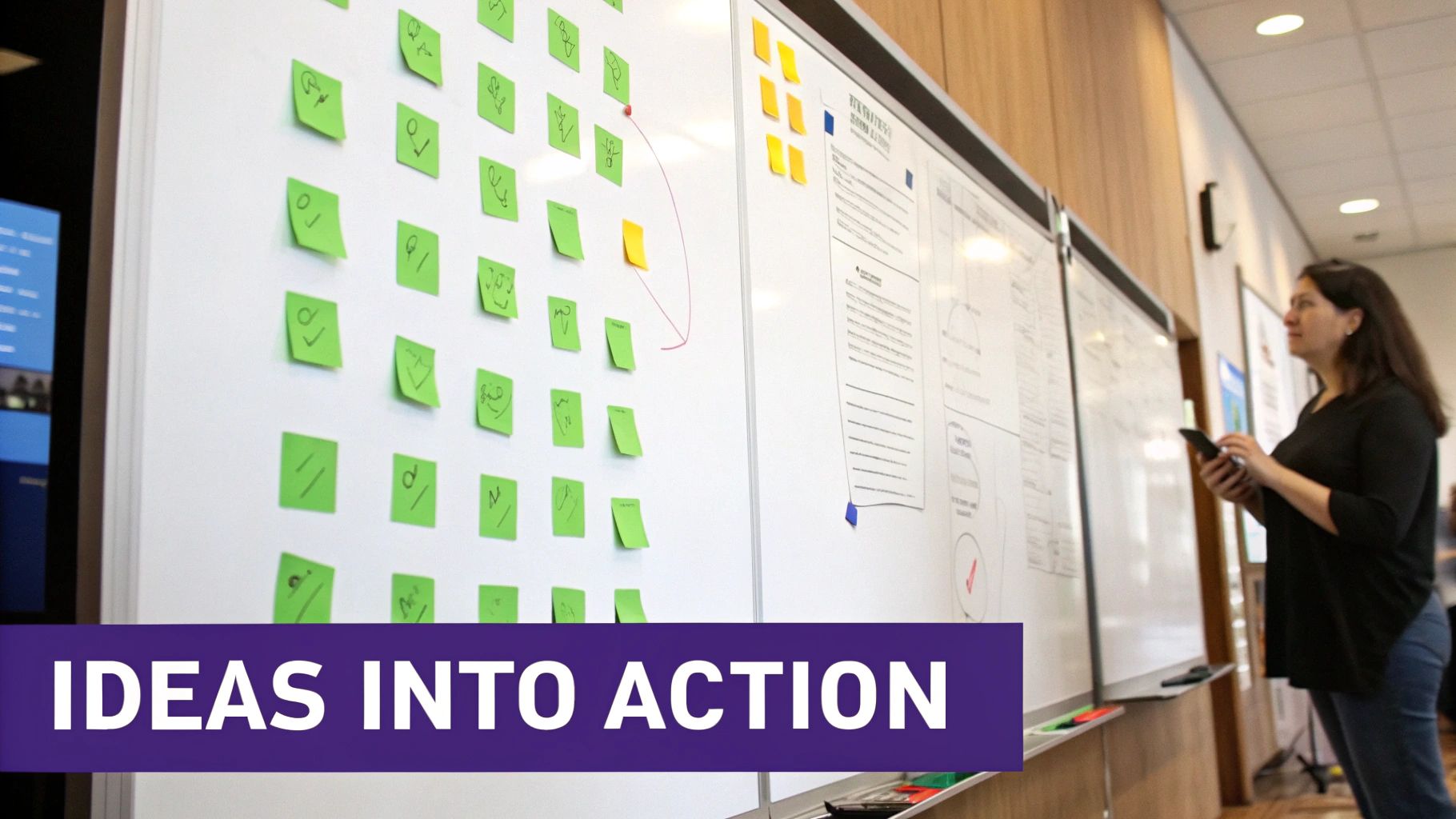
Even when you've prepped everything perfectly, you're bound to hit a few snags. That's just part of the process. When it comes to using graphic organizers for remote brainstorming, I’ve found that the same few questions come up again and again.
Let's walk through these common hurdles so you can lead your next session with the confidence of a seasoned pro. These aren't just hypotheticals; they're the real-world sticking points I see product managers and creative leads struggle with all the time. Getting them right can be the difference between a breakthrough idea and a dead-end meeting.
How Do You Choose the Right Graphic Organizer?
Don't just grab the first template you see. The key is to let your goal dictate the tool. Before you even open a virtual whiteboard, ask yourself one simple question: What are we actually trying to accomplish here?
- For Broad Exploration: If you have a central concept and need to see how far it can branch out, a Mind Map is your go-to. It's fantastic for open-ended, anything-goes thinking.
- For Systematic Innovation: When you're trying to improve something that already exists, the structured prompts of a SCAMPER chart are perfect. It forces the team to look at the problem through seven different creative lenses.
- For User-Centric Problems: Need to get inside your customer's head? An Empathy Map is non-negotiable. It helps you map out what they see, hear, think, and feel.
Think of it like this: your goal is the destination, and the graphic organizer is the vehicle. You wouldn't take a sports car off-roading. Picking the right one sets you up for a much smoother and more productive journey.
How Can I Get Quieter Team Members to Participate?
This is a classic challenge, especially in virtual settings where it's easy to hide behind a muted microphone. My favorite technique is to kick things off with a round of "silent brainstorming."
Carve out 5-10 minutes at the very beginning of the session. During this time, everyone adds their ideas to the graphic organizer individually, without talking. It’s that simple. This gives the introverts and deeper thinkers on your team the space they need to process and contribute without feeling the pressure of the spotlight. It also levels the playing field, making sure good ideas rise to the top no matter who they came from.
Once the silent round is over, you can start discussing the themes that have emerged. You’ll be amazed at how many more voices you hear when everyone’s initial thoughts are already on the board.
True collaboration isn't about everyone talking at once. It's about creating a structure where everyone has an equal opportunity to contribute their best thinking, regardless of their communication style.
How Do We Turn Ideas Into Actual Work?
This is where so many great brainstorming sessions fall apart. Ideas without action are just creative noise. To avoid this, always reserve the last 25% of your meeting time for synthesis and next steps. No exceptions.
First, cluster similar ideas together to find the big themes. From there, use a quick prioritization framework—dot voting is a team favorite, but an impact-effort matrix works great, too. This helps everyone agree on what's most important.
Finally, before a single person disconnects, assign each high-priority idea to a specific owner with a clear deadline. This simple act transforms a cloud of possibilities into a concrete action plan, ensuring all that creative energy actually goes somewhere. For a deeper dive into this process, check out our guide to brainstorming online effectively.
Ready to transform your remote ideation sessions from chaotic video calls into structured, creative powerhouses? With Bulby, your team gets AI-powered guidance and research-backed exercises designed to unlock brilliant ideas. Discover how Bulby can make your next brainstorm your best one.