

Ever tried to map out a brilliant business idea, only to get bogged down in a 60-page business plan? It feels like using a clunky, old-school atlas to find your way through a city that's constantly changing. It’s detailed, sure, but it's also rigid and becomes outdated almost immediately.
That’s where the Lean Canvas comes in. It's not a business plan; it's your real-time strategic playbook, all on a single page.
What Is a Lean Canvas and Why Is It Essential
The Lean Canvas is designed to help you break down your business idea into its most critical assumptions. It forces you to get brutally honest about what you think you know versus what you actually know.
Instead of getting lost in the weeds of operational details, you zoom in on the core questions that will make or break your startup. This is a crucial part of the early product discovery phase, where your main job is to fall in love with the problem, not your solution.
For founders trying to figure out if their idea has legs, the Lean Canvas is a must-have tool. If you're looking for more on this, check out this excellent guide on validating your startup idea.
The whole point of a Lean Canvas isn't to write the perfect plan. It's to systematically find the riskiest parts of your idea so you can test them before you waste a ton of time and money.
Ash Maurya adapted the original Business Model Canvas back in 2010 specifically for the chaotic, uncertain world of startups. He shifted the focus from operations to problems, and it worked. A 2019 Startup Genome report found that startups using one-page models like this had 3.5x higher success rates when it came to scaling. That's a huge deal. According to some startup planning insights, this approach helped drop failure rates from a staggering 90% to under 70% in the first 18 months.
At the end of the day, using a Lean Canvas isn't just about filling out boxes. It's about building a mindset of constant learning and adapting, which is the only way to build a business that customers will actually want.
Understanding The 9 Building Blocks Of The Lean Canvas
Think of the Lean Canvas as the one-page blueprint for your business idea. It’s made up of nine essential building blocks, and each one forces you to answer a critical question. The point isn’t to have perfect answers right away; it’s about getting your best guesses down on paper so you can start testing them in the real world.
Let's walk through each component. To make it concrete, we'll use a hypothetical example: a new project management app built specifically for small, remote marketing agencies.
The whole process is a loop. You start with a problem, you shape an idea around it, and you identify the core assumptions holding everything together. That's what you need to go out and test.
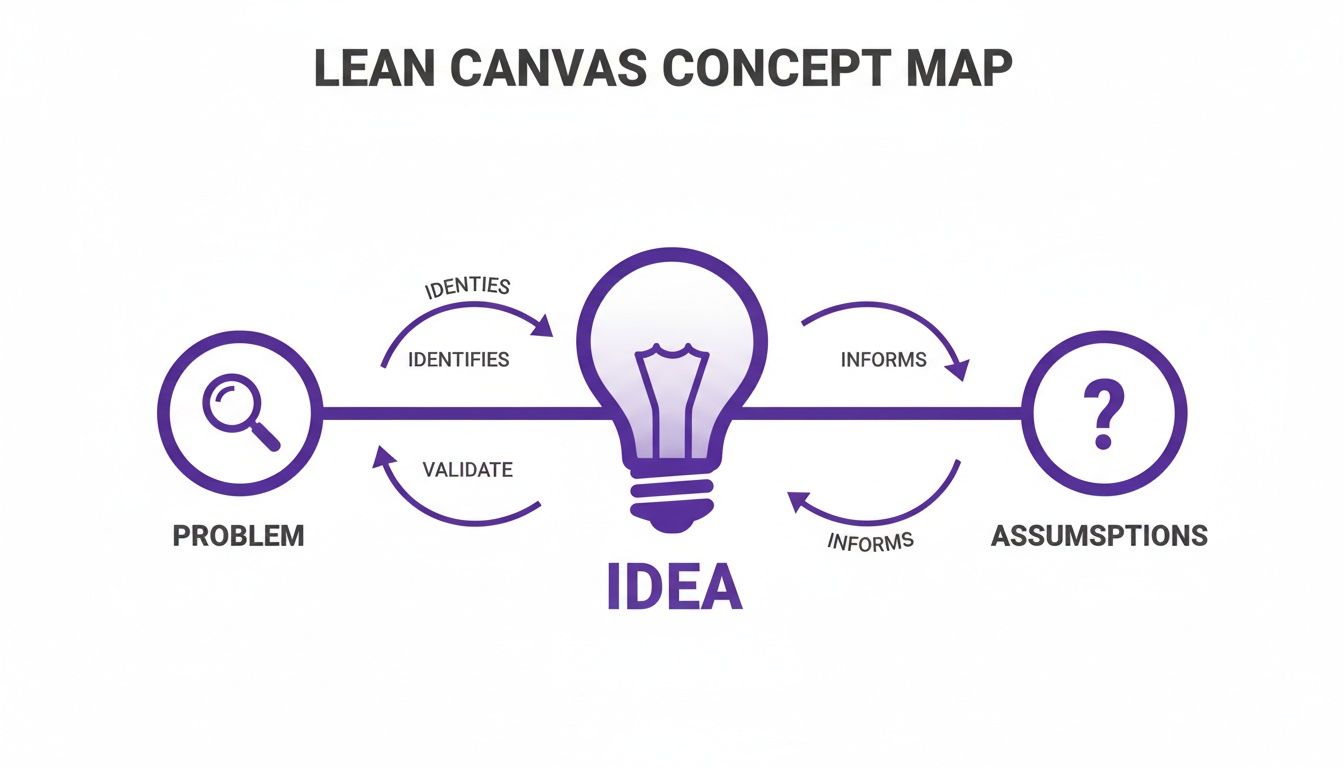
As you can see, a great idea is pretty much worthless if it doesn't solve a real problem. And both are built on assumptions that need to be proven right.
To simplify this, here's a quick look at all nine blocks in a table format before we dive deeper into each one.
The 9 Blocks of the Lean Canvas Explained
This table breaks down each component, the core question it answers, and a quick example to show you how it works in practice.
| Canvas Block | Core Question | Example (for a hypothetical project management tool) |
|---|---|---|
| 1. Problem | What are the top 1-3 problems my customers face? | Client feedback is scattered across emails, Slack, and docs, causing confusion. |
| 2. Customer Segments | Who are my target customers, especially my early adopters? | Project managers at small (5-15 person) remote marketing agencies. |
| 3. Unique Value Prop | Why are you different and why should customers care? | The one place for all client feedback, so you can stop chasing emails. |
| 4. Solution | What are the top 3 features that solve the core problems? | Centralized client portal, simple UI, and automated time-tracking. |
| 5. Channels | How will I reach my customers? | Direct outreach on LinkedIn, content marketing for agency owners, SEO. |
| 6. Revenue Streams | How will the business make money? | Tiered monthly subscriptions based on the number of users and projects. |
| 7. Cost Structure | What are my fixed and variable costs? | Salaries (fixed), server hosting (fixed), and advertising spend (variable). |
| 8. Key Metrics | What key numbers tell me if my business is working? | User activation rate (signups completing a key action) and monthly retention. |
| 9. Unfair Advantage | What do I have that can't be easily copied or bought? | An exclusive integration partnership with a major accounting software platform. |
Now that you've seen the big picture, let's unpack what really goes into each of these boxes.
1. Problem
This is the absolute foundation of your entire canvas. Before you even whisper the word "solution," you have to nail down the top 1-3 problems your customer is dealing with. If you can’t articulate a painful, urgent problem, your idea has nowhere to go.
For our project management app, the problems could be:
- Problem 1: Remote marketing teams waste hours hunting for client feedback scattered across emails, Slack threads, and Google Docs.
- Problem 2: Existing PM tools are way too complex and expensive for small agencies on a tight budget.
- Problem 3: Tracking billable hours is a nightmare when communication is so fragmented, leading to lost revenue.
You also need to list Existing Alternatives. What are people doing right now to patch this problem? It could be a direct competitor, or more likely, a clunky workaround like using Google Sheets, Trello, and a million email chains.
2. Customer Segments
So, who feels this pain the most? This block demands that you get specific about your audience. "Everyone" is never the right answer.
Start by focusing on your early adopters. These are the people who are actively looking for a solution and are willing to try something new, even if it's not perfect yet. For our example, the ideal customer segment is "Project managers at remote marketing agencies with 5-15 employees." That's specific.
To really get this right, you have to talk to them. You need to get inside their heads to make sure the problems you think they have are the problems they actually have. Learning how to conduct user research is a non-negotiable skill here.
3. Unique Value Proposition (UVP)
This is the soul of your product, distilled into a single, compelling message. Your UVP clearly states why you're different and worth paying attention to. It’s not a catchy slogan; it's a promise.
A great formula to follow is: [Desirable outcome] + [Specific timeframe] + [Handles a key objection].
For our app, a solid UVP might be: "The single source of truth for client projects that organizes feedback and tracks time automatically, so you can stop chasing emails and start getting paid for all your work." See how it speaks directly to the problems we listed?
4. Solution
Okay, now you can talk about your solution. But hold back. Don't list every feature you've ever dreamed of. Just outline the top three core features that directly solve your top three problems. This is your Minimum Viable Product (MVP) in a nutshell.
- Solution 1: A centralized client portal for all project communication and approvals.
- Solution 2: A dead-simple interface with a flat-rate monthly price.
- Solution 3: AI-powered time tracking that logs hours based on in-app activity.
The "Solution" box is small on purpose. It's a clever design choice to stop you from falling in love with your features before you've truly validated the problem.
5. Channels
How are you actually going to get in front of your customers? This block is all about your path to market. Think about all the ways, both free and paid, you can reach your early adopters where they already are.
For our agency tool, potential channels include:
- Writing blog posts about remote work productivity (Content Marketing)
- Reaching out directly to agency owners on LinkedIn (Direct Sales)
- Partnering with influencers who serve the marketing community
- Running targeted ads on social media for "Project Manager" job titles
6. Revenue Streams
Time to talk money. How will your business actually generate income? Don't just slap a price tag on it; think about the underlying model. Is it a subscription? A one-time purchase? A percentage of transactions?
For our project management app, the revenue streams could be:
- Subscription Model: Tiered monthly plans based on team size and the number of active projects.
- Freemium Model: A free-forever plan with basic features to get users in the door, with an upsell to a paid "Pro" plan.
7. Cost Structure
What are the real costs of getting this business off the ground and keeping the lights on? You need to list your major expenses, both fixed and variable. No wishful thinking allowed.
Examples would include:
- Fixed Costs: Developer salaries, monthly software subscriptions (like server hosting).
- Variable Costs: Advertising spend (cost to acquire a customer), payment processing fees.
8. Key Metrics
How do you know if you're winning? This isn't about vanity metrics like page views. You need to identify the key numbers that tell you if your business is actually working. Pick one or two metrics that matter most right now.
For an early-stage app, you'd likely focus on the user activation rate (what percentage of new signups actually do something meaningful?) and the customer retention rate (are people sticking around month after month?). These numbers prove your solution delivers real value.
9. Unfair Advantage
This is often the toughest box to fill, but it’s arguably the most important. An unfair advantage is your secret weapon—something that competitors can't easily buy or copy, no matter how much money they have.
"Being first" or "having a great team" doesn't count. A real unfair advantage is something like:
- Insider Information: Deep, unique knowledge of an industry.
- Personal Authority: You're a recognized expert in your field.
- A Dream Team: World-class talent that's nearly impossible to recruit.
- Network Effects: The product gets more valuable for everyone as more people use it.
For our app, a true unfair advantage might be an exclusive integration partnership with a major accounting software that every agency uses. That’s a moat your competitors can’t easily cross.
Choosing Between Lean Canvas and Business Model Canvas
At first glance, the Lean Canvas and Business Model Canvas look like twins. But they’re designed for entirely different moments in a company’s life.
Think of it this way: the Lean Canvas is for sketching out the blueprint for a brand-new engine, while the Business Model Canvas is for fine-tuning an engine that's already humming along. They tackle different problems for different people.
The real difference is their focus. The Lean Canvas is all about speed and learning. It forces you to zero in on the riskiest assumptions your startup is making. It deliberately swaps out operational details like "Key Partners" and "Key Activities" for the raw, urgent questions every founder faces: "Problem" and "Solution." This makes it perfect for entrepreneurs who are swimming in uncertainty.
On the other hand, the Business Model Canvas works best when you already have a product and some proof that people want it. Its structure is built for established companies aiming to map out their operations, find new ways to make money, or just get a clear picture of how all the pieces of their business fit together.
When to Use Each Canvas
So, which one is right for you? It all comes down to where you are on your journey.
The Lean Canvas is your best friend during those early, chaotic days when you're still trying to figure everything out.
You should use the Lean Canvas if:
- You’re a startup in the very beginning stages, before you’ve built a proven product.
- Your main job is to find a painful problem that people will pay to solve.
- You need to test your big ideas fast without wasting time or money.
You should use the Business Model Canvas if:
- You're an established business with a customer base.
- You want to analyze or improve your current business model.
- You’re focused on execution and growth, not initial discovery. This is a classic tool for driving business model innovation.
The Startup Advantage of Lean Canvas
Ash Maurya created the Lean Canvas back in 2010 for a very specific reason: the original Business Model Canvas just wasn't cutting it for startups.
Its problem-first approach is its superpower. It forces founders to stare down the single biggest startup killer: building something nobody wants. A famous CB Insights study of over 1,000 failed startups found that 42% of them died simply because there was no market need.
This is where the Lean Canvas really shines. Startups that use it are forced to constantly validate their problem and solution with real customers from day one. By doing so, they can slash the risk of building a useless product by as much as 55%.
How Successful Startups Use the Lean Canvas
Theory is one thing, but seeing the Lean Canvas in the wild is where its real magic happens. To truly grasp its impact, let’s travel back in time and imagine how some of today's biggest companies might have used it in their scrappy, uncertain beginnings. This isn't just a thought experiment; it's a way to see how the canvas helps shape a risky idea into a thriving business.
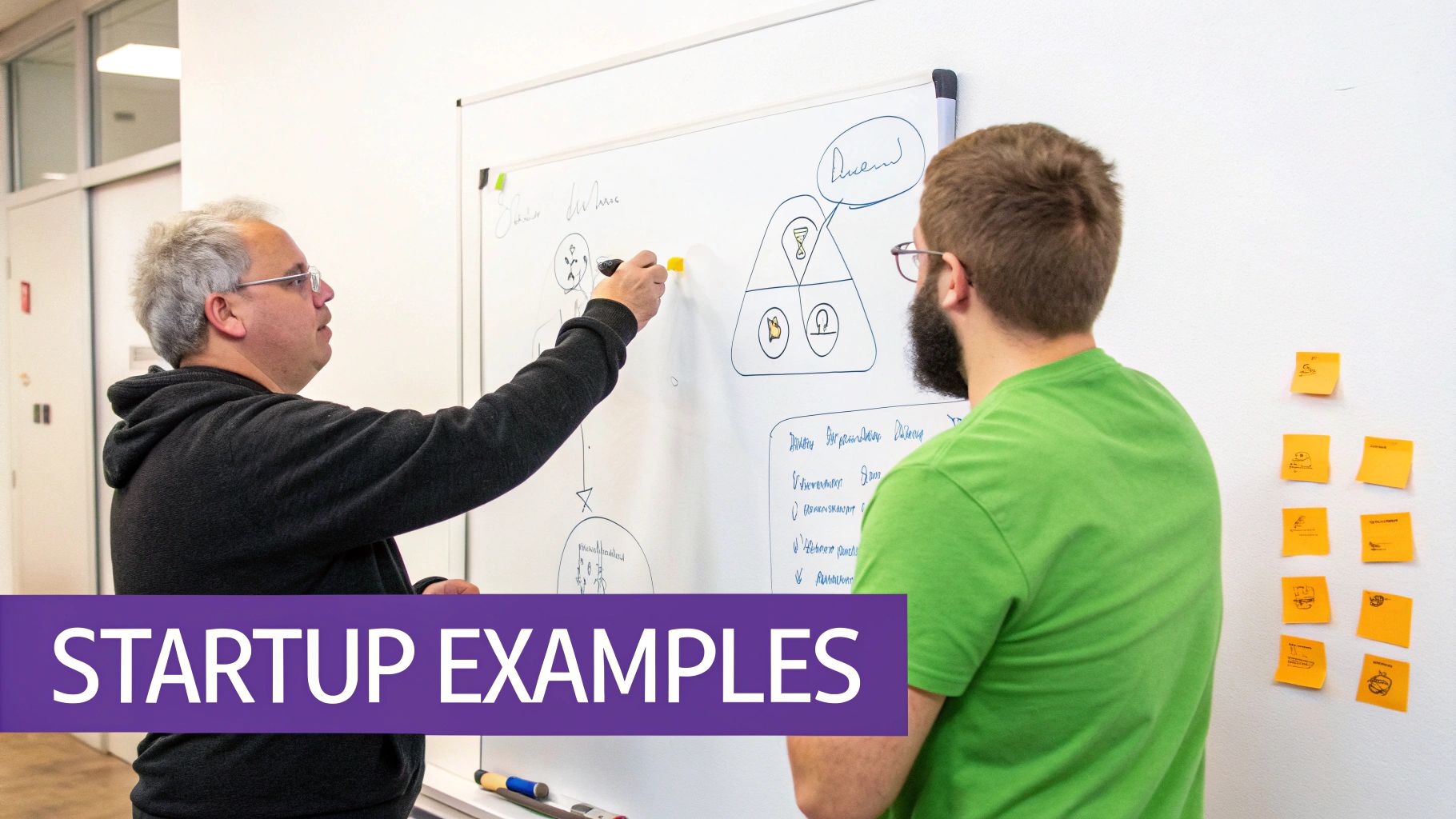
Picture the founders of Zoom sketching out their first canvas. In the Problem box, they’d likely have scribbled something like: "Video conferencing is a nightmare. It’s clunky, expensive, and constantly fails on bad internet." Their Solution wouldn't have been a laundry list of features. It would have been simple and potent: "A video platform that just works."
That sharp focus on a core problem and a direct solution is what paves the road to success. It stops founders from getting bogged down building features nobody actually asked for.
A Tale of Two Canvases
Let's put ourselves in the shoes of two very different, but wildly successful, startup teams and fill out a hypothetical canvas for each.
Hypothetical Lean Canvas for Zoom (Early Days):
- Problem: Video calls drop constantly and require complex software installations, frustrating remote teams.
- Customer Segments: Small to medium-sized businesses needing a reliable way to connect with remote employees and clients.
- Unique Value Proposition: Crystal-clear video conferencing that works seamlessly, even on low-bandwidth connections.
- Unfair Advantage: Proprietary video compression technology that delivers superior performance.
Hypothetical Lean Canvas for Canva (Early Days):
- Problem: Creating professional-looking graphics requires expensive, complex software (like Photoshop) and specialized design skills.
- Customer Segments: Marketers, bloggers, and small business owners without a design background.
- Unique Value Proposition: A simple drag-and-drop tool that makes graphic design accessible to everyone.
- Unfair Advantage: A massive, high-quality library of templates and assets that creates a strong network effect.
See how these examples force founders to get brutally honest about their riskiest assumptions right from the start? By breaking down the business model into these core parts, they could map out a clear path to building their Minimum Viable Product. If you want to explore this concept further, we have a great article that breaks down some powerful Minimum Viable Product examples.
The Lean Canvas isn’t a crystal ball, but it’s the closest thing a startup has to a strategic compass. It points you toward the questions you must answer to survive and thrive.
The best companies don't just fill out the canvas and forget it; they treat it as a living document. For giants like Zoom and Canva, it would have helped them zero in on the Key Metrics that truly mattered for growth. For Zoom, that meant obsessively tracking things like 'active daily users' and 'free-to-paid conversion rate'. This laser focus proved its worth as their user base exploded from 10 million daily participants in December 2019 to over 300 million by April 2020. You can read more about how startups leverage these insights on litslink.com.
How to Run a Lean Canvas Workshop with Your Team
Let's be honest: turning a jumble of brilliant (and not-so-brilliant) ideas into a single, focused business model is tough. This is where a Lean Canvas workshop comes in. It’s the perfect way to get your whole team on the same page, but running one that actually works—especially if your team is remote—takes a bit of planning.
The goal isn't just to fill in nine boxes. It's to spark healthy debate, poke holes in your own assumptions, and walk away with a shared vision.
A great workshop is made long before anyone logs on. Your first job is to set the stage for success.
Preparation Before the Workshop
A little prep goes a long way. A well-organized session respects everyone's time and, frankly, leads to much better ideas. Before you get everyone together, knock out these four things:
- Share the Canvas in Advance: Don't spring it on them. Email a blank Lean Canvas to everyone at least a day ahead. Include a quick rundown of each block so they can start marinating on ideas.
- Define a Clear Goal: What's the one big question you're trying to answer? Are you validating a brand-new idea? Exploring a pivot for a current product? Make that mission crystal clear from the get-go.
- Choose Your Tools: For a remote session, a digital whiteboard is non-negotiable. A guided tool like Bulby can walk you through the exercises step-by-step. If you prefer a blank slate, Miro or Mural have great templates. The important thing is having a shared space where everyone can throw their ideas up at the same time.
- Set a Firm Time Limit: Nobody wants a workshop that drags on forever. I've found that a 90-minute session is the sweet spot. It’s just enough time to dig deep without hitting that wall of creative burnout.
If you need a hand getting your session structured, this workshop agenda template is a great starting point.
Facilitating a Productive Session
If you're running the show, your role is to be a guide, not a dictator. You want to steer the conversation, not control it. The trick is to tackle the canvas in a specific order, hitting the riskiest assumptions first.
Pro Tip: Spend the most time on the Problem and Customer Segments blocks. Seriously. If you get those wrong, the rest of the canvas is just wishful thinking.
Kick things off by time-boxing each section. Give the team 5-7 minutes of quiet, independent brainstorming. Have them add their ideas as virtual sticky notes to the Problem and Customer Segments blocks. Then, open the floor for 10-15 minutes to discuss what's there, group similar stickies, and vote on the top contenders.
From there, work your way through the canvas: Unique Value Proposition, Solution, Channels, Revenue Streams, Cost Structure, Key Metrics, and finally, Unfair Advantage. This sequence helps one block build naturally on the next. Encourage debate, but have a "decider" ready to make a call if the team gets stuck in the weeds. The outcome will be a powerful, co-created snapshot of your business model, built by the whole team.
Common Questions About the Lean Canvas
Once you get the hang of the nine building blocks, some practical questions always pop up. Let's walk through a few of the most common ones so you can go from understanding the canvas to actually using it.
How Often Should I Update My Canvas?
Think of your Lean Canvas as a living document, not something you carve in stone. You should be updating it every single time you learn something that pokes a hole in one of your assumptions.
For a new startup, this might mean you're tweaking it weekly, or even daily. A single chat with a potential customer could completely reshape your Problem block, which then dominoes into your Solution and Unique Value Proposition.
A Lean Canvas should be treated like a scientist's lab notebook, not a historical artifact. Every update represents new evidence gathered from the real world.
The whole point is to keep iterating. You want to move from a canvas full of guesses to one that reflects a business model built on real, validated learning.
Can I Use This for an Existing Product?
Absolutely. The Lean Canvas gets a lot of press for its role in startups, but it's an incredibly useful tool for established businesses, too. It’s perfect for finding new ways to grow or figuring out why something isn't working.
For instance, you could use it to:
- Explore a new customer segment: What would your canvas look like if you tried to sell to a totally different group of people?
- Develop a new feature: Map out a mini-canvas for a new feature to check if it solves a real problem before you invest time and money into building it.
- Analyze a competitor: Try filling out a canvas from a competitor's perspective. It’s a great way to get inside their head and understand their strategy.
What Is the Biggest Mistake to Avoid?
By far, the biggest mistake is falling in love with your initial solution. So many founders get obsessed with the idea they first wrote in the "Solution" box and then bend over backward trying to find a problem that fits it.
That's doing it completely wrong. The Lean Canvas forces you to fall in love with the customer's problem. Your solution is just your first guess—one of many possible answers. Stay humble, be ready to admit you were wrong, and let what you learn from customers guide you. The canvas is a map for discovery, not a trophy for your ego.
Ready to put these ideas into action? Bulby provides guided brainstorming exercises that help your remote team build and iterate on your Lean Canvas collaboratively. Start turning your assumptions into validated learnings by visiting Bulby's official website.