

Last Updated on June 20, 2026
Product management is a constant juggling act of user needs, stakeholder demands, and tight deadlines. From discovery to delivery, the pressure to make smart, data-backed decisions is immense. But what if you had a co-pilot to help you sift through feedback, generate innovative ideas, and draft documents in minutes instead of days? Artificial intelligence is no longer a futuristic concept; it’s a practical toolkit that’s reshaping the PM role.
The right AI tools can automate tedious tasks, uncover hidden insights, and free you up to focus on the strategic work that truly matters: building products customers love. To truly supercharge your workflow, exploring resources that identify the most impactful solutions, such as lists of the programmatic list of the best AI productivity tools, can provide valuable insights. Finding the correct platform is key to unlocking efficiency and driving better outcomes.
This guide breaks down the 12 best AI tools for product managers, categorized by the core jobs you do every day. We’ll dive into how platforms like Bulby, Productboard, and Miro AI can streamline specific tasks from user research to stakeholder communication. Each review includes a practical analysis, pros and cons, screenshots, and direct links, so you can find the perfect fit for your team and start working smarter, not just harder. Forget generic feature lists; this is your task-oriented catalog for integrating AI into your real-world product management workflow.
1. Bulby
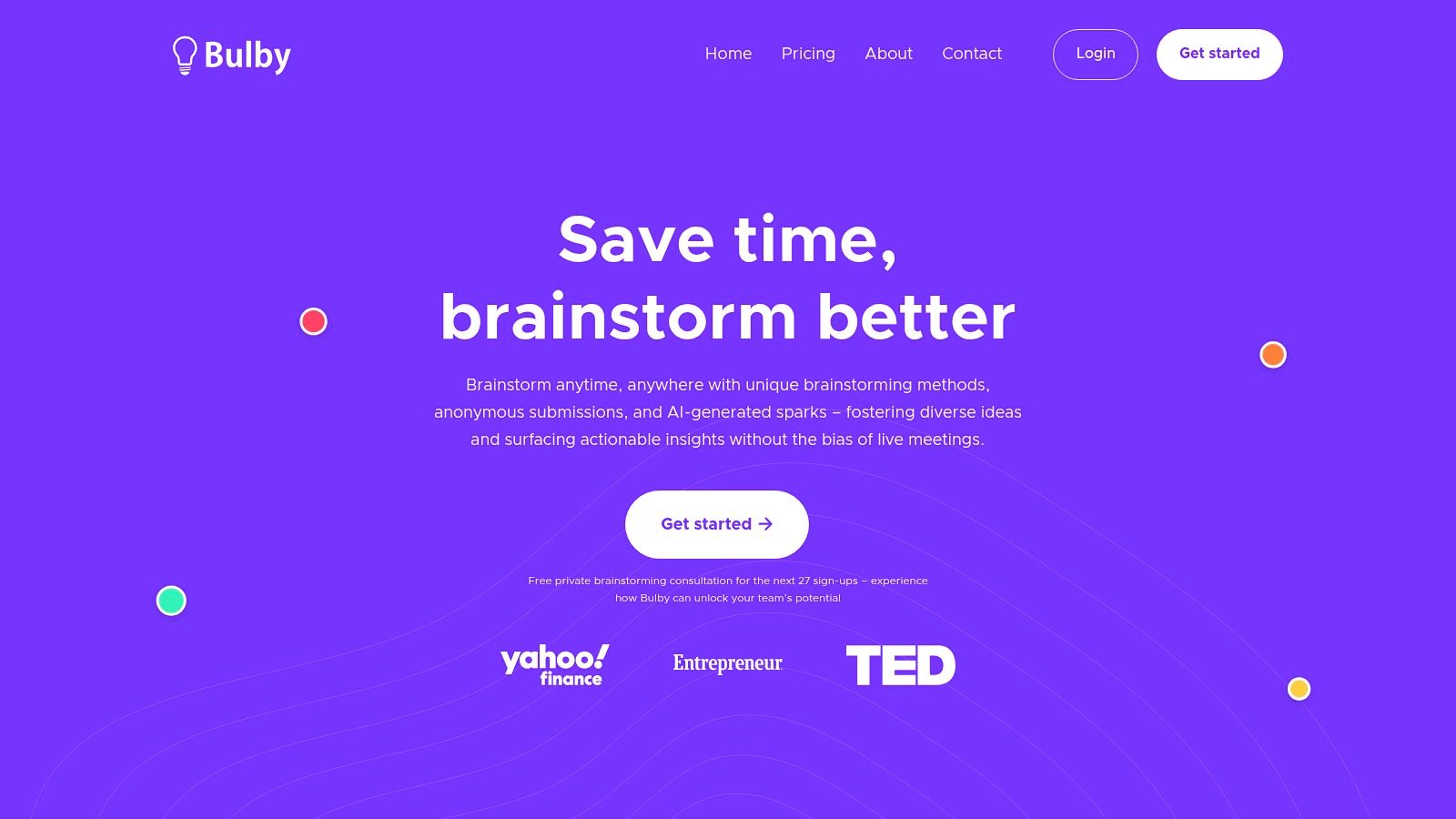
Bulby is an AI-powered brainwriting platform engineered to solve a persistent problem for product managers: chaotic, unproductive brainstorming sessions. It transforms remote ideation from unstructured video calls into a structured, bias-resistant process that delivers actionable outcomes. By combining research-backed creativity exercises with generative AI, Bulby guides distributed teams from a defined challenge to a clear, summarized action plan, making it one of the best AI tools for product managers focused on innovation and product discovery.
The platform’s strength lies in its meticulously designed workflow. It systematically dismantles common barriers to creativity like groupthink and the loudest-voice-wins dynamic. Its approach ensures every team member, regardless of their role or personality, can contribute their best ideas without social pressure.
Why Bulby Stands Out
Unlike generic whiteboarding or meeting tools, Bulby is purpose-built to facilitate high-quality, asynchronous-friendly ideation. The platform guides participants through short, focused exercises that spark novel thinking. Anonymous idea submission is a core feature, empowering introverted team members and junior staff to share bold concepts freely.
During a session, Bulby’s AI acts as a creative co-pilot, injecting “sparks” or divergent suggestions to prevent teams from getting stuck. Once the session is complete, the AI automatically analyzes, clusters, and summarizes all contributions into a digestible report with recommended next steps. This automated synthesis saves product managers hours of manual work and moves the team directly from brainstorming to decision-making.
Key Features and Use Cases
- Guided Brainwriting Workflow: A step-by-step process based on cognitive science that ensures structured and productive sessions.
- Anonymous Idea Submission: Reduces bias and encourages honest, unfiltered contributions from everyone on the team.
- AI-Powered Summarization: Automatically generates reports that synthesize key themes, top ideas, and actionable next steps, streamlining post-session analysis.
- AI “Sparks” for Inspiration: Provides creative prompts during sessions to help teams overcome mental blocks and explore new directions.
Real-World Application: A product manager can use Bulby to run a remote feature brainstorming session. Instead of a free-for-all video call, the team uses Bulby’s one-link invite. Each member anonymously completes guided exercises on their own time, with AI sparks helping to diversify the ideas. The PM receives an AI-generated report highlighting the most promising feature concepts, ready to present to stakeholders.
Onboarding and Access
Bulby offers a remarkably low-friction user experience. You can try a live demo on their site without creating an account. Sign-up is simple with Google, Apple, or email, and a free 14-day trial is available to test the full platform.
| Pros | Cons |
|---|---|
| Research-backed workflow turns ideas into actionable next steps. | No publicly listed pricing; teams must contact for a quote. |
| AI summaries and “sparks” accelerate decision-making and creativity. | AI suggestions still require human oversight to validate and prioritize. |
| Anonymous submissions and brainwriting overcome groupthink. | Best suited for ideation; not a full-suite project management tool. |
| Easy remote setup with one-link invites and a generous free trial. |
Website: https://www.bulby.com
2. Productboard – Spark
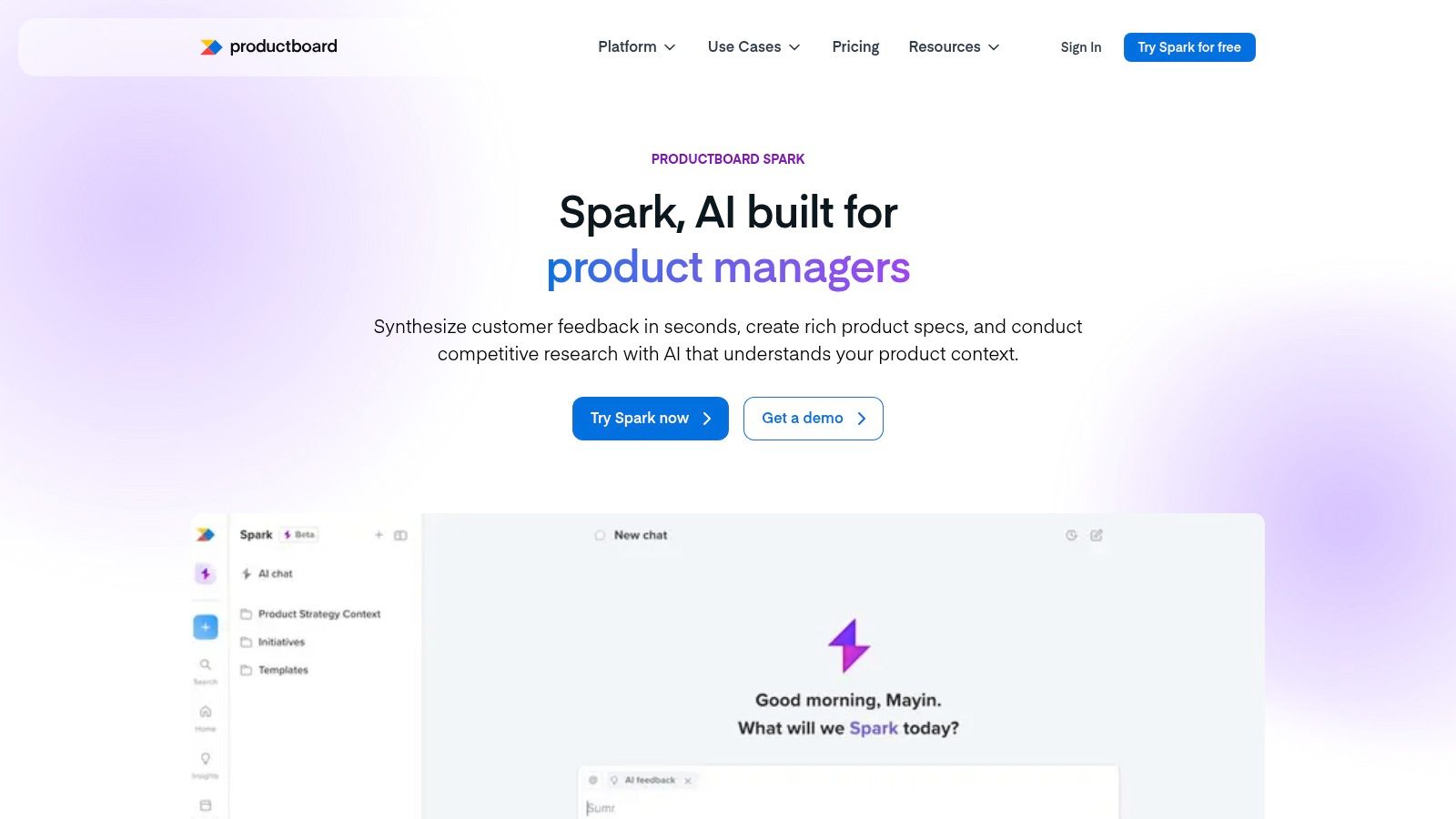
Productboard Spark is an AI assistant designed specifically for the product management lifecycle. It excels at synthesizing vast amounts of customer feedback from various sources, identifying key trends, and summarizing insights instantly. This allows PMs to move from raw data to actionable understanding in a fraction of the time.
Spark’s real power lies in its ability to draft product requirement documents (PRDs), briefs, and strategy docs grounded in that customer evidence. Instead of starting from a blank page, you can generate a structured first draft that already incorporates user needs, pain points, and competitive context. This makes it one of the best AI tools for product managers looking to accelerate the discovery and definition phases.
Key Features & Use Case
A primary use case is analyzing hundreds of Intercom chats or survey responses to find the most requested feature. Spark can then use those insights to draft a PRD, complete with user stories and a competitive summary, saving days of manual work. Its ability to connect strategy to execution is a core strength, especially for teams practicing remote innovation strategies.
| Feature | Description |
|---|---|
| AI Document Generation | Drafts PRDs, briefs, and strategy docs based on product context. |
| Feedback Analysis | Searches and identifies trends from customer feedback channels. |
| Competitive Tracking | Uses PM-optimized web scraping to analyze competitor products and features. |
| Credits Model | Offers flexible, pay-as-you-go access with free starter credits. |
Pros & Cons
- Pros: Purpose-built for PM workflows, tightly integrated with customer feedback data, and offers a low-cost entry point to experiment with its capabilities.
- Cons: Some features may still be in beta, and it may operate in a separate workspace from your primary Productboard account, requiring some initial setup.
Website: https://www.productboard.com/product/spark/
3. Aha! (Ideas + Knowledge)
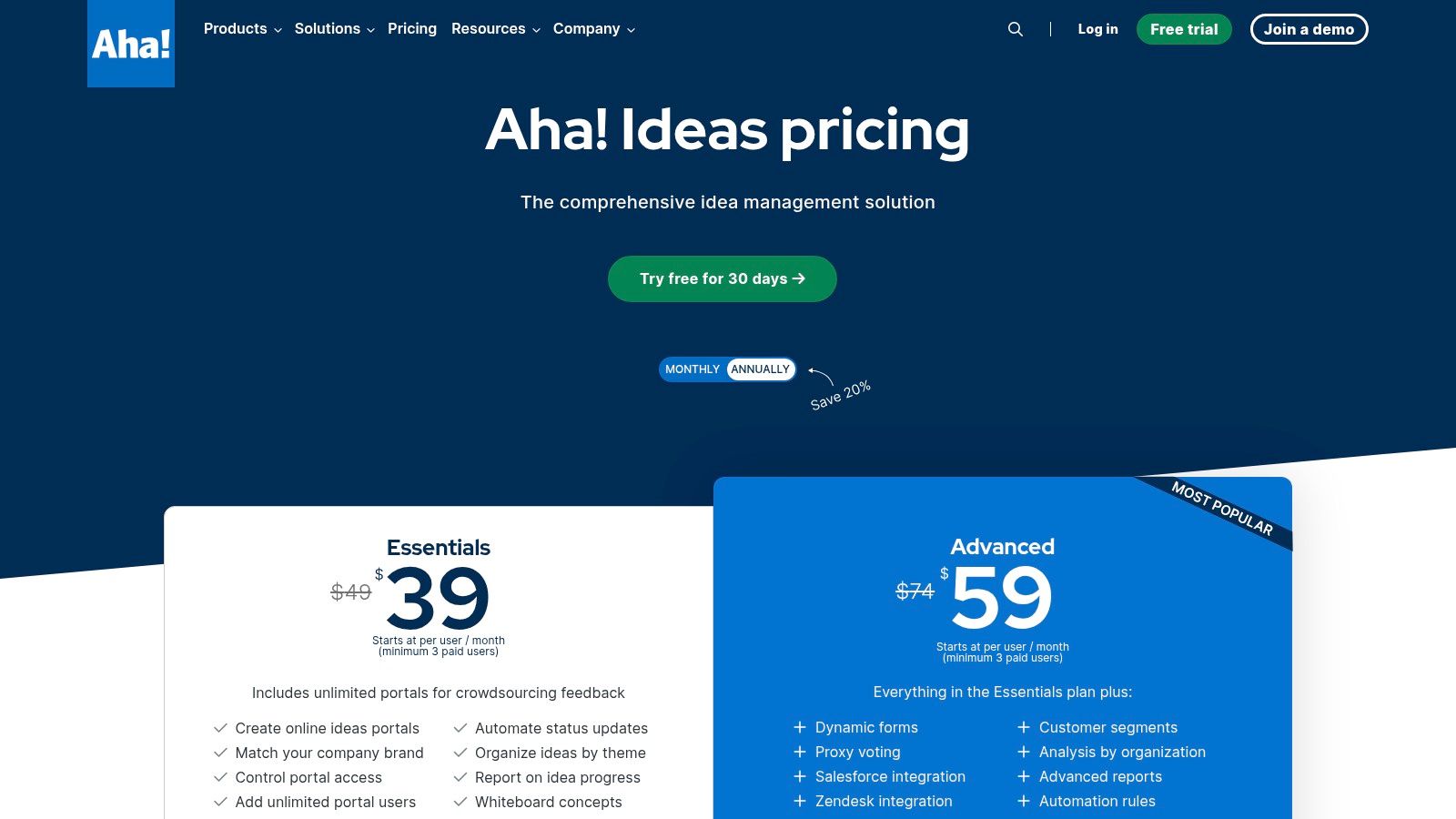
Aha! is a comprehensive roadmapping suite, but its Ideas and Knowledge modules are where AI significantly enhances the product management workflow. It excels at capturing and organizing customer feedback at scale through unlimited ideas portals. The platform’s AI assistant then helps PMs draft documents, summarize research notes, and identify key themes from the collected data, bridging the gap between raw feedback and strategic planning.
This makes Aha! one of the best AI tools for product managers who need mature, enterprise-grade features alongside powerful feedback management. Its ability to integrate deeply with tools like Salesforce and Zendesk allows for a unified view of the customer, ensuring that product decisions are directly tied to user needs and market signals. This is crucial for teams looking to implement a structured product discovery framework.
Key Features & Use Case
A powerful use case is consolidating feedback from multiple channels, such as support tickets and sales conversations, into a central repository. The AI assistant can then be used to analyze these inputs, draft a summary of top customer requests, and generate initial user stories. This structured approach helps prioritize features based on direct customer evidence, streamlining the entire discovery and definition process.
| Feature | Description |
|---|---|
| Unlimited Ideas Portals | Capture feedback at scale from different customer segments (Essentials+). |
| AI Assistant | Drafts and refines documents, summarizes research, and organizes notes. |
| Multi-Portal Feedback Capture | Centralizes and organizes feedback for large-scale product discovery. |
| Enterprise Integrations | Connects with Salesforce, Zendesk, and Jira for a unified workflow (Advanced). |
Pros & Cons
- Pros: Offers deep product discovery and feedback management workflows, provides mature enterprise integrations, and includes a 30-day free trial.
- Cons: Requires a minimum of three paid users, and advanced AI and integration features are locked behind more expensive, tier-gated plans.
Website: https://www.aha.io/ideas/pricing
4. Atlassian (Jira & Confluence with Atlassian Intelligence / Rovo)
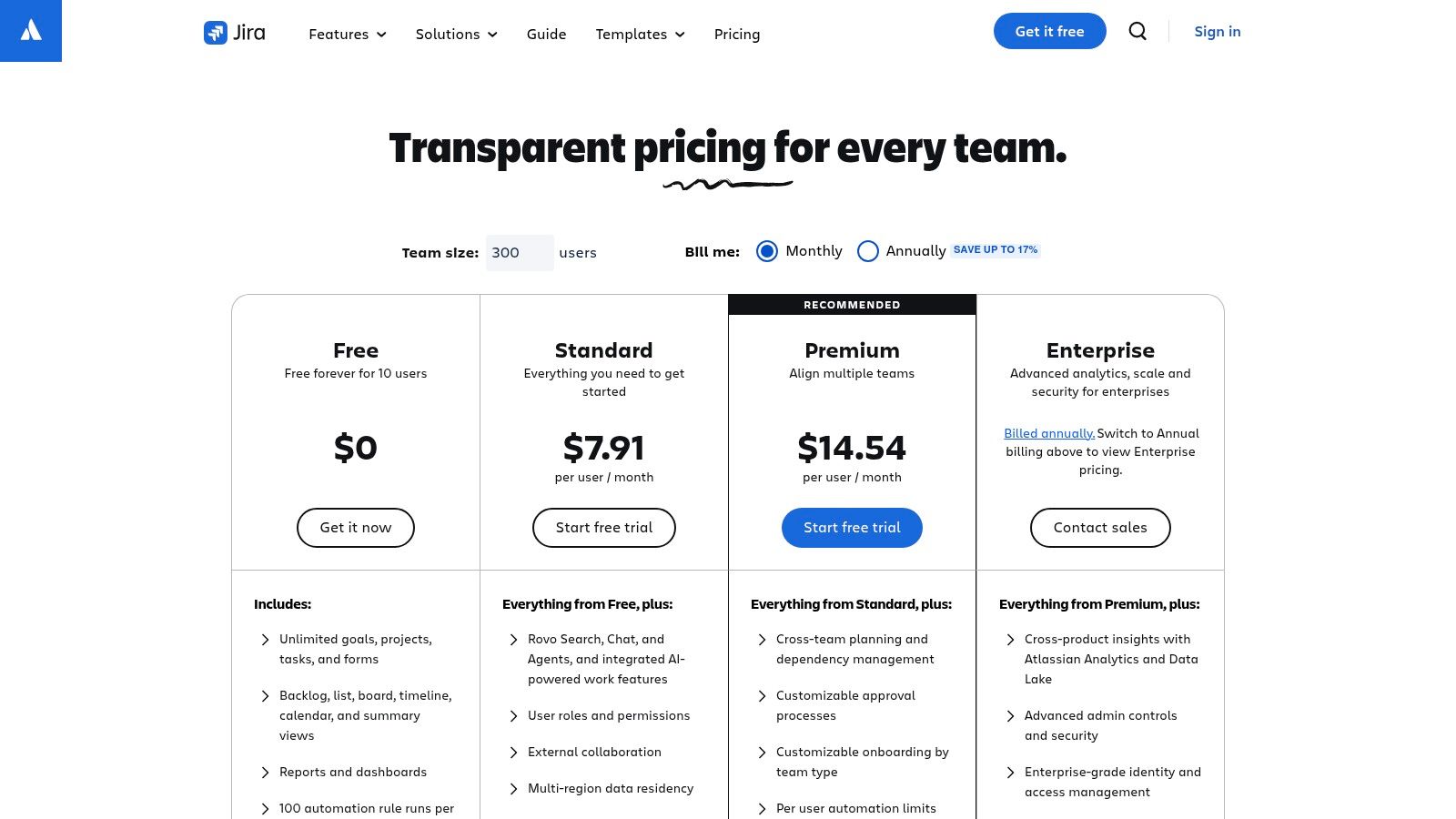
Atlassian integrates AI directly into the tools product managers use daily, Jira and Confluence, through its Atlassian Intelligence and Rovo features. Instead of a standalone tool, this AI layer enhances existing workflows, summarizing complex ticket threads, generating test plans from requirements, or answering natural language questions by searching across all your Confluence pages and Jira projects. This native integration makes it one of the best AI tools for product managers operating at enterprise scale.
The true value is its ability to connect disparate information. Rovo's AI-powered search can pull insights from a Jira epic, a related Confluence spec, and a Slack conversation, providing a unified answer without manual cross-referencing. This helps PMs maintain backlog hygiene, quickly draft project updates, and ensure documentation and development work remain perfectly synchronized, all within the ecosystem they already trust.
Key Features & Use Case
A key use case is onboarding a new team member to a complex project. They can ask Rovo, "What is the goal of the Q4 payments initiative?" and receive a summarized answer synthesized from the project brief in Confluence and key epics in Jira. This dramatically reduces the time needed to get up to speed. For PMs, it can draft a release communication plan by analyzing all completed stories in a sprint.
| Feature | Description |
|---|---|
| Cross-Tool AI Search | Rovo provides AI-powered Q&A across Jira, Confluence, and other assets. |
| AI-Powered Summarization | Instantly summarizes long ticket comment threads or Confluence pages. |
| Content Generation | Helps draft new Jira tickets, user stories, or Confluence documents from prompts. |
| Teamwork Agents | Automates routine tasks and answers questions based on team knowledge. |
Pros & Cons
- Pros: Native integration within the core PM software stack, strong enterprise-grade security and governance, and leverages your existing company knowledge base.
- Cons: Advanced AI features are primarily on paid Standard or Premium tiers, and an administrator must often opt-in to enable the features for the entire organization.
Website: https://www.atlassian.com/software/jira/pricing
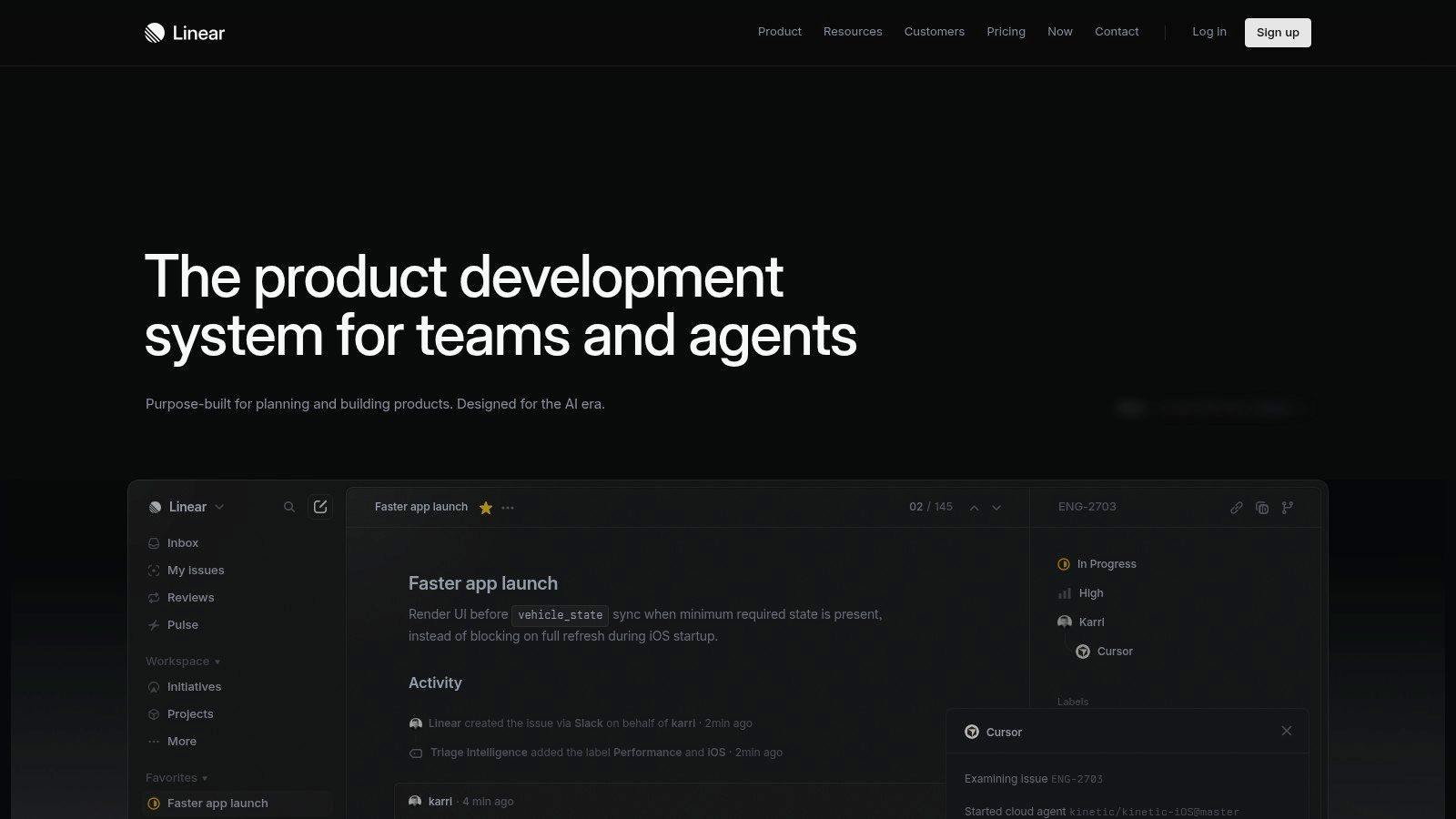
5. Linear
Linear is a modern product development system built with an AI-first approach, offering assignable AI agents and powerful semantic search. It moves beyond traditional project management by deeply integrating AI into core workflows, allowing teams to automate issue creation from meetings or feedback and instantly find context across all projects. The platform is known for its blazing-fast UI and opinionated workflows that streamline collaboration between product managers and engineers.
This focus on speed and intelligence makes it one of the best AI tools for product managers aiming to reduce administrative overhead and accelerate their development cycles. Instead of manually triaging feedback or searching for related tasks, PMs can rely on Linear's AI to connect the dots, surface relevant information, and keep momentum high.
Key Features & Use Case
A key use case is automatically converting a discussion from a Slack channel into a structured issue in Linear, assigned to the correct team with relevant context attached. PMs can also use the hybrid semantic search to ask natural language questions like "what are all the open bugs related to our payment gateway?" and get instant, accurate results from issues, projects, and documents.
| Feature | Description |
|---|---|
| Assignable AI Agents | “Linear for Agents” automates tasks like triaging, summarizing, and updating issues. |
| Hybrid Semantic Search | Finds context across issues, projects, and linked documents using natural language. |
| Automated Issue Creation | Integrations generate and sync issues directly from meetings and feedback tools. |
| Insights Dashboards | Provides analytics on team velocity and project progress (Business+ plans). |
Pros & Cons
- Pros: Exceptionally fast UI and opinionated PM/engineering workflows, with a growing native agent ecosystem and strong enterprise readiness.
- Cons: Advanced features like Insights dashboards are limited to higher-priced tiers, and adopting its specific methodology may require process changes for teams used to more flexible tools.
Website: https://linear.app/
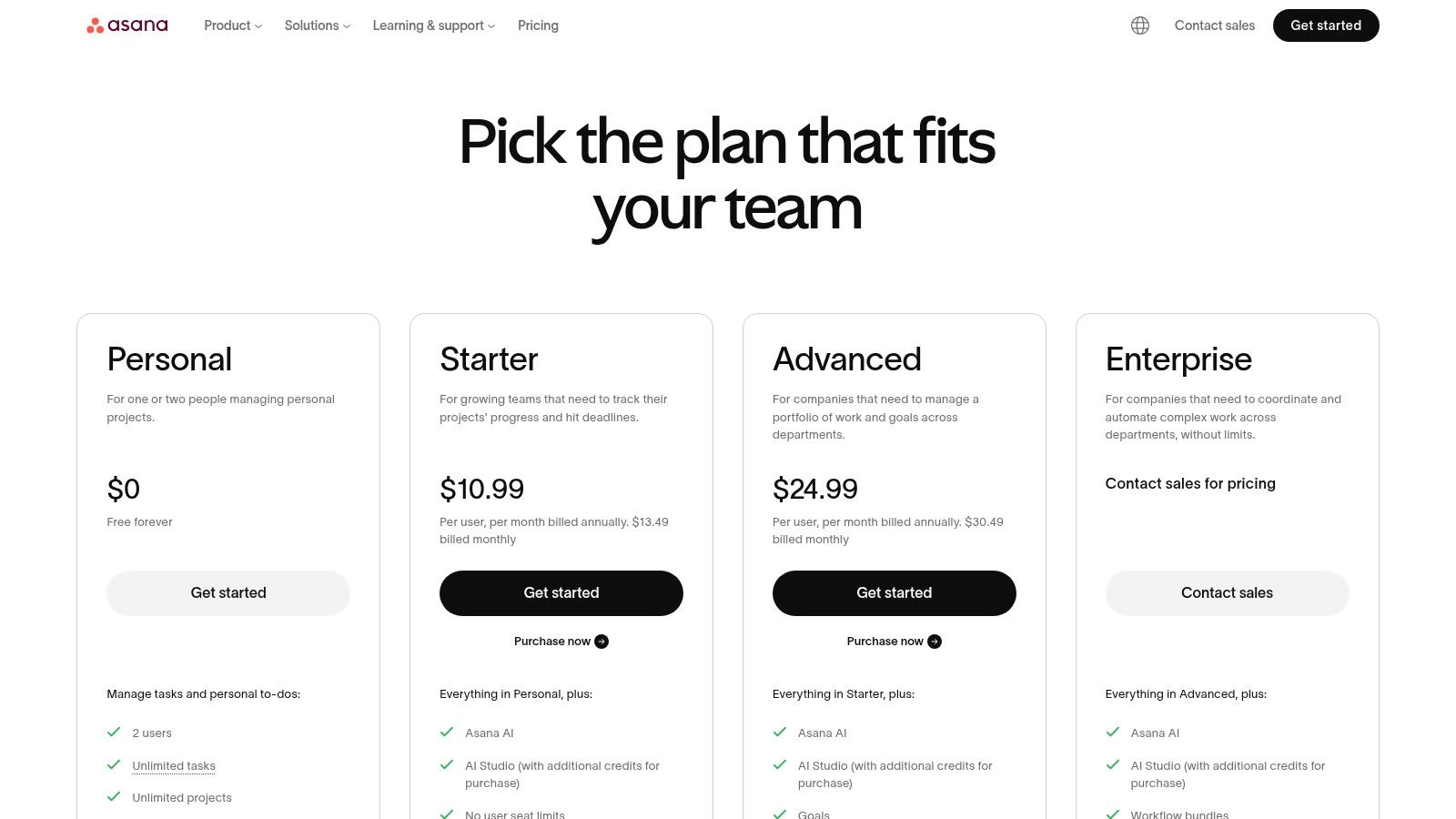
6. Asana (Asana Intelligence)
Asana Intelligence integrates AI directly into its robust project management platform, aiming to streamline execution and strategic alignment for product managers. It excels at summarizing long task threads, generating project briefs, and using "smart fields" to automatically categorize work without manual data entry. This layer of intelligence helps PMs manage complex roadmaps, track cross-functional dependencies, and maintain a clear view of progress against strategic goals.
The introduction of Asana AI Studio takes this further by allowing PMs to build custom AI-driven workflows and rules tailored to their team's specific processes. This makes Asana one of the best AI tools for product managers who need to connect high-level strategy with day-to-day execution, ensuring that every task aligns with broader portfolio objectives.
Key Features & Use Case
A key use case for a product manager is using Asana Intelligence to automatically draft a status update for a key initiative. The AI can summarize recent task completions, flag risks, and pull key metrics from connected goals, creating a comprehensive report for stakeholders in minutes. This is particularly useful for teams using a prioritization matrix template to guide their work, as AI can help report on the progress of high-impact items.
| Feature | Description |
|---|---|
| Summarization & Smart Fields | AI-driven summaries of tasks and conversations, plus auto-categorization. |
| Asana AI Studio | Build custom AI automations and workflows tailored to team needs. |
| Unlimited Automations | Included in paid tiers to streamline repetitive project management tasks. |
| Goals & Portfolios | Advanced features for connecting daily work to high-level company objectives. |
Pros & Cons
- Pros: Strong goal and portfolio management for tracking program-level progress, a large integration catalog, and powerful reporting capabilities.
- Cons: The most advanced AI features are exclusive to higher-priced tiers, and using AI Studio may require purchasing additional credits.
Website: https://asana.com/pricing
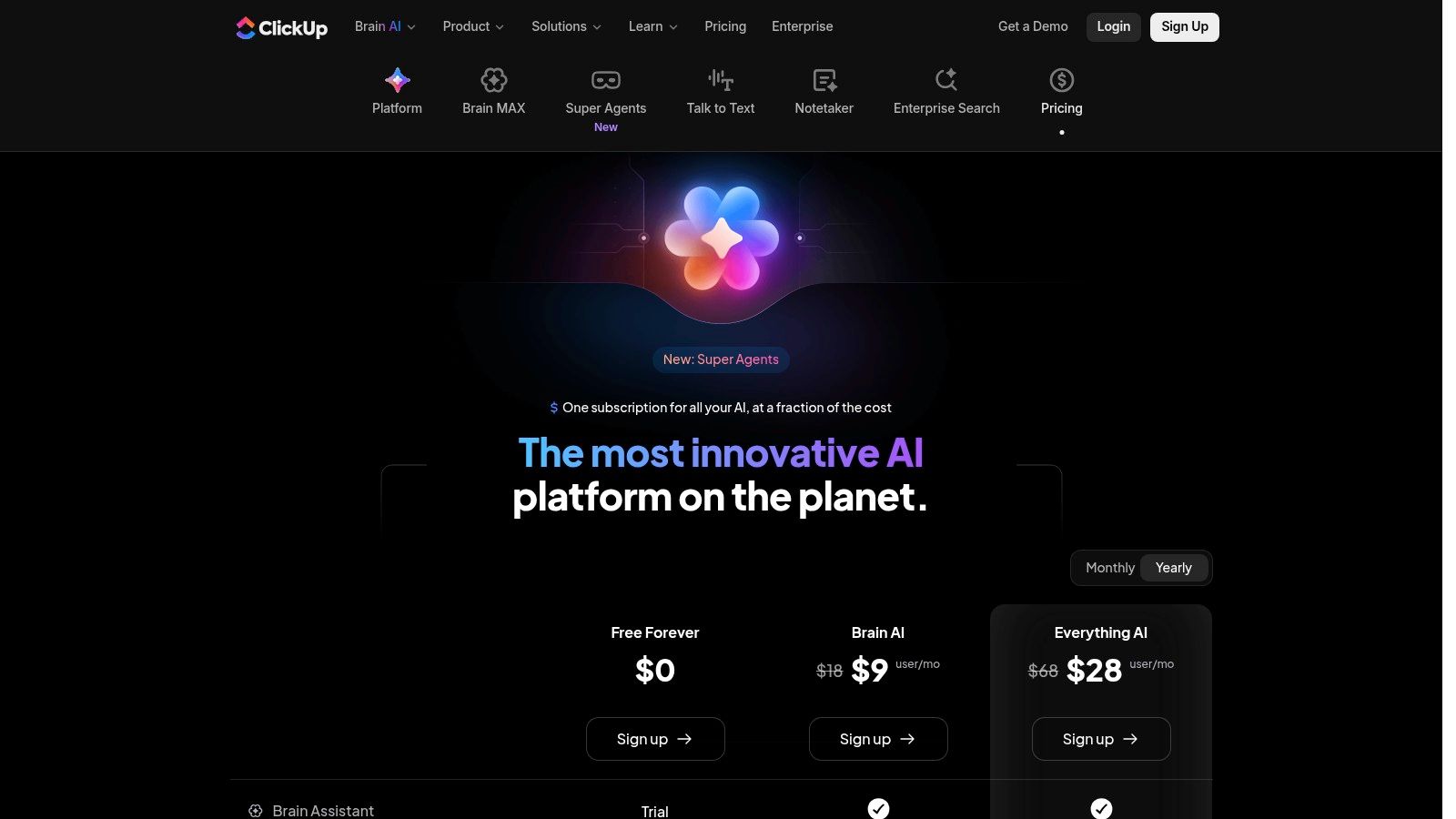
7. ClickUp (ClickUp Brain)
ClickUp Brain integrates a suite of AI tools directly into its all-in-one work operating system, making it a powerful ally for product managers. It excels at connecting high-level strategy with day-to-day execution by summarizing project progress, generating status updates, and drafting documents directly within your task management environment. This seamless integration eliminates the need to switch between different applications for AI assistance.
The platform's strength is its comprehensive nature. ClickUp Brain can instantly summarize comment threads to catch you up on decisions, rewrite technical notes into clear stakeholder updates, and even help prioritize tasks based on project context. This makes it one of the best AI tools for product managers who need to streamline communication and maintain alignment across complex projects, all from a single source of truth.
Key Features & Use Case
A key use case is generating a concise weekly progress report for stakeholders. ClickUp Brain can analyze all recent task updates, comments, and completed work within a sprint, then draft a clear summary that highlights achievements and flags potential blockers. This turns a time-consuming manual task into a quick, automated action, freeing up PMs to focus on strategic initiatives.
| Feature | Description |
|---|---|
| Brain Assistant | Generates project summaries, drafts documents, and helps with prioritization. |
| Super Agents & Autopilot | Automates multi-step workflows and complex tasks with agentic capabilities. |
| Enterprise Search | Finds information across all connected apps, tasks, and documents instantly. |
| AI Add-ons | Offers specialized tools like an AI notetaker and voice features a-la-carte. |
Pros & Cons
- Pros: Aggressive AI roadmap within a comprehensive work OS, and flexible a-la-carte pricing for AI add-ons allows for customization.
- Cons: The sheer breadth of features can be overwhelming for new users, and some key AI capabilities require separate credit purchases or add-ons.
Website: https://clickup.com/brain/pricing
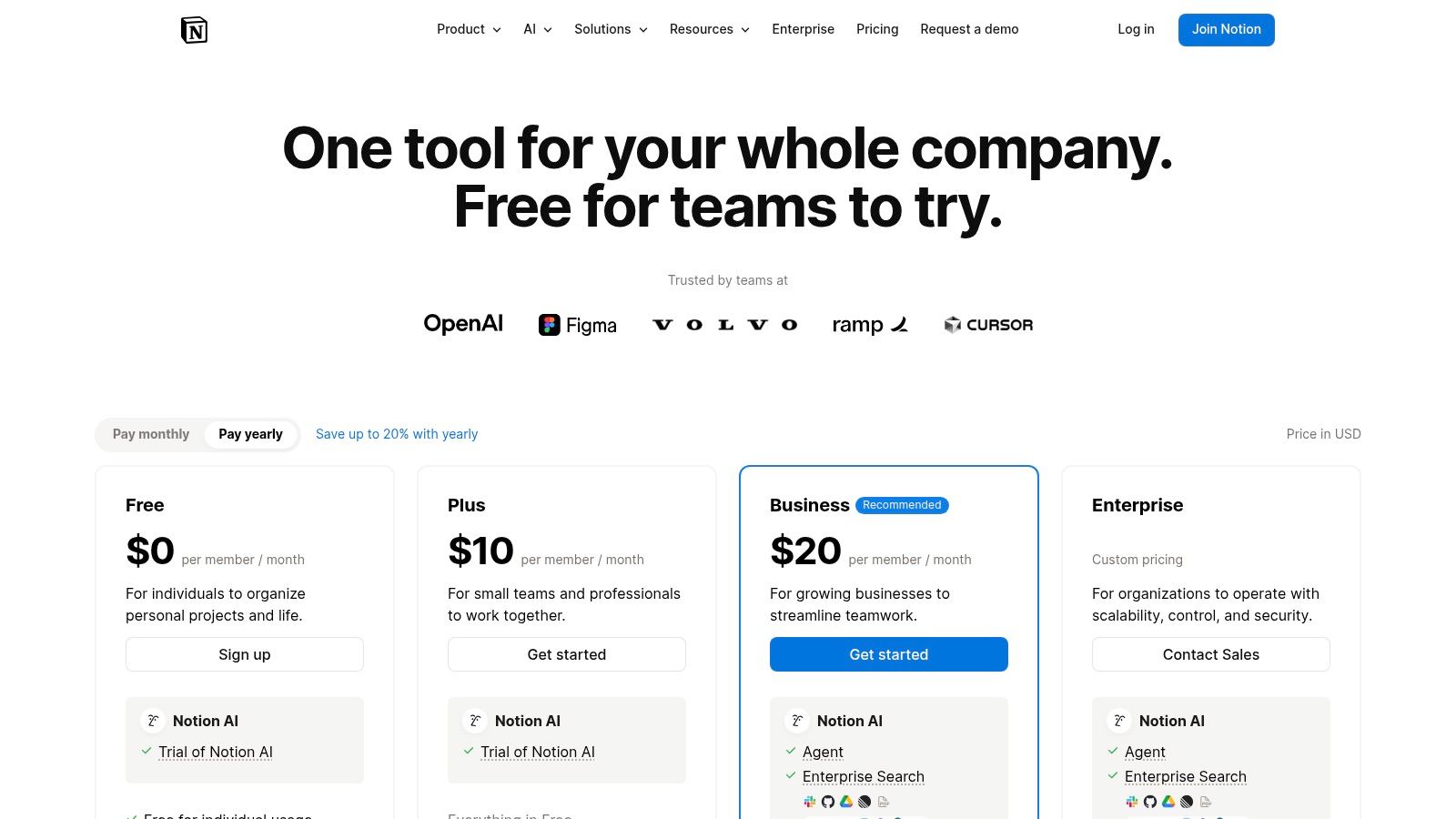
8. Notion (Notion AI)
Notion has evolved from a flexible workspace into a powerful AI-assisted environment for product management. With Notion AI integrated directly into docs, tasks, and knowledge bases, it helps PMs streamline everything from drafting PRDs and specs to organizing research hubs and lightweight backlogs. Its AI can summarize long meeting notes, generate action items, and create first drafts of documents instantly.
The platform's strength is its all-in-one nature. A PM can synthesize user research, use AI to identify key themes, draft a spec in a new document, and then link it to a roadmap database, all within the same ecosystem. This makes it one of the best AI tools for product managers who value a single source of truth and want to accelerate their documentation and ideation workflows without switching contexts.
Key Features & Use Case
A common use case is transforming a messy page of brainstorming notes into a structured project brief. Notion AI can organize the content, expand on key points, and suggest next steps. This is invaluable for teams looking to formalize their business idea generation process. The AI features are an add-on to existing Notion plans, making it an easy upgrade for current users.
| Feature | Description |
|---|---|
| AI Document Drafting | Instantly generates PRDs, specs, and meeting summaries from prompts. |
| Integrated Knowledge Base | AI can search and reference information across your entire workspace. |
| Task & Project Management | Uses databases with properties and dependencies for PM workflows. |
| AI-Powered Summarization | Condenses long documents or pages into key takeaways and action items. |
Pros & Cons
- Pros: Highly flexible all-in-one workspace for product docs and knowledge, rapid drafting and summarization capabilities, and seamless AI integration.
- Cons: Requires significant customization to build rigorous PM systems, and some of the more advanced AI features are still in beta or gated behind higher-tier plans.
Website: https://www.notion.com/pricing
9. monday.com (monday AI)
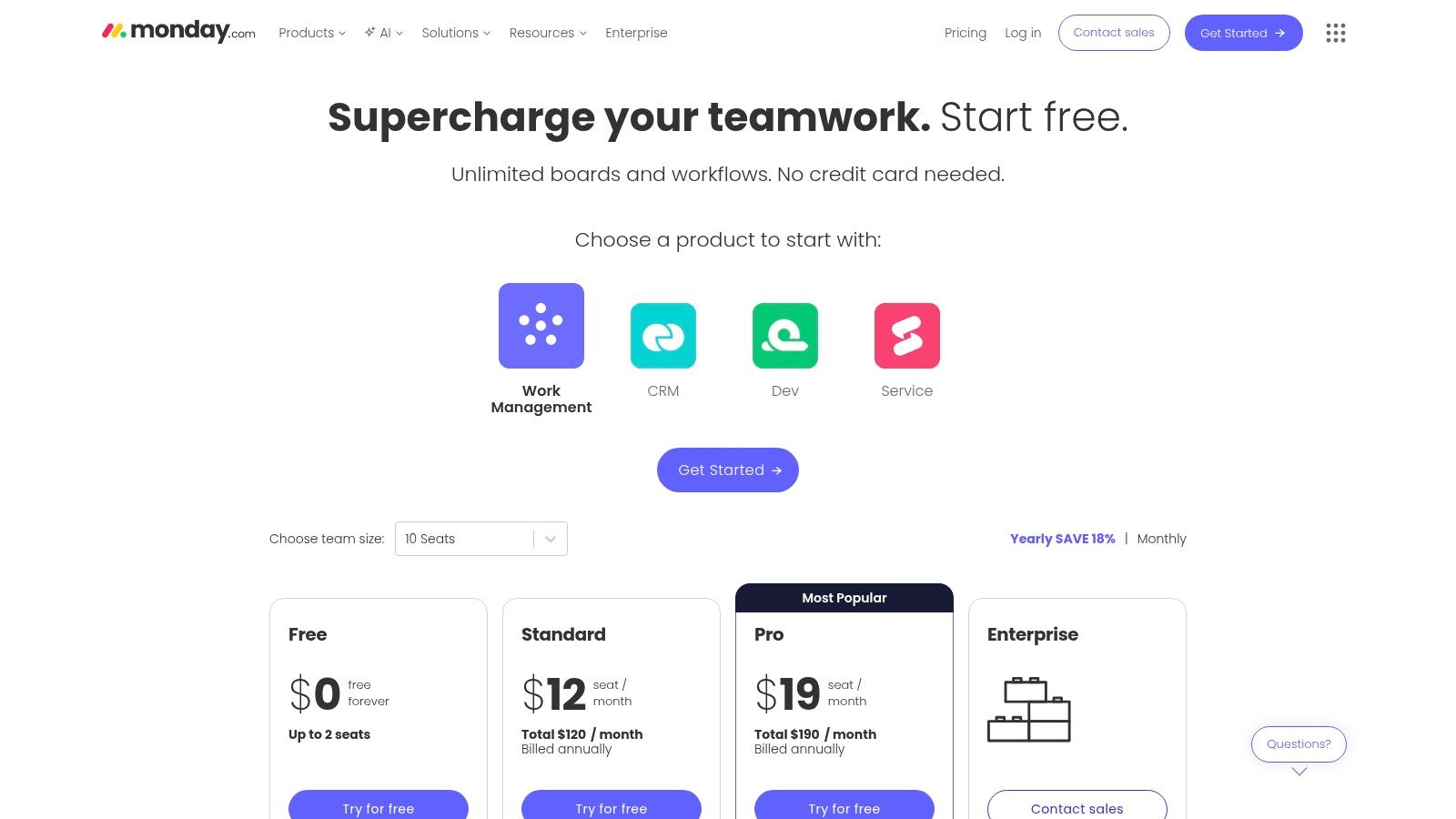
monday.com is a comprehensive Work OS that product managers can use to plan, execute, and launch products within a single platform. Its strength lies in its highly visual and flexible board-centric approach, which can be adapted for everything from product roadmaps and sprint planning to bug tracking and stakeholder reporting. With the introduction of monday AI, users can now automate tedious tasks, generate summaries, and create content directly within their workflows.
The platform's AI assistant helps streamline communication by composing and rephrasing emails, while also generating formulas and task breakdowns. This makes it one of the best AI tools for product managers who already rely on board-based systems and want to infuse AI capabilities without switching to a new tool. The AI operates on a credit system, which allows teams to use advanced features on an as-needed basis.
Key Features & Use Case
A key use case is using monday AI to automatically summarize a long thread of updates on a specific feature board before a stakeholder meeting. A product manager can generate a concise progress report in seconds, saving valuable preparation time. Another common use is creating first drafts of project plans or task lists for a new epic by simply providing a high-level prompt to the AI assistant.
| Feature | Description |
|---|---|
| AI Sidekick | An AI assistant that helps automate tasks, create summaries, and draft content. |
| Flexible Board Views | Includes Gantt, timeline, calendar, and Kanban views for versatile planning. |
| Automation & Quotas | Set up rule-based automations to streamline repetitive workflow actions. |
| AI Credit System | AI features are accessed via credits included in paid plans, with top-up options. |
Pros & Cons
- Pros: Broad use cases for product, service, and operations teams, highly customizable boards with a strong template library, and a centralized workspace for all product activities.
- Cons: The AI credit system can lead to additional costs, and the per-seat pricing model can become expensive for larger product teams.
Website: https://monday.com/pricing
10. Miro (Miro AI)
Miro is a visual collaboration whiteboard that has become essential for distributed teams. Its AI capabilities are designed to supercharge common product management activities like brainstorming, workshop facilitation, and synthesizing qualitative data. Miro AI can instantly cluster thousands of digital sticky notes, summarize complex discussions, and generate diagrams, turning messy ideation sessions into structured outputs.
This makes it one of the best AI tools for product managers leading discovery workshops, retrospectives, or roadmap planning sessions. The AI acts as an intelligent facilitator, saving hours of manual sorting and allowing teams to focus on strategic insights rather than administrative tasks. It excels in environments where visual thinking and collaborative ideation are key to moving forward.
Key Features & Use Case
A classic use case is running a remote brainstorming session where dozens of ideas are generated on sticky notes. Miro AI can then automatically group them by theme, identify duplicate concepts, and provide a concise summary of the session’s key takeaways. This transforms a chaotic board into an organized, actionable artifact in seconds. The platform's vast template library and integration ecosystem further extend its utility.
| Feature | Description |
|---|---|
| AI Clustering & Summary | Automatically groups sticky notes by theme and generates summaries. |
| AI Diagram Generation | Creates flowcharts, sequence diagrams, and mind maps from text prompts. |
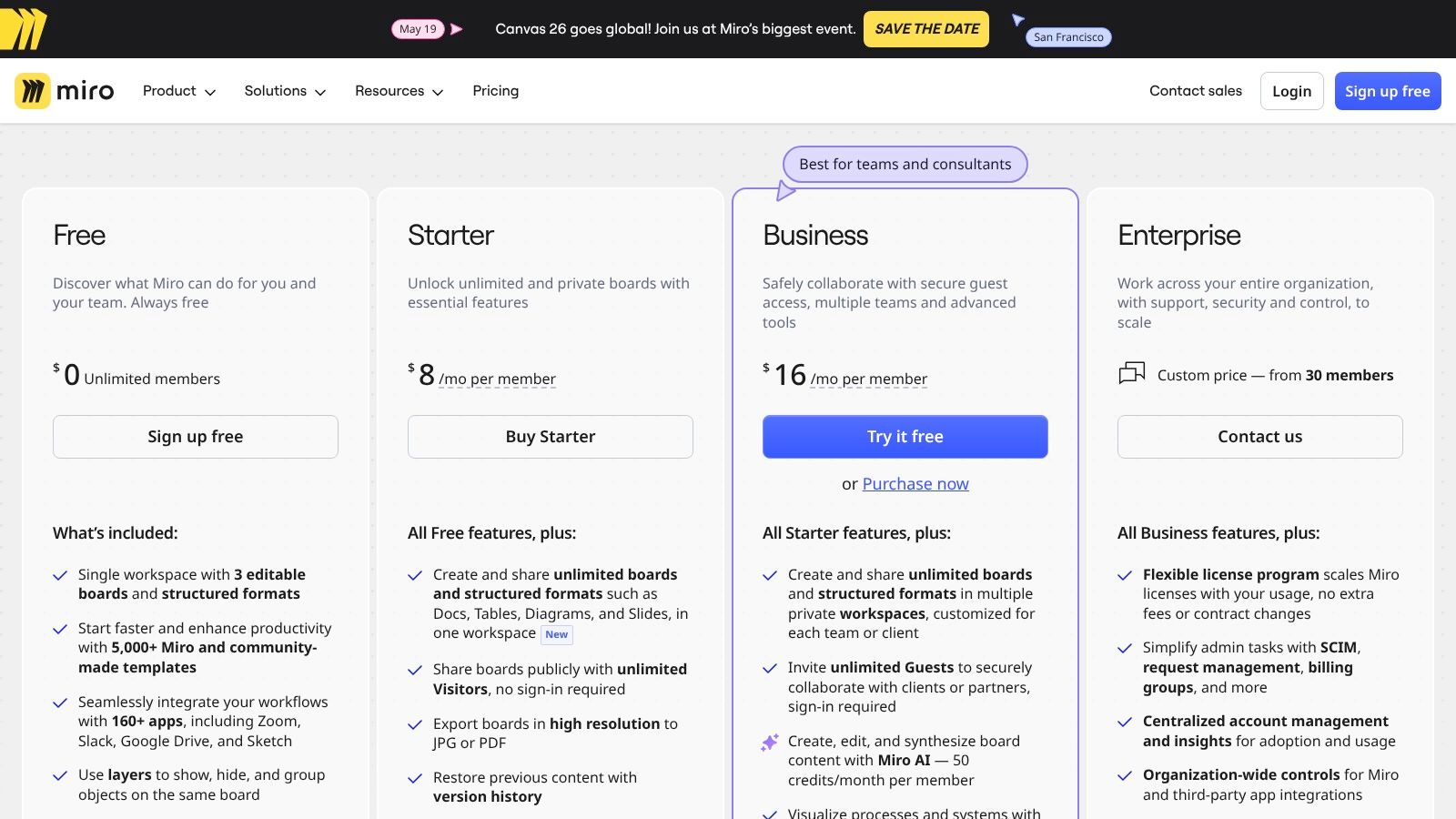
| Vast Template Library | Offers 5,000+ templates for PM ceremonies like retros and roadmapping. |
| Extensive Integrations | Connects with over 160 tools, including Jira, Asana, and Slack. |
Pros & Cons
- Pros: Excellent for distributed team ideation and visual mapping, and the massive template ecosystem streamlines nearly every PM ceremony.
- Cons: AI features operate on a credits system that can be exhausted during large sessions, and the free plan has a strict limit on the number of editable boards.
Website: https://miro.com/pricing/
11. Airtable (Airtable AI)
Airtable AI integrates powerful artificial intelligence capabilities directly into its flexible, database-driven platform. It transforms standard bases into dynamic systems where PMs can build AI-powered feedback hubs, prioritization matrices, and lightweight CRMs. The AI works through field agents and automations that can summarize text, categorize feedback, draft content, and perform research directly within your tables.
What makes Airtable one of the best AI tools for product managers is its sheer customizability. You are not confined to a predefined workflow; instead, you can design your own AI-assisted processes from the ground up. This allows for creating highly specific tools like a competitive analysis tracker that automatically scrapes and summarizes competitor updates, or a user feedback processor that tags and routes insights to the correct product squad.
Key Features & Use Case
A powerful use case is building a central feedback repository where Airtable AI automatically analyzes incoming support tickets or survey responses. It can categorize each entry by theme (e.g., "UI Bug," "Feature Request"), assign a sentiment score, and even draft a summary, giving PMs an instant, organized view of user voice without manual sorting. This turns raw data into a structured, actionable backlog.
| Feature | Description |
|---|---|
| AI Field Agents | Automates tasks within fields, such as summarizing text or categorizing data. |
| AI Automations | Triggers AI actions based on events, like drafting an email when a status changes. |
| Multi-Provider Support | Leverages different AI models to best suit the specific task at hand. |
| Credits Model | AI credits are included in paid plans, with options to purchase more as needed. |
Pros & Cons
- Pros: Highly customizable schemas and interfaces allow for bespoke PM tools. It scales effectively from simple backlogs to complex, multi-team operational databases.
- Cons: AI credit consumption varies significantly by task and model, requiring careful monitoring to manage costs. It also demands heavier governance at the enterprise scale to maintain data integrity.
Website: https://www.airtable.com/
Looking for an AI brainstorming tool for product discovery, feature ideas, or roadmap exploration? Bulby is built for structured, async team ideation.
12. G2 (Product Management Software category)
While not an AI tool itself, G2 is an indispensable resource for discovering and vetting them. It serves as a comprehensive marketplace and peer-review platform where product managers can find, compare, and analyze the latest software. Its dedicated product management category is a crucial starting point for identifying which of the best AI tools for product managers meet specific organizational needs, budgets, and integration requirements.
G2’s real value for PMs is in its aggregated, real-world user feedback and comparison grids. Instead of relying on vendor marketing, you can see candid pros and cons from fellow product professionals. You can filter tools by features like "AI," "roadmapping," or "feedback management" to create a shortlist, then perform a side-by-side comparison of user satisfaction ratings, feature sets, and pricing models to make an informed decision before committing to a demo.
Key Features & Use Case
A common use case is building a business case for a new tool. A PM can use G2 to shortlist three top-rated AI-powered feedback analysis tools, create a comparison grid showing features and user sentiment, and export the report to share with stakeholders. This data-driven approach, grounded in peer reviews, strengthens the justification for the investment and helps ensure the chosen solution is a good fit for the team’s workflow.
| Feature | Description |
|---|---|
| Filtered Category Search | Find and filter PM software based on features, ratings, and company size. |
| Peer Reviews & Ratings | Access a large volume of authentic user reviews and satisfaction scores. |
| Side-by-Side Comparison | Create custom grids to compare features and pricing of shortlisted tools. |
| Market Trend Reports | Read G2 research on software categories, including emerging AI trends. |
Pros & Cons
- Pros: Massive volume of transparent peer reviews, excellent for creating data-backed shortlists, and provides a clear view of the competitive landscape.
- Cons: Some vendor profiles may be promoted or sponsored, requiring careful evaluation, and the platform is a discovery tool, not a direct seller.
Website: https://www.g2.com/categories/product-management-software
Top 12 AI Tools for Product Managers — Feature & Use Case Comparison
| Tool | Core features (✨) | UX / Quality (★) | Price / Value (💰) | Target audience (👥) | Unique selling point (🏆) |
|---|---|---|---|---|---|
| 🏆 Bulby | ✨ AI-guided brainwriting; anonymous submissions; auto-summaries | ★★★★☆ Guided, low-friction, research-backed | 💰 14‑day free trial; team pricing on request | 👥 Remote product teams, facilitators, agencies | 🏆 Reduces groupthink; structured, action‑focused workflow |
| Productboard — Spark | ✨ PRD/brief generation; feedback trend analysis; credits model | ★★★★☆ PM‑contextual AI; fast document drafting | 💰 Credits model; free starter credits | 👥 Product managers, PM teams | Purpose‑built AI for PM workflows and feedback linkage |
| Aha! (Ideas + Knowledge) | ✨ Unlimited ideas portals; AI assistant; multi‑portal feedback | ★★★★☆ Enterprise discovery & research workflows | 💰 30‑day trial; min 3 paid users; tiered features | 👥 Product discovery teams, enterprises | Deep feedback capture + mature integrations |
| Atlassian (Jira & Confluence) | ✨ Rovo AI search/agents; summarization; cross‑tool insights | ★★★★☆ Scalable, secure enterprise UX | 💰 Free tiers; AI features on Standard/Premium/Collections | 👥 Engineering, ops, large orgs | Native Jira–Confluence linkage for work + knowledge |
| Linear | ✨ Assignable AI agents; semantic search; meeting→issue automation | ★★★★☆ Extremely fast UI; opinionated workflows | 💰 Tiered plans; Business/Enterprise options | 👥 PMs & engineering teams | Speed and growing native agent ecosystem |
| Asana (Asana Intelligence) | ✨ Summaries, smart fields, AI Studio for automations | ★★★☆☆ Strong program/portfolio views | 💰 Tiered; advanced AI and Studio credits on higher plans | 👥 Program managers, cross‑functional teams | Goals & portfolio alignment with AI assistance |
| ClickUp (ClickUp Brain) | ✨ Brain Assistant; Super Agents; enterprise search & notetaker | ★★★★☆ Comprehensive Work OS (feature‑dense) | 💰 Add‑ons/credits for advanced AI features | 👥 Teams needing an all‑in‑one work OS | Broad AI feature set + agentic automation |
| Notion (Notion AI) | ✨ AI agents; meeting notes; enterprise search (beta) | ★★★☆☆ Flexible doc-centric UX | 💰 Tiered; AI on Business/Enterprise plans | 👥 Docs-centric teams, PMs, researchers | Rapid drafting & cross‑referenced knowledge hubs |
| monday.com (monday AI) | ✨ AI Sidekick; boards (Gantt/timeline); automations | ★★★☆☆ Board‑centric, easy templates | 💰 Per‑seat pricing; AI credits add cost | 👥 PMs & ops preferring board workflows | Template library + board flexibility |
| Miro (Miro AI) | ✨ AI clustering, summarization, diagram generation; 5k+ templates | ★★★★☆ Excellent for visual workshops & mapping | 💰 AI credits; free plan limits editable boards | 👥 Facilitators, design & discovery teams | Best‑in‑class visual collaboration & templates |
| Airtable (Airtable AI) | ✨ Field Agents; automations; multi‑model provider support | ★★★★☆ Highly customizable DB/workflows | 💰 Credits per plan; additional packs purchasable | 👥 Builders, operations, PMs needing schemas | Flexible database + AI agents for custom workflows |
| G2 (Product Management category) | ✨ Category pages, peer reviews, comparison grids | ★★★★☆ Large volume of peer feedback & ratings | 💰 Free to browse; vendor purchases on vendor sites | 👥 Buyers, procurement, researchers | Peer reviews & side‑by‑side shortlisting for vetting |
Making AI Your Most Valuable Product Partner
Navigating the landscape of AI-powered software can feel overwhelming, but as we've explored, the goal isn't to adopt every new tool that emerges. The real power lies in strategically building an AI-enhanced workflow that supercharges your existing skills. This guide has walked you through some of the best AI tools for product managers, from dedicated ideation platforms like Bulby to integrated assistants within project management giants like Jira, Asana, and ClickUp.
The central takeaway is that AI is your new co-pilot, not your replacement. It excels at synthesizing vast amounts of data, automating repetitive documentation, and structuring chaotic inputs. This frees you up to focus on the uniquely human aspects of product management: deep customer empathy, strategic vision, and fostering stakeholder alignment. By automating the 'what', you gain more time to explore the 'why'.
How to Choose Your AI Product Stack
Selecting the right tools from this list depends entirely on your team’s specific challenges and existing ecosystem. Don't aim for a complete overhaul overnight. Instead, identify your most significant bottleneck and start there.
- If you struggle with unstructured brainstorming and remote ideation, a specialized tool like Bulby offers guardrails and structured methodologies that general-purpose AI assistants in Miro or Notion might lack.
- If your primary challenge is managing a mountain of user feedback, the AI features in Productboard (Spark) or the summarization capabilities in Aha! are designed to tackle that exact problem.
- If your team lives and breathes in a specific project management ecosystem, the most logical first step is to explore the native AI features within that platform, such as Atlassian Intelligence, ClickUp Brain, or Asana Intelligence. This minimizes friction and leverages your existing data.
Key Considerations for Implementation
As you begin to integrate these tools, success hinges on a thoughtful approach. Remember to set clear expectations with your team; these AIs are powerful assistants, but they still require skilled human direction to produce valuable output. Focus on mastering the art of the prompt and providing the AI with high-quality, relevant context.
Furthermore, establish clear guidelines for data privacy and security, especially when feeding sensitive customer information or internal strategy documents into an AI model. Finally, start small. Pilot a single tool with a specific project or team to measure its impact, gather feedback, and build a case for wider adoption. The most effective product managers won't just use AI; they will master the art of collaborating with AI to build better, more innovative products faster than ever before. This strategic partnership is the future of product management.
Ready to transform your team's brainstorming from chaotic video calls into structured, actionable insight sessions? Bulby provides a purpose-built platform that uses AI to guide your ideation process, ensuring every voice is heard and every idea is captured. See how the right structure can unlock your team’s creative potential by trying Bulby today.