

Let’s be real for a moment. How many remote brainstorming sessions have you been in that felt… painful? The classic model of getting everyone in a room to shout out ideas was already a bit broken, but trying to replicate that on a video call is often a recipe for disaster.
Why Old-School Group Brainstorming Fails Remotely

We've all been there. The facilitator throws out a question—"Okay, any ideas?"—and is met with a wall of awkward silence and blank stares. Then, the same two extroverts pipe up, dominating the conversation while everyone else stays on mute, their potentially brilliant thoughts kept to themselves.
This isn't just a remote work problem; it's a fundamental flaw in the unstructured brainstorming approach. Decades of research have shown that individuals working alone consistently generate more ideas than they do when collaborating in a group. In fact, a landmark meta-analysis from 1976 found that groups produced roughly 50% as many ideas as the same number of people thinking separately.
Virtual meetings just shine a brighter spotlight on these long-standing issues, making them impossible to ignore.
The Gridlock of Production Blocking
Whenever only one person can speak at a time, you run into a phenomenon called production blocking. Think about it: while you're patiently waiting for your turn to share that genius idea, you might forget it. Or, worse, someone else might take the conversation in a completely different direction before you even get a chance.
This gets amplified on a video call. Between the slight audio lag, the formality of a digital "raised hand," and the general fear of interrupting someone, the friction is immense. The free flow of ideas quickly becomes a frustrating bottleneck.
The Chilling Effect of Judgment and Groupthink
Another killer of creativity is evaluation apprehension, which is just a fancy way of saying "fear of judgment." Team members, especially introverts or those in more junior roles, often stay silent. They’re holding back potentially game-changing ideas simply because they’re worried about what others will think.
This fear can easily spiral into groupthink, where everyone just latches onto the safest, most conventional ideas to avoid rocking the boat. You end up with a very shallow pool of creativity, completely missing the out-of-the-box thinking that leads to real breakthroughs. You can dive deeper into how this dynamic stifles teams by reading up on what groupthink is in psychology here: https://www.remotesparks.com/what-is-groupthink-in-psychology/
"When brainstorming, the loudest voice in the virtual room often wins, not the best idea. Remote settings require a deliberate structure to level the playing field and ensure every perspective is captured."
The Chaos of Unstructured Sessions
Without a clear agenda, defined exercises, and a strong facilitator, a remote brainstorm can quickly go off the rails. The conversation wanders, the original problem gets forgotten, and the meeting ends with a jumble of random thoughts instead of a clear path forward.
To get brainstorming right, you need a solid foundation. Adopting the best practices for remote teams is a great start. A structured process isn't about stifling creativity—it's about building the perfect environment for it to thrive, especially when your team is miles apart. That’s exactly what this guide will help you do.
Laying the Groundwork for a Killer Brainstorm
The best brainstorming sessions feel spontaneous, but the truth is, the magic happens long before anyone clicks "Join Meeting." A truly productive brainstorm is the direct result of deliberate, thoughtful planning. Skipping this groundwork is the difference between an hour of crickets and a session that actually sparks real, tangible ideas.
It all starts with getting the problem statement right. Vague prompts kill creativity. If you give your team a fuzzy, broad topic, you'll get fuzzy, broad ideas. A specific, focused challenge is what gets the gears turning.
For instance, a prompt like "Let's brainstorm marketing improvements" is a dead end. It’s too big. Where do you even start? Social media? Email? SEO? Instead, try something like, "What are three unconventional ways we can reach new software developers in the next quarter without increasing our current budget?" See the difference? That prompt gives the team a clear target and specific constraints to work within.
Assembling Your Brainstorming Dream Team
Once you’ve nailed the problem statement, it's time to think about who should be in the room—or on the call. The knee-jerk reaction is often to invite the most senior people or the entire department. Resist that urge. Your goal should be cognitive diversity. You want a mix of people with different backgrounds, skill sets, and ways of looking at the world.
Think beyond the usual suspects. A truly dynamic group might include:
- The Subject Matter Expert: Someone who knows the problem inside and out.
- The Fresh-Eyed Novice: A person who isn't afraid to ask the "dumb" questions that often lead to breakthroughs.
- The Customer Advocate: Someone from sales or support who lives and breathes the user’s perspective.
- The Wild Card: That person from a totally unrelated department—like finance or HR—who can bring a completely different and valuable viewpoint.
This mix is your best defense against groupthink and ensures you’re hitting the problem from every possible angle.
Priming the Pump with Pre-Work
Never ask people to show up to a brainstorm cold. It’s a surefire way to waste the first 15 minutes just getting everyone up to speed. Instead, send a small pre-work package at least a couple of days in advance. This gets the creative process started early and ensures people arrive ready to contribute. For a deeper dive into structuring these kinds of high-impact sessions, this guide on Group Mastermind Success offers some fantastic blueprints.
Your pre-work shouldn't feel like a homework assignment. Keep it light.
Facilitator's Tip: The goal of pre-work is to spark curiosity, not create dread. Make it inspiring and ensure it takes no more than 15-20 minutes to complete.
Here’s a quick rundown of what to include in your pre-session brief:
- The Core Challenge: State the problem statement, front and center.
- Key Context: A few critical data points, a powerful customer quote, or a link to a quick read. Just enough to set the scene.
- A Simple Ask: Ask everyone to jot down 3-5 initial, unfiltered ideas on a digital sticky note.
- The Agenda: A brief outline of the session so they know what’s coming.
Taking this small step means you can dive right into generating ideas when the meeting starts. This preparation also subtly builds an environment of trust and readiness, which is a huge part of establishing genuine psychological safety. You can learn more about how to create psychological safety right here on our blog.
To keep your planning on track, here's a simple checklist I use before every session.
Brainstorming Session Preparation Checklist
This checklist walks you through the essential steps to make sure you're fully prepared to facilitate a productive and engaging remote brainstorm.
| Phase | Action Item | Why It Matters |
|---|---|---|
| Foundation | Define a sharp, specific problem statement. | A clear target prevents vague ideas and keeps the session focused. |
| People | Select a diverse group of 4-8 participants. | Cognitive diversity sparks more innovative thinking and avoids groupthink. |
| Logistics | Schedule the meeting (60-90 minutes is ideal). | Enough time for depth, but not so long that energy wanes. |
| Priming | Create and send a lightweight pre-work brief 2 days in advance. | Ensures participants arrive warmed up and ready to contribute from minute one. |
| Tech | Set up your digital whiteboard (e.g., Miro, Mural) with templates. | A prepped workspace removes technical friction during the session. |
| Agenda | Finalize the session agenda with clear timings for each activity. | Provides structure and keeps the group on track toward the goal. |
Running through these steps might seem like a lot, but this upfront investment is what separates a frustrating, aimless meeting from a session that generates real momentum and valuable outcomes.
A Proven Agenda for Your Remote Brainstorming Session
Knowing the theory is one thing, but having a repeatable playbook is what really makes a difference. An unstructured meeting can easily spiral into chaos, while a thoughtful agenda provides a clear path from problem to potential solution.
This 90-minute agenda is one I've honed over years, specifically for the quirks of remote and hybrid teams. It's designed to give everyone a voice by balancing quiet, individual thinking with dynamic group collaboration, building a framework that encourages genuine creativity.
The real work starts before anyone even joins the call. You need to nail down the problem, get the right people in the "room," and send out some pre-work to get the gears turning.
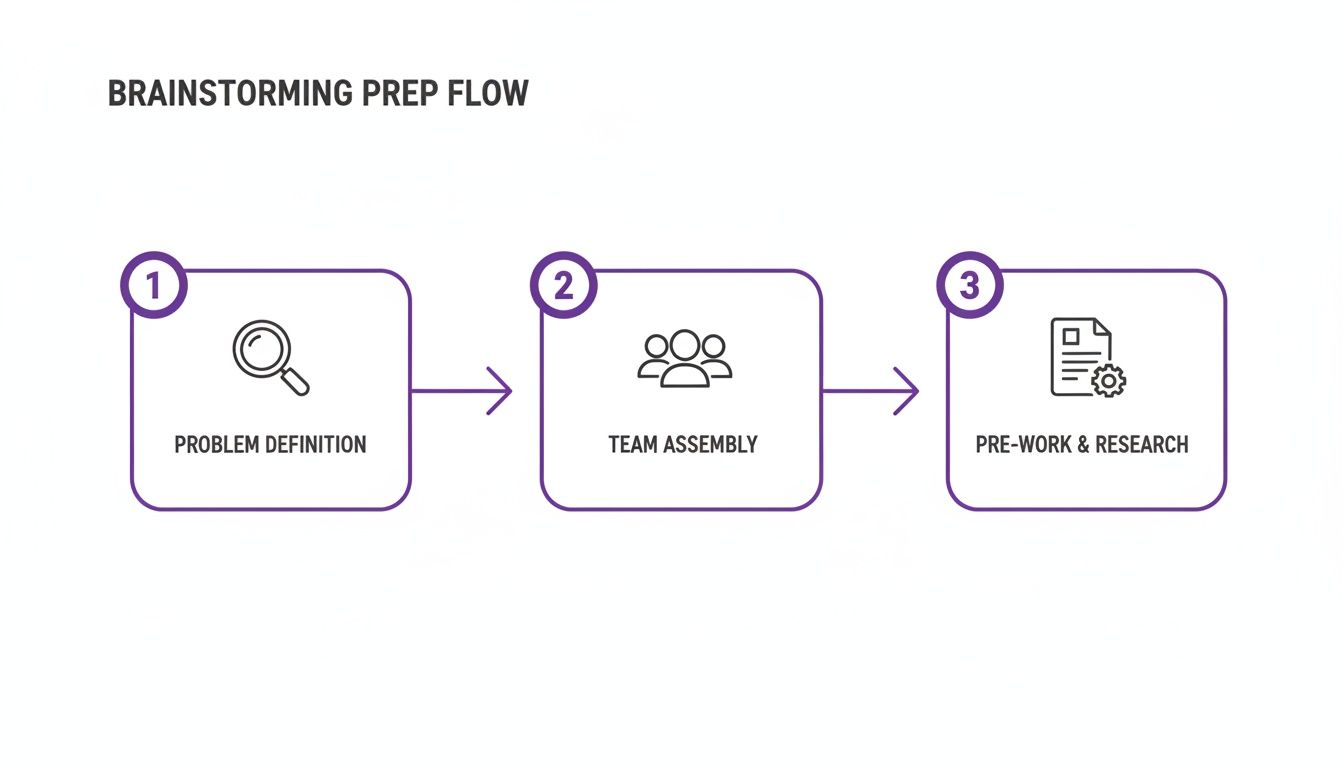
Getting this foundation right means that when the session starts, everyone is primed and ready to contribute.
The Warm-Up and Icebreaker (5 Minutes)
Never dive straight into the deep end. The first five minutes are all about setting the tone and helping everyone shift from whatever they were just doing into a more creative headspace. The goal is real connection, not just chit-chat about the weather.
Pick a quick, low-stakes icebreaker that gets the creative juices flowing. One of my favorites is the "Alternative Uses" game. Just pick a common object—a brick, a paperclip—and ask everyone to drop one weird, unconventional use for it in the chat. It's a simple way to prime everyone for thinking outside the box.
Silent Idea Generation Using Brainwriting (20 Minutes)
This is where the magic happens. Instead of a verbal free-for-all where the loudest person wins, we use a technique called brainwriting. For 20 minutes, everyone generates ideas silently and at the same time. This simple switch completely sidesteps common problems like people holding back their ideas or one person dominating the conversation.
Here's how I run it:
- Set the Stage: Make sure the core problem statement is clearly visible on your shared digital whiteboard.
- Start the Timer: Give the team a full 20 minutes to silently add ideas to the board using digital sticky notes. Remind them to go for quantity over quality. No idea is too wild.
- Facilitate, Don't Dictate: Your job is to observe. If you see the energy dipping, drop a gentle prompt in the chat. Something like, "What if money was no object?" or "How would our biggest competitor tackle this?" can reignite the spark.
I can't overstate the power of this silent phase. It creates a truly level playing field where introverts and deep thinkers have the exact same opportunity to contribute as everyone else. You'll be blown away by the sheer volume and variety of ideas that surface when people have uninterrupted space to think.
Idea Clustering and Theming (25 Minutes)
Okay, now you have a digital whiteboard bursting with raw ideas. It's time to find the hidden patterns. This part of the process is all about collaborative sense-making, helping the team see the bigger picture emerge from their individual thoughts.
First, give everyone a few quiet minutes to just read through all the sticky notes. This is crucial for cross-pollinating ideas.
Next, start dragging and dropping similar ideas into groups. Don't worry about perfect labels just yet; focus on creating clusters of related concepts. For instance, all the ideas about social media marketing can go in one corner, while ideas about UX improvements go in another. Once you have your groups, work together to give each cluster a clear, descriptive theme name.
Guided Discussion and Refinement (30 Minutes)
With your ideas neatly organized into themes, you can finally open up the floor for a structured discussion. To keep things from getting derailed, I swear by the Round Robin technique.
Tackle one theme at a time. For each one, go around the virtual room and ask every single participant to share their most compelling thought or idea from that specific cluster. This method ensures everyone speaks once before anyone gets to speak twice, which is a fantastic way to keep dominant personalities in check.
The goal here is to refine and build on what's already there. Ask clarifying questions to push the thinking deeper:
- "What's the core user problem this idea actually solves?"
- "Could we combine this with another idea to make it even stronger?"
- "What's the absolute simplest first step we could take to test this?"
This structured conversation turns a pile of raw ideas into more fleshed-out concepts. For more pointers on keeping these discussions focused, our guide on using a brainstorming session template has some great tips.
Defining Next Steps and Ownership (10 Minutes)
A brainstorm without action items is just a nice chat. These final ten minutes are dedicated to converting all that creative energy into forward momentum. You're not trying to build a full project plan here—just define the immediate next steps.
Use a simple dot voting exercise to have the group identify the 1-3 most promising ideas they want to explore further. For each of those winning ideas, assign a clear owner and define one tangible next action. It could be as simple as, "Sarah will create a one-page brief on the 'Gamified Onboarding' idea," or "David will research potential tech partners for the 'AI Assistant' concept."
Everyone should leave the meeting knowing exactly what was decided and what happens next. This simple act of assigning ownership is what builds the bridge from pure ideation to actual execution.
Using Technology to Unlock Better Ideas
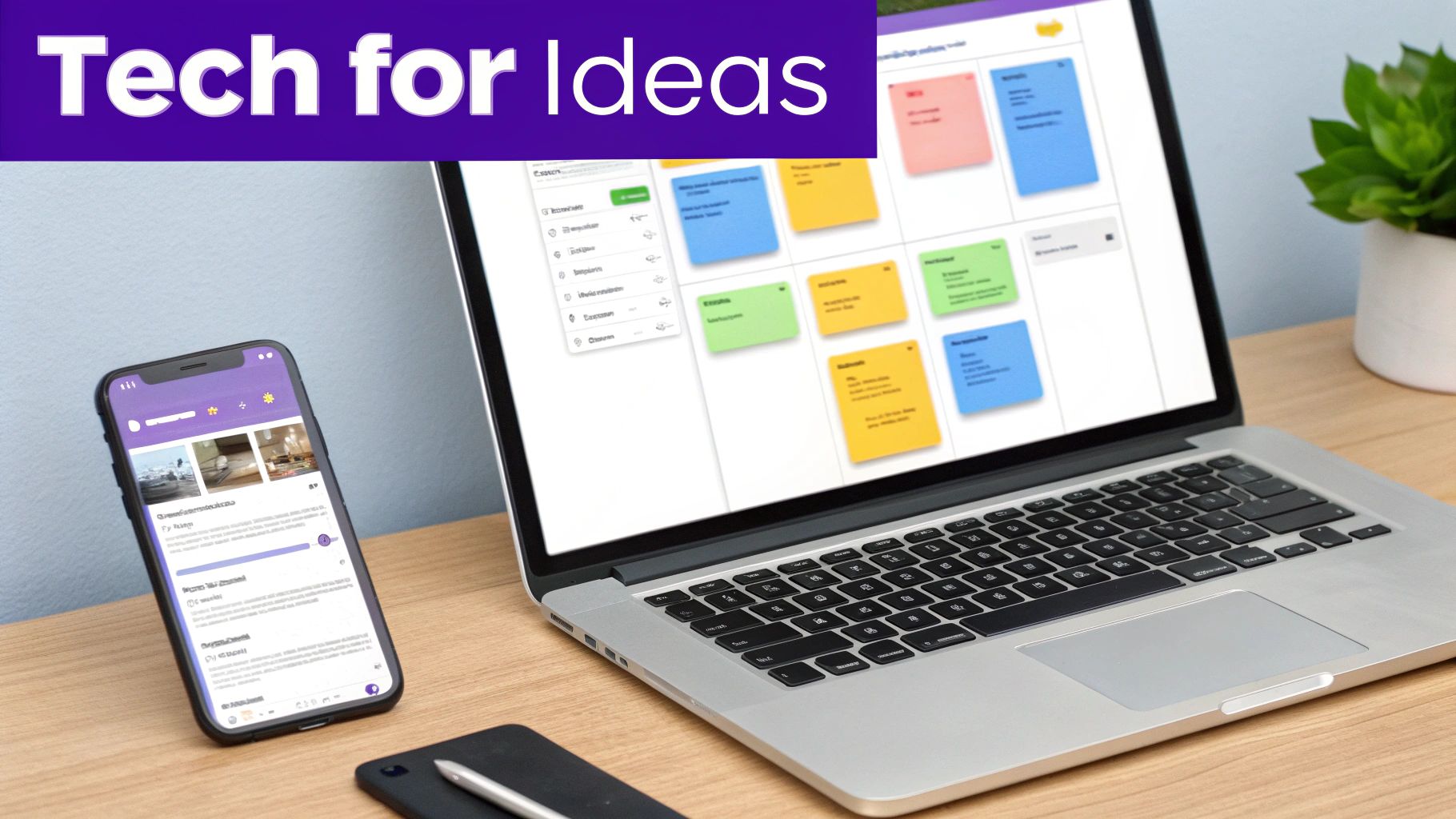
When you picture a brainstorming session, you probably imagine a flurry of sticky notes, a chaotic whiteboard, and the loudest voices dominating the room. That classic model completely falls apart when your team is spread out across different locations.
But here's the good news: technology isn't just a stand-in for a physical meeting room. It's a massive upgrade. The right tools can solve the fundamental problems that have always plagued traditional brainstorming.
This modern approach, often called electronic brainstorming, is designed to tear down the very barriers that stifle creativity. It creates an environment where ideas can flow freely, without the social pressure and logistical headaches of in-person sessions or unstructured video calls.
The biggest change is a simple one: everyone can contribute their ideas at the same time. You're moving from one-at-a-time input to parallel input, and that shift makes all the difference.
Getting Rid of Bottlenecks and Fear
One of the greatest advantages of using tech for brainstorming is that it eliminates production blocking. No one has to wait for a turn to speak. That brilliant idea that pops into someone's head isn't lost while they wait for the current speaker to finish. Everyone can add their thoughts to a shared digital space the moment inspiration strikes.
This also tackles evaluation apprehension head-on—that all-too-common fear of being judged. Many digital tools let people submit ideas anonymously or simultaneously. When ideas appear without a name attached, the conversation naturally shifts from who suggested it to the quality of the idea itself.
This creates a psychologically safer space for everyone to share off-the-wall thoughts without hesitation, which is especially important for more introverted or junior team members. The result is a much wider and more diverse pool of ideas to start with.
Back in 1993, a landmark study in Small Group Research found that 12-member groups using early digital tools generated more ideas than individuals working alone. Why? The technology minimized the exact problems we see today: 'production blocking' (waiting your turn), 'evaluation apprehension' (fear of judgment), and 'free-riding' (letting others do the work). Digital tools just make it easier for everyone to participate fully.
Key Features of Great Brainstorming Tech
When you’re looking at different tools for group brainstorming, focus on features that add structure and fairness to the process. Modern platforms like Bulby are designed around these principles, walking teams through exercises that are proven to work.
Here are a few of the most valuable features to look for:
- Anonymous or Simultaneous Input: This is key for judgment-free ideation. It helps ensure the best ideas get noticed, no matter who they came from.
- Digital Whiteboards: An infinite canvas means you never run out of space. It makes organizing, clustering, and connecting ideas a breeze.
- Built-in Timers and Agendas: These simple tools are surprisingly powerful. They keep the session focused and moving forward, guiding you from ideation to discussion to decision-making.
- Voting and Prioritization Tools: Features like dot voting offer a structured, democratic way to see which ideas resonate most with the group, removing bias from the decision-making process.
Putting It All Together
Let's say your team needs to name a new software feature. Instead of a messy video call where everyone talks over each other, you use a guided digital tool. The first step is simple: everyone gets 10 minutes of silent time to add as many names as they can to a shared board.
In that short window, you’ve suddenly got 50+ ideas—way more than you'd get in a verbal free-for-all. Because the ideas are anonymous, no one is swayed by job titles. The team then spends a few minutes silently grouping similar names before using a dot voting feature to surface the top three contenders for a focused discussion.
This structured, tech-driven process is more efficient, more inclusive, and ultimately, more creative. It turns group brainstorming from something people dread into a powerful engine for real innovation. If you want to dive deeper into specific platforms, take a look at our guide to the best online brainstorming tools.
Turning Your Team's Ideas Into Action
So, you’ve just wrapped up a fantastic brainstorming session. The virtual whiteboard is buzzing, packed with sticky notes and creative sparks. This is a great moment, but it's also where the real work begins. An avalanche of raw ideas, without a clear path forward, is just creative noise.
The next step is what separates a fun chat from a game-changing meeting: you have to sift through everything, find the real gems, and turn that creative energy into actual momentum. This is the convergence phase, where we stop asking "what if?" and start deciding "what's next?"
From Chaos to Clarity with Structured Evaluation
Simply asking your team, "Okay, which ideas do you like?" is a recipe for disaster. That approach almost always leads to a debate dominated by the loudest voice or the most senior person’s opinion. To avoid that, you need to give everyone a clear, objective framework for evaluation.
This isn’t just a hunch; it's backed by research. A 2018 study found that when teams were given structured prompts—what they called "attention guidance"—the quality of their final, chosen ideas shot way up. Providing a clear lens to look through makes all the difference.
The handoff from idea generation to action is where most brainstorming sessions fail. This is your chance to prove the meeting was more than just an exercise—it was a catalyst for real progress.
Before you even look at the ideas, get everyone to agree on the filtering criteria. What's the goal here? Are we looking for the most innovative concept? The easiest one to ship next month? The idea with the biggest potential customer impact? Nail this down first, and you'll prevent the conversation from getting pulled in a dozen different directions later.
Practical Techniques for Prioritizing Ideas
Once your criteria are locked in, you can use a few simple but incredibly effective techniques to help the group prioritize everything fairly and efficiently. I've found these methods work especially well for remote and hybrid teams because they're visual, democratic, and quick.
Dot Voting
This one's a classic for a reason. It’s fast, simple, and a great way to gauge group consensus without getting bogged down in endless discussion.
- Give everyone a few votes. Each person gets a set number of virtual "dots" or votes—3 to 5 is usually the sweet spot.
- Let them vote silently. Start a timer for just a few minutes and have everyone place their dots on the ideas they believe best fit the criteria you just defined.
- See what rises to the top. When time's up, you'll have a heat map of the group's priorities. The ideas with the most dots are your front-runners, giving you a natural starting point for a more focused conversation.
This technique gives everyone an equal voice and instantly shows you where the collective energy is.
The Impact/Effort Matrix
Another go-to tool is the impact/effort matrix. This helps the team think more strategically about where to invest their time and resources.
You just draw a simple four-quadrant grid:
- High Impact, Low Effort (Quick Wins): These are no-brainers. Do these first to build momentum.
- High Impact, High Effort (Major Projects): Big, strategic bets. These need planning.
- Low Impact, Low Effort (Fill-ins): Things to tackle if there's spare time, but not a priority.
- Low Impact, High Effort (Time Sinks): Avoid these like the plague. They just drain energy for little reward.
Ask the team to drag and drop the top ideas from the dot voting exercise onto this grid. It immediately sparks a much-needed conversation about feasibility and value, pushing you one step closer to a real plan.
Defining Ownership and Next Steps
You're almost there. The final—and most important—step is to make sure every great idea leaves the room with a clear path forward. For the top 1-3 ideas, you absolutely must define two things before the meeting ends: an owner and a next step.
An "owner" isn't the person who has to do all the work. They're the champion, the one responsible for nudging the idea along.
The "next step" needs to be small, tangible, and something that can be done within a week. For example: "Sarah will put together a one-page brief on the 'AI-Powered Onboarding' concept by Friday."
This clarity is everything. It turns a cool idea into an actual task with a name next to it. It’s the bridge between a great brainstorm and getting things done. If you want to dive deeper into this process, our guide on moving from idea to implementation is a great next read.
Sticking Points in Remote Brainstorming (and How to Get Unstuck)
Even when you've planned everything perfectly, running a great remote brainstorming session can feel like herding cats. Certain questions and tricky situations pop up time and time again. Here’s my take on a few of the most common ones, with some practical advice to keep things moving.
What’s the Magic Number for Group Size?
For a remote session, I've found the sweet spot is between 5 and 8 people. This size is big enough to get a mix of different viewpoints and a decent pile of ideas to work with.
But it’s also small enough that people don't get lost in a sea of faces. Everyone can actually get a word in during the discussion without feeling like they're interrupting a town hall meeting. If you've got more than eight people, just split them into smaller breakout rooms for the idea-generation part. It keeps everyone involved and makes sure all voices are heard.
How Do You Deal With That One Person Who Won't Stop Talking?
We all know the type. The best way to handle a conversation-hog is to design a session where they can't dominate in the first place. A highly structured agenda is your secret weapon.
Start with a timed, silent activity like brainwriting. This gets everyone's initial thoughts down on digital sticky notes before anyone has a chance to steer the conversation. It levels the playing field right from the start.
When it’s time to talk, the facilitator should step in and run a "Round Robin." Simply go around the virtual room and ask each person for their thoughts one by one. It creates a natural, equitable speaking order.
This isn't about shutting down the loud person; it's about making sure you hear from everyone else.
How Do I Stop People from Zoning Out?
Keeping a remote team engaged starts well before the meeting invite goes out. Give them a clear purpose, a well-defined problem to chew on, and maybe a little pre-reading. People show up ready to go when they know what they’re there for.
During the actual session, you have to mix things up.
- Use an interactive tool: A shared digital whiteboard is a must. Seeing everyone's cursors moving and sticky notes popping up is way more engaging than staring at a PowerPoint.
- Cameras on, if possible: It really helps people feel more connected and present.
- Take breaks: If you’re running a session longer than 90 minutes, a quick five-minute break for a stretch can completely reset the room's energy.
- Switch activities often: Bounce between silent solo work, small group chats, and full-group discussion to keep the session feeling fresh and dynamic.
What Happens If All Our Ideas Are… Bad?
This is a fear I hear all the time, and it usually stems from a slight misunderstanding of what brainstorming is for. In the beginning, the goal is quantity over quality. You want a huge volume of raw, unfiltered, and sometimes ridiculous ideas. Don't judge anything yet.
The brilliant ideas almost never show up fully formed. They’re usually hiding inside a combination of other ideas or emerge when you start refining the wilder thoughts. You have to trust the process. Your job at the start is to create a safe space for all ideas. The good stuff will surface later when you start sorting and discussing. The brainstorm is just step one.
Ready to transform your remote brainstorming from frustrating to fruitful? Bulby provides the structure and AI-powered guidance to run sessions that are more inclusive, creative, and effective. See how our research-backed exercises can help your team unlock its best ideas at https://www.bulby.com.