
In a world of distributed teams, the standard slide deck often falls flat. Keeping a hybrid audience engaged requires more than just a clear voice and polished visuals; it demands a new playbook. This guide moves past generic advice to offer concrete, creative ideas for presentation formats that capture attention, foster genuine collaboration, and deliver memorable impact. These aren't just tips for making your slides prettier; they are complete frameworks for transforming your sessions into dynamic, interactive experiences.
Whether you're leading a project kickoff, a client pitch, or a crucial all-hands meeting, the following techniques are designed to turn passive viewing into active participation. When exploring new ways to captivate your audience, drawing inspiration from other visual mediums can be highly effective; for example, understanding creative trade show booth ideas can spark fresh approaches to presentation engagement. The goal is to make your message resonate, whether your team is in the same room or spread across multiple time zones.
Forget the one-way monologue. We will explore 10 specific, actionable strategies, including interactive whiteboarding, reverse brainstorming, and collaborative storytelling. For each idea, you'll find a clear breakdown of what it is, when to use it, and step-by-step guidance for successful implementation. We provide practical facilitation notes tailored for remote settings and real-world examples to help you apply these concepts immediately. This list is your blueprint for making every presentation a valuable, collaborative event that drives results.
1. The Interactive Q&A: 'Ask Me Anything' (AMA) First
Flip the traditional presentation format on its head. Instead of a monologue followed by a brief Q&A, this approach starts with the audience's questions. The 'Ask Me Anything' (AMA) First model immediately addresses what your audience cares about most, transforming a passive lecture into a dynamic, co-created dialogue from the very beginning.
This method is one of the most effective creative ideas for a presentation because it guarantees relevance. You are no longer guessing what information is valuable; the audience tells you directly.
When to Use This Approach
This format is ideal for internal updates, project kickoffs with stakeholders, or training sessions where attendees have varying levels of prior knowledge. It works best when you want to build trust, increase engagement, and ensure every minute is spent on high-value topics. Avoid it for compliance training or when you must deliver a precise, linear sequence of information.
How to Implement It
- Pre-Gather Questions: A week before the presentation, send out a simple survey link (using tools like Slido, Google Forms, or Mentimeter) asking attendees what they hope to learn or what their biggest questions are.
- Organize and Theme: Group the submitted questions into 3-5 key themes. These themes become the sections of your presentation, replacing a pre-scripted agenda.
- Structure Your Content: Build a lightweight slide deck that directly answers the themed questions. Use each theme as a section header.
- Launch the Session: Start the meeting by showing the themes you created from their questions. Say, "You asked, and we listened. Here are the main topics we'll cover today based on your feedback."
- Facilitate a Live Dialogue: As you address each theme, invite follow-up questions to keep the conversation flowing.
Facilitation Note for Virtual Settings: Use a virtual whiteboard tool like Miro or Mural to display the questions. As you answer them, drag them to a "Done" column. This visual progress keeps remote participants engaged and shows their input is being valued in real-time.
Example in Action
A product manager launching a new internal software tool used this method. Instead of a standard feature demo, she started with an AMA. Questions revealed that the team was most concerned about data migration and integration with existing tools, not the new UI. She spent 30 minutes on those two topics and only 10 on the rest, resulting in faster adoption because she addressed their core anxieties first.
- Slide/Prompt Template: "Welcome! To make this session as useful as possible, we'll start with your questions. What's the #1 thing on your mind about [Topic]?"
2. Asynchronous Brainstorming with Structured Idea Submission
This approach shifts the creative process from a single, high-pressure live meeting to a more inclusive, thoughtful, and time-zone-friendly activity. Instead of putting people on the spot, you use a shared document or platform to gather ideas over a set period, guided by a clear framework. Team members contribute when they are most creative, not just when they are available.
This method is one of the most effective creative ideas for a presentation because it maximizes the quality and diversity of input. It levels the playing field for introverts and deep thinkers, allowing well-considered ideas to surface without the pressure of a live brainstorm.
When to Use This Approach
This format is perfect for early-stage project ideation, feature brainstorming, or solving complex problems where deep thought is more valuable than rapid-fire suggestions. Companies like Basecamp and GitHub use it to fuel innovation. Avoid it for urgent, time-sensitive decisions that require immediate, synchronous alignment. For a deeper dive, you can learn more about asynchronous collaboration and how it benefits distributed teams.
How to Implement It
- Set Up the Space: Create a shared document (e.g., Notion, Google Docs) or a dedicated channel/thread (e.g., Slack, Teams) for the brainstorm.
- Provide a Clear Structure: Post a prompt with specific, guiding questions. Instead of "Share ideas for the new marketing campaign," ask, "1. What is one unexpected channel we could use? 2. What is a key pain point our campaign should solve? 3. Suggest a headline that is bold and unconventional."
- Define the Timeline: Clearly state the deadline for submissions (e.g., "Please add your ideas by Friday at 5 PM PST").
- Encourage Interaction: Ask team members to comment or build on each other's ideas using threads or comments.
- Schedule a Follow-Up: After the asynchronous phase, book a short, synchronous meeting to review, cluster, and prioritize the collected ideas.
Facilitation Note for Virtual Settings: Use tools with anonymous submission features (like Slido or an anonymous Google Form) to encourage candid ideas. This reduces the bias of judging an idea based on who submitted it and promotes psychological safety.
Example in Action
A product team at a remote-first startup needed to brainstorm new features. The manager created a Notion page with three structured prompts: "What's a 'wild idea' that could 10x our user engagement?", "What's a small tweak that would solve a major user annoyance?", and "How could we use our existing data to create a new feature?". Over three days, the team contributed dozens of well-thought-out ideas, which were then discussed and voted on in a 30-minute follow-up call.
- Slide/Prompt Template: "Welcome to our async brainstorm on [Topic]. Please add your thoughts on the following three questions by [Date/Time]."
3. Constraint-Based Creative Challenges
This approach turns conventional brainstorming on its head by deliberately limiting resources, time, or scope to spark innovation. Instead of asking for blue-sky ideas, constraint-based challenges force teams to problem-solve within a defined box. This methodology is backed by cognitive research showing that well-placed limitations often lead to more focused and resourceful creative ideas for a presentation or project.
By imposing artificial boundaries, you force the team to abandon obvious solutions and discover truly novel pathways. It’s about channeling creativity, not stifling it.
When to Use This Approach
This format is perfect for innovation workshops, product development kickoffs, or any session where you need to generate practical, implementable ideas rather than vague concepts. It is highly effective for teams feeling stuck in a rut or overwhelmed by infinite possibilities. Avoid it when the goal is pure, unrestricted ideation without immediate real-world application.
How to Implement It
- Define the Core Problem: Clearly state the primary challenge you are trying to solve. For example, "How can we increase user engagement with our new feature?"
- Introduce a Clear Constraint: Apply a specific, measurable limitation. This could be a time, budget, technology, or resource constraint.
- Frame the Challenge: Re-state the problem with the constraint included. For instance, "How can we increase user engagement with our new feature in the next two weeks with zero marketing budget?"
- Facilitate the Brainstorm: Give the team a set time to generate ideas that work within the given constraint. Encourage rapid, unfiltered ideation.
- Review and Refine: Discuss the ideas generated. Note how the constraint pushed the thinking in a new direction and select the most viable concepts for further development. Many teams find this a powerful way to find creative block solutions.
Facilitation Note for Virtual Settings: Use a digital whiteboard's timer feature to enforce the time constraint visibly. Create separate frames or areas for different constraints (e.g., "The 'No Budget' Board," "The 'One-Day Build' Board") to keep the ideation organized and focused.
Example in Action
A marketing team was tasked with planning a product launch. Instead of a typical brainstorm, the leader introduced a constraint: "Plan a launch campaign as if social media did not exist." This forced the team to bypass their default digital tactics and explore creative ideas like community partnerships, guerrilla marketing, and direct mail campaigns, ultimately leading to a more diversified and resilient launch strategy.
- Slide/Prompt Template: "Today, we’re solving for [Problem]. Here’s the catch: We must do it with/without [Constraint]."
4. Reverse Brainstorming and Negative Ideation
Instead of asking "How do we succeed?", this technique flips the script to ask, "How could this project spectacularly fail?" Reverse brainstorming focuses on identifying potential problems, obstacles, and worst-case scenarios first. This counterintuitive approach uncovers hidden risks and blind spots, paradoxically leading to more robust and innovative solutions by forcing the team to pre-emptively solve for failure.
This method is one of the most powerful creative ideas for a presentation because it moves beyond surface-level optimism. It gives teams a safe, structured way to voice concerns and pressure-test an idea before committing significant resources.
When to Use This Approach
This format is perfect for project kickoffs, strategy sessions, pre-mortems, or any high-stakes presentation where risk identification is critical. It helps teams align on potential threats and build contingency plans from day one. Avoid this for purely motivational talks or when the team is already experiencing low morale, as it could be perceived as negative without proper framing.
How to Implement It
- Frame the Challenge Negatively: Start with a provocative, failure-focused prompt. For example, "Imagine it’s six months from now, and this project has completely failed. What went wrong?"
- Generate Failure Points: Give attendees 10-15 minutes to brainstorm all the possible reasons for failure. Encourage them to think about people, processes, technology, and market factors.
- Cluster and Prioritize Risks: Group the identified failure points into common themes. Use dot voting to have the team identify the most probable or most damaging risks.
- Flip to Solutions: For the top 2-3 risks, re-frame the challenge into a positive solution-oriented question. "Okay, we've identified that poor communication is a major risk. How can we build a communication plan that guarantees clarity and alignment?"
- Develop Actionable Next Steps: Turn the resulting solutions into concrete action items with owners and deadlines.
Facilitation Note for Virtual Settings: Use a digital whiteboard with three columns: "Potential Failures," "Top Risks," and "Preventative Solutions." As participants add virtual sticky notes to the first column, you can collaboratively drag and drop them through the process, creating a clear visual narrative of transforming problems into plans.
Example in Action
A startup preparing to launch a new app used this technique. The reverse brainstorm revealed a major risk: the customer support team was unprepared for a potential server outage, a scenario no one had previously discussed. By identifying this failure point, they developed a "red alert" support protocol before launch, which they had to use a month later, preventing a potential PR disaster. For more ways to structure such activities, explore these creative thinking exercises for groups.
- Slide/Prompt Template: "Let’s time travel. It’s one year from now and this launch was a total failure. What happened?"
5. Diverge-Converge Frameworks (Double Diamond)
Instead of a linear brainstorming session, use a structured innovation model like the Double Diamond to guide your presentation. This framework organizes thinking into two distinct phases: first, exploring the problem (diverge then converge), and second, developing the solution (diverge then converge). It prevents teams from jumping to solutions prematurely and ensures a more thorough, creative outcome.
This approach is one of the most powerful creative ideas for a presentation because it provides a clear, visual roadmap for collaborative problem-solving. It transforms a potentially chaotic ideation session into a focused, step-by-step journey, ensuring all voices are heard during exploration and all decisions are made logically.
When to Use This Approach
This framework is perfect for strategy workshops, product innovation sessions, or any meeting where the goal is to solve a complex, ambiguous problem. It's especially effective for cross-functional teams who need a shared language and process to collaborate. Avoid it for simple status updates or presentations where a decision has already been made.
How to Implement It
- Phase 1: Discover (Diverge): Start by exploring the problem space as widely as possible. Use brainstorming and research to gather insights, user needs, and context. Avoid judgment or filtering at this stage.
- Phase 2: Define (Converge): Synthesize the findings from the discovery phase to arrive at a clear, actionable problem statement. This is where you focus and decide on the exact challenge you will solve.
- Phase 3: Develop (Diverge): With a defined problem, brainstorm potential solutions. Encourage wild ideas and quantity over quality. Explore different angles and possibilities without limitation. For more techniques, check out these divergent thinking exercises.
- Phase 4: Deliver (Converge): Test, prototype, and refine the best ideas from the development phase. The goal is to select a single, viable solution to move forward with.
Facilitation Note for Virtual Settings: Use a digital whiteboard with four distinct columns or frames labeled Discover, Define, Develop, and Deliver. Move sticky notes across these spaces as the group progresses, creating a clear visual record of the team's journey through the framework.
Example in Action
A marketing team used the Double Diamond to tackle declining user engagement. Instead of immediately brainstorming campaigns (a common mistake), they first diverged to understand why users were disengaging by analyzing data and interviews. They converged on the core problem: "Users feel overwhelmed by notifications." Only then did they diverge again to brainstorm solutions, ultimately converging on a "smart notification digest" feature, which proved far more effective than another marketing campaign.
- Slide/Prompt Template: "Today, we're using the Double Diamond. First, let's explore every aspect of the problem, no idea is too small. What are we seeing, hearing, and feeling about [Topic]?"
6. Scenario Planning and Future-Focused Ideation
Instead of presenting a single, linear forecast, this approach guides your team through brainstorming multiple possible futures. By asking "What if?" for different market conditions or technological shifts, you move beyond predictable planning and generate more robust, adaptive strategies that anticipate change rather than react to it.
This method is one of the most powerful creative ideas for a presentation because it replaces a rigid roadmap with a portfolio of strategic options. It prepares the team for uncertainty and uncovers opportunities that linear thinking would otherwise miss.
When to Use This Approach
This format is perfect for long-range strategic planning, innovation workshops, or risk assessment sessions. Use it when the future is highly uncertain and you need to build consensus around a resilient, forward-looking strategy. Avoid it for short-term tactical updates or when a single, decisive plan is required immediately.
How to Implement It
- Identify Key Drivers: Begin by identifying 2-3 critical uncertainties that will shape your future (e.g., regulatory changes, competitor moves, technological adoption).
- Define Scenario Poles: For each driver, define two plausible extremes. For example, a regulatory driver might have "Strict Regulation" and "Total Deregulation" as its poles.
- Build a Scenario Matrix: Combine these drivers to create a 2×2 matrix, resulting in four distinct future worlds or scenarios. Give each a memorable name (e.g., "The Wild West," "Regulated Giants").
- Explore and Strategize: Divide your audience into breakout groups, assigning one scenario to each. Task them with describing that world and brainstorming how your organization would need to adapt to survive and thrive.
- Synthesize Core Strategies: Bring the groups back together to share insights. Identify the "no-regret" moves and core strategies that are effective across multiple scenarios.
Facilitation Note for Virtual Settings: Use a digital whiteboard tool like Miro. Create a 2×2 matrix template and use sticky notes for each group to brainstorm within their assigned quadrant. This creates a powerful visual artifact of the collective ideation.
Example in Action
A renewable energy startup used scenario planning to navigate volatile government policies. They created a matrix based on "High vs. Low Public Funding" and "Fast vs. Slow Consumer Adoption." This revealed that investing in modular, scalable technology was a robust strategy that remained viable in three of the four futures, giving them a clear path forward despite the uncertainty.
- Slide/Prompt Template: "Let's explore what's next. If [Critical Driver #1] and [Critical Driver #2] both shifted, what would our world look like in 5 years?"
7. Collaborative Storytelling and Narrative-Based Brainstorming
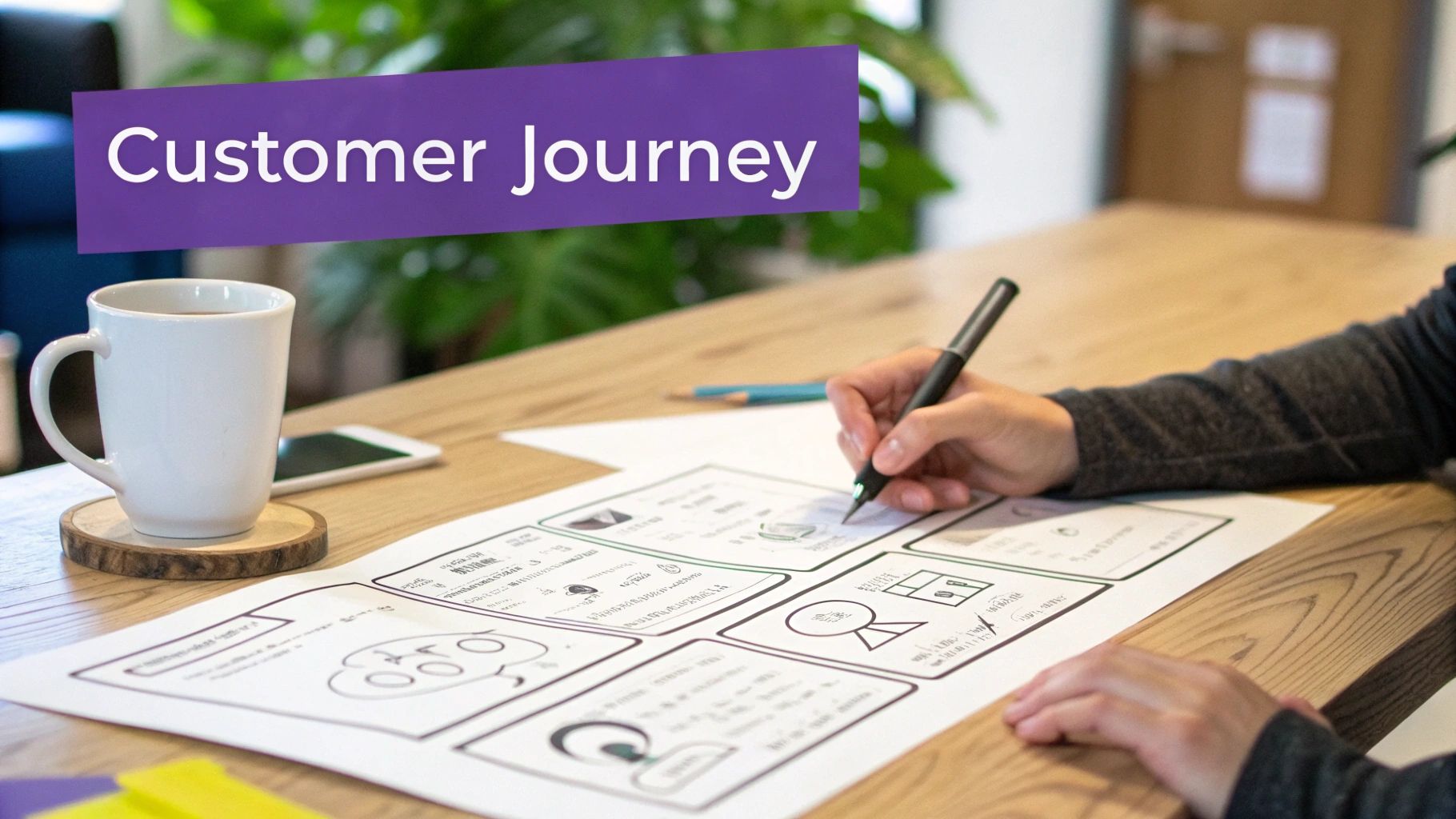
Instead of listing abstract features or data points, this method frames your presentation as a story. Narrative-based brainstorming uses storytelling structures to explore problems, generate solutions, and map out future strategies. By developing a customer journey or a product scenario as a compelling narrative, you engage both the analytical and creative sides of your audience's brains, making the information more memorable and impactful.
This approach is one of the most powerful creative ideas for a presentation because stories create emotional connection and context. An abstract concept becomes a tangible experience, making it easier for teams to empathize with users, identify friction points, and innovate with a clear purpose.
When to Use This Approach
This format is perfect for innovation workshops, product development kickoffs, user experience (UX) design sessions, and strategic planning meetings. It excels when you need to align a team around a customer-centric vision or explore complex "what if" scenarios. Avoid it for purely data-driven financial reports or compliance updates where a direct, factual delivery is required.
How to Implement It
- Define the Protagonist and Goal: Start with a clear persona. Who is your main character (e.g., "Sarah, a busy project manager") and what do they want to achieve (e.g., "launch a project on time without burnout")?
- Establish the Plot: Use a simple story arc: Situation, Inciting Incident, Rising Action (the challenges), Climax (the solution), and Resolution (the outcome).
- Build the Narrative Collaboratively: Use a shared digital whiteboard. Create columns for each part of the story arc and invite team members to add sticky notes to build out the narrative together.
- Introduce Conflict: Intentionally add points of friction or failure into the story. "What's the biggest obstacle Sarah faces?" These conflicts are where the best opportunities for innovation are found.
- Visualize the Story: Turn the narrative into a storyboard with simple sketches or images. This makes the journey tangible and easy to reference.
Facilitation Note for Virtual Settings: In a remote workshop, use breakout rooms in Zoom or Teams. Assign each room a different part of the story arc to flesh out. When they return to the main room, each group presents their chapter, creating a cohesive narrative built by the entire team.
Example in Action
A design team at Airbnb used storytelling to develop its "Belong Anywhere" strategy. Instead of focusing on features, they created detailed narratives of both hosts and guests, mapping out their emotional journeys. These stories revealed key moments of anxiety and delight, which directly inspired new platform features that supported a feeling of community and trust, transforming the user experience.
- Slide/Prompt Template: "Let's meet our hero, [Customer Name]. Here's their story and the challenge they're facing with [Problem Area]…"
8. Structured Ideation with Innovation Frameworks
Instead of relying on unstructured, free-for-all brainstorming, this method uses established innovation frameworks to guide idea generation. By applying models like SCAMPER, Six Thinking Hats, or Morphological Analysis, you provide a systematic and repeatable process for creative problem-solving, ensuring your team explores a challenge from multiple, deliberate angles.
This structured approach is one of the most powerful creative ideas for a presentation because it transforms brainstorming from an art into a science. It moves your team beyond obvious ideas and forces deeper, more methodical thinking, leading to higher-quality outcomes.
When to Use This Approach
This format is perfect for strategic planning sessions, product development workshops, or any meeting where the goal is to generate novel solutions to a complex problem. It's particularly effective for teams that struggle with "blank page" syndrome or tend to fixate on the first few ideas. Avoid it for simple status updates or purely informational presentations.
How to Implement It
- Select the Right Framework: Choose a framework that fits your challenge. Use SCAMPER for improving an existing product, Six Thinking Hats for evaluating an idea from multiple perspectives, or Morphological Analysis for mapping out all possible solutions.
- Briefly Teach the Method: Start the presentation with a 5-minute overview of the chosen framework’s rules and steps. Don't assume prior knowledge.
- Define the Core Challenge: Clearly state the problem you are solving or the product you are improving. For example, "How can we improve customer onboarding?"
- Guide the Application: Lead the team through the framework step-by-step. If using SCAMPER, go through S (Substitute), C (Combine), A (Adapt), etc., one by one.
- Capture and Organize Ideas: Use a digital whiteboard to capture all ideas generated under each step of the framework, keeping the output organized and visible to everyone.
Facilitation Note for Virtual Settings: Assign breakout rooms for different parts of the framework. For example, with Six Thinking Hats, one room can focus on the Yellow Hat (positives) while another tackles the Black Hat (risks). This parallel processing accelerates ideation and keeps engagement high.
Example in Action
A software company used the SCAMPER framework to rethink its mobile app's user interface. The "M" (Modify) prompt led to the idea of a minimalist "focus mode," while the "R" (Reverse) prompt inspired a reversed navigation flow that tested surprisingly well with new users. The structured prompts produced concrete, innovative features that a standard brainstorm had missed.
- Slide/Prompt Template: "Today, we're not just brainstorming; we're using the [Framework Name] model. Let's start with our first lens: [First Step of Framework]."
9. Cross-Functional Perspective Rotation
This technique moves beyond a single presenter's viewpoint by systematically rotating through the perspectives of different departments or functions. Instead of one person explaining a problem, team members actively "wear the hat" of engineering, marketing, finance, or even a customer, ensuring a 360-degree analysis.
This approach is one of the most powerful creative ideas for a presentation because it breaks down silos and surfaces blind spots. By forcing the team to consider a challenge from unfamiliar angles, it uncovers hidden assumptions and generates more robust, holistic solutions.
When to Use This Approach
This format is perfect for complex problem-solving sessions, new product ideation, or strategic planning meetings where groupthink is a significant risk. It excels when you need to align disparate teams around a shared understanding of a challenge. Avoid it for simple status updates or purely informational briefings where diverse perspectives are not required.
How to Implement It
- Define the Perspectives: Before the meeting, identify the key functions or stakeholders relevant to your topic (e.g., Engineering, Sales, Customer Support, Legal).
- Assign Roles: Assign each perspective to a small group or individual. Give them a few minutes to prepare their viewpoint on the central problem or topic.
- Structure the Rotation: Dedicate a specific time slot for each perspective to present. For example, "For the next 10 minutes, we are only looking at this from a Customer Support lens."
- Facilitate the Discussion: The presenter for each perspective shares their analysis, concerns, and ideas. For instance, the "Sales" representative might focus on marketability, while "Engineering" focuses on technical feasibility.
- Synthesize and Document: After all rotations, the facilitator leads a discussion to synthesize the insights, identify common ground, and document contradictory points that require further investigation.
Facilitation Note for Virtual Settings: Create separate breakout rooms for each perspective group to prepare their arguments. When they return, use a collaborative tool like Miro to create a "Perspective Map," with a dedicated section for each function to post their key points visually.
Example in Action
A marketing team struggling with low user engagement for a new feature used this method. The product manager presented the data, but then the team rotated perspectives. The "engineering" perspective highlighted the feature’s slow load time, while the "customer support" perspective revealed that users found the instructions confusing. This multi-faceted view led them to fix a technical bug and clarify the user guide, which quickly boosted engagement.
- Slide/Prompt Template: "Let’s analyze this problem from multiple angles. First, how would our Head of Sales view this challenge? What would be their primary concern?"
10. Iterative Refinement Cycles with Rapid Prototyping Feedback
Instead of a single, lengthy presentation aiming for a final solution, this approach breaks the process into a series of short, interactive feedback loops. You present a rough prototype or concept, gather immediate feedback, refine it, and present the next version. This transforms a presentation from a reveal into a collaborative building session.
This method is one of the most practical creative ideas for a presentation when dealing with complex projects. It ensures your work stays aligned with audience needs and avoids investing significant time developing an idea in the wrong direction.
When to Use This Approach
This format is perfect for product development updates, design reviews, and strategy sessions where the final outcome is not yet defined. It excels in agile environments where continuous improvement is valued. Avoid it for final project sign-offs or when presenting a completed, unchangeable body of work.
How to Implement It
- Create a Low-Fidelity Prototype: Start with a simple version of your idea. This could be a basic sketch, a wireframe (using tools like Figma or Balsamiq), or a simple slide deck outlining a process. The key is to make it feel unfinished to encourage honest feedback.
- Frame the Presentation as a Feedback Session: Begin by stating the goal is to gather input, not to present a final product. Clarify what specific feedback you need.
- Present and Gather: Briefly showcase the prototype (5-10 minutes). Immediately shift to collecting feedback using structured questions.
- Document and Iterate: Capture all feedback visibly. After the session, use this input to create the next version of the prototype.
- Schedule the Next Cycle: Repeat the process in a follow-up session, showing how their previous feedback was incorporated.
Facilitation Note for Virtual Settings: Use an interactive whiteboarding tool like Miro or FigJam. Place a screenshot of your prototype on the board and ask participants to add virtual sticky notes with their feedback directly onto the relevant areas. This creates a visual, organized feedback map.
Example in Action
A UX team developing a new mobile app feature used this cycle. Their first presentation was just three hand-drawn screens shown over Zoom. The feedback revealed a major flaw in their user flow. They spent two days revising the concept and presented a clickable wireframe in the next session, which received overwhelmingly positive feedback. This saved weeks of engineering effort on the flawed initial design.
- Slide/Prompt Template: "This is a work-in-progress. Our goal today is to get your feedback on this early concept so we can build the right solution together. What's your first impression of this flow?"
10 Creative Presentation Methods Compared
| Method | 🔄 Implementation complexity | ⚡ Resources & speed | 📊 Expected outcomes (⭐) | Ideal use cases | 💡 Key advantages / Tips |
|---|---|---|---|---|---|
| Interactive Digital Whiteboarding with Real-Time Collaboration | Medium — setup + facilitator; learning curve for some users | Moderate — licenses, stable internet; enables instant interaction | ⭐⭐⭐⭐ Visual alignment, high engagement, rich visual mapping | Remote workshops, cross-team brainstorming, design sessions | Use templates; assign facilitator; record sessions for async review |
| Asynchronous Brainstorming with Structured Idea Submission | Low–Medium — configure prompts and moderation | Low resources; slower overall timeline (24–72h windows) | ⭐⭐⭐ Higher-quality, reflective ideas; documented trail for audit | Distributed teams, time-zone differences, thoughtful contributions | Set clear prompts & eval criteria; combine with synchronous review |
| Constraint-Based Creative Challenges | Low — define constraints carefully; straightforward to run | Low resources; fast, focused sessions | ⭐⭐⭐⭐ Practical, implementable solutions; fewer irrelevant ideas | Product scoping, campaign design, tight budgets/timelines | Frame constraints as opportunities; test ideas incrementally |
| Reverse Brainstorming and Negative Ideation | Medium — requires skilled facilitation to reframe negativity | Low–Moderate resources; moderate pace | ⭐⭐⭐ Uncovers risks and assumptions; needs explicit conversion to solutions | Risk management, safety-critical systems, pre-mortems | Frame positively; require each problem → potential solution; use cross-functional views |
| Diverge–Converge Frameworks (Double Diamond) | Medium–High — phase gating and strict discipline required | Moderate–High time investment; structured cadence | ⭐⭐⭐⭐ Thorough exploration and better problem definition | Complex, multi-faceted challenges; structured workshops | Define exit criteria; separate phase spaces; rotate facilitators |
| Scenario Planning and Future-Focused Ideation | High — research-heavy and facilitation-intensive | High resources and time; slow but thorough | ⭐⭐⭐⭐ Robust, adaptive strategies; stress-tested options across futures | Long-term strategy, disruption planning, strategic roadmaps | Ground scenarios in real drivers; include diverse perspectives; create clear narratives |
| Collaborative Storytelling and Narrative-Based Brainstorming | Medium — needs narrative facilitation skill | Moderate resources; can be time-consuming | ⭐⭐⭐ Memorable, user-centered concepts; strong empathy and buy-in | Customer journeys, product narratives, marketing strategy | Start with specific personas; include friction points; iterate with user feedback |
| Structured Ideation with Innovation Frameworks | Medium — requires training on frameworks | Low–Moderate resources; methodical pace | ⭐⭐⭐⭐ Comprehensive coverage; reproducible outputs | Product improvement, optimization, repeatable innovation processes | Train teams on frameworks; pick frameworks to match problem type; combine methods |
| Cross-Functional Perspective Rotation | High — coordination and stakeholder scheduling required | High coordination overhead; potentially slower | ⭐⭐⭐⭐ Holistic, implementable ideas with greater buy-in | Organization-wide initiatives, product launches, complex integrations | Map stakeholders in advance; prepare participants; use neutral facilitator |
| Iterative Refinement Cycles with Rapid Prototyping Feedback | Medium–High — needs prototyping skills and tooling | High resources (prototyping, user testing); enables rapid learning cycles | ⭐⭐⭐⭐ Faster validated outcomes; reduced waste through early testing | MVP development, product-market fit testing, agile teams | Keep prototypes low-fidelity; set clear feedback loops; document learnings |
Your Next Presentation Starts Here
You've just explored a comprehensive toolkit of creative ideas for presentation, moving far beyond the traditional, static slideshow. We've navigated through ten powerful techniques designed specifically for the unique dynamics of remote and hybrid teams, from the collaborative energy of Interactive Digital Whiteboarding to the structured foresight of Scenario Planning. Each method offers a distinct path away from passive information delivery and toward active, collaborative engagement.
The core message threaded through all these strategies is a fundamental mindset shift. The most effective presentations are no longer monologues; they are facilitated conversations. They are not about broadcasting information at an audience, but about co-creating understanding with them. This shift is the single most important takeaway you can bring to your next virtual or hybrid meeting.
From Information Dump to Impactful Experience
Let's distill the key principles we've covered. The most impactful presentations you deliver will be the ones that are:
- Interactive: They invite participation rather than demanding passive attention. Techniques like Constraint-Based Challenges and Reverse Brainstorming transform your audience from spectators into active problem-solvers.
- Structured: Creativity thrives within boundaries. Frameworks like the Diverge-Converge model provide a clear, repeatable process that guides your team from broad exploration to focused, actionable outcomes without stifling innovation.
- Collaborative: They leverage the collective intelligence of the room. By using Asynchronous Brainstorming or Cross-Functional Perspective Rotation, you ensure that every voice is heard and that the final output is richer and more well-rounded.
- Iterative: The first idea is rarely the best idea. Embracing Iterative Refinement Cycles with rapid feedback loops ensures that your concepts are tested, strengthened, and aligned with your goals before significant resources are committed.
By weaving these principles into your planning process, you stop just sharing slides and start creating memorable, outcome-driven experiences. The value here extends far beyond a single meeting. Mastering these creative presentation ideas builds a more engaged, innovative, and collaborative team culture. When your team members know they will be active participants in a structured yet creative process, they show up more prepared, more invested, and more ready to contribute their best thinking.
Your Action Plan for Creative Presentations
Feeling inspired is one thing; putting it into practice is another. Here are your immediate next steps to turn these ideas into action:
- Select Your Starting Point: Don't try to implement everything at once. Review the ten methods and choose just one that feels like the best fit for your next upcoming presentation. Is it a high-stakes strategy meeting? Try Scenario Planning. A product feature brainstorm? Interactive Whiteboarding might be perfect.
- Define Your Objective: What is the single most important thing you want to achieve with this presentation? Are you seeking alignment, generating new ideas, or making a critical decision? Your objective will determine which creative format is most appropriate.
- Prepare Your Participants: A little preparation goes a long way. Send a brief pre-read or a single question ahead of time to get your audience thinking. For example, if you're using Reverse Brainstorming, you could ask them to think about "What is one thing that could cause this project to fail?" This primes them for active contribution from the moment they join the call.
- Embrace the Role of Facilitator: Remember, your role is shifting from a presenter to a facilitator. Your primary job is to guide the process, manage the time, and create a space where great ideas can emerge. Be prepared to listen more than you speak.
The journey to transforming your presentations is an iterative one. Each attempt will teach you something new about your team's dynamics and what resonates most with your audience. The ultimate goal is to build a reputation for running meetings that people actually want to attend, sessions known for their energy, creativity, and tangible results. By committing to this new approach, you are not just improving a presentation; you are elevating the way your team communicates, collaborates, and innovates.
Ready to put these creative ideas for presentation into practice without the friction? Bulby provides the structured templates and collaborative tools to run engaging workshops and meetings, turning your best ideas into actionable plans. Explore how Bulby can help you facilitate your next great presentation at Bulby.