
In a remote-first work environment, the line between an engaging presentation and a screen-muting monologue is dangerously thin. The old format of a linear slide deck delivered to a passive audience no longer works for distributed teams. To capture attention, foster genuine collaboration, and drive real outcomes, you must transform your presentations into interactive experiences. This is especially critical when the goal is to generate new ideas or align a team around a specific goal. Stale, one-way communication leads to disengaged participants and missed opportunities.
This guide provides ten practical and remote-friendly interactive ideas for presentations that move far beyond a simple Q&A session at the end. We will explore specific techniques, recommended tools, and actionable steps to make every virtual meeting a dynamic, collaborative event. These methods are designed to turn passive viewers into active contributors, ensuring every voice is heard and every valuable idea is captured.
You will learn how to implement activities like live polls, collaborative whiteboarding, and gamified challenges, all tailored for a distributed setting. Whether you are leading a critical team brainstorm, conducting a new product demo, or running an all-hands meeting, these strategies will help you create more impactful and memorable sessions.
1. Real-Time Polls and Live Voting
Real-time polls and live voting transform passive listeners into active participants by instantly collecting their opinions and feedback. This technique uses tools like Slido or Mentimeter to ask questions during a presentation, with the results displayed live on-screen for everyone to see. It’s one of the simplest yet most effective interactive ideas for presentations, instantly boosting engagement and providing valuable data.

This method allows you to gauge audience understanding, prioritize topics, or make quick group decisions, making it perfect for remote and hybrid teams. A product team, for example, could use a poll to vote on which new feature to prioritize, while a creative agency might use it to gauge reactions to different campaign concepts.
How to Implement It
- Choose a Tool: Select a polling tool like Slido, Mentimeter, or use the built-in features in Zoom or Microsoft Teams.
- Keep It Brief: Design polls that take less than 30 seconds to answer to maintain the presentation's flow.
- Spark Discussion: Use the results as a starting point for deeper conversation. Ask "Why did we vote this way?" to explore the reasoning behind the numbers. For a deeper dive into making your sessions more engaging, you can learn how to make presentations interactive with a variety of techniques.
- Vary Anonymity: Mix anonymous polls for sensitive topics with attributed polls to encourage open ownership of ideas.
2. Breakout Room Discussions and Small Group Brainstorms
Breakout room discussions transform a large, passive audience into small, active collaboration pods. This technique divides your participants into virtual sub-groups for focused brainstorming before reconvening to share insights. It's one of the most powerful interactive ideas for presentations because it fosters psychological safety, allowing quieter members to contribute more freely than they might in a larger group setting.
This approach is ideal for complex problem-solving or creative ideation in remote and hybrid environments. For instance, a tech startup could use breakout rooms for different teams to brainstorm solutions to a specific engineering challenge. A creative agency might split teams by discipline, such as copywriters and designers, to ideate on campaign angles from their unique perspectives before merging their concepts.
How to Implement It
- Set Clear Objectives: Before splitting the group, provide a specific question or goal and a strict time limit (e.g., "Brainstorm three solutions to X in 10 minutes").
- Assign Roles: Appoint a facilitator and a note-taker in each room to keep the conversation on track and capture key ideas.
- Use a Shared Workspace: Create a shared digital whiteboard or document where each group can add their notes in real-time, making it easy to review all ideas later.
- Structure the Report-Out: When reconvening, give each group a concise timeframe (like 90 seconds) to present their top one or two ideas to the entire audience. This keeps the energy high and the session moving.
3. Collaborative Digital Whiteboards (Visual Brainstorming)
Collaborative digital whiteboards bring the creative energy of a physical brainstorming session to any remote or hybrid presentation. Platforms like Miro, Mural, and FigJam provide a shared digital canvas where participants can simultaneously add sticky notes, sketch ideas, and build visual frameworks. This technique transforms a one-way presentation into a dynamic, co-creative experience, making it one of the most powerful interactive ideas for presentations.
This method is perfect for complex problem-solving and ideation. For instance, a product team can use a digital whiteboard for customer journey mapping, while a creative agency can use it for initial campaign concepting with a client. It ensures everyone contributes, breaking down hierarchies and unlocking collective intelligence in real-time, regardless of physical location.
How to Implement It
- Provide Structure: Start with a pre-made template to guide the activity and prevent the "blank canvas" paralysis. You can find inspiration by exploring different types of a brainstorming graphic organizer.
- Establish Clear Zones: Designate specific areas on the board for different topics or steps to keep the collaboration organized and prevent chaos.
- Run a Warm-Up: Begin with a simple, guided icebreaker exercise to help participants get comfortable with the whiteboard tools before diving into the main task.
- Use a Timer: Create focused work periods using the built-in timer feature. Short sprints (e.g., 10-15 minutes) for brainstorming keep the energy high.
- Synthesize and Share: Assign one person to organize and cluster similar ideas after the brainstorming phase. Export and share the final board immediately to maintain momentum.
4. Gamification and Competitive Ideation Challenges
Gamification turns a standard presentation or workshop into a dynamic and competitive experience. By incorporating game mechanics like points, leaderboards, badges, and timed challenges, you can dramatically boost motivation and participation. This is one of the most powerful interactive ideas for presentations because it taps into our natural desire for achievement and recognition, making it especially effective for engaging remote teams.
This method transforms passive ideation into an exciting competition. For instance, a tech company could use a Kahoot-style quiz during a product training session, or an innovation team could run a challenge where different groups compete to develop the best solution to a problem. The friendly competition encourages creative thinking and active involvement from everyone, regardless of their location.
How to Implement It
- Define Clear Rules: Establish a simple scoring system that rewards both quality and quantity of ideas to encourage broad participation.
- Balance Competition and Collaboration: While competition is engaging, ensure the environment remains psychologically safe. Celebrate all contributions, not just the winning ones.
- Use the Right Tools: Leverage platforms like Kahoot for quizzes or create a simple leaderboard in a shared document. For more structured activities, you can find inspiration from a variety of online innovation games.
- Offer Meaningful Rewards: Rewards don't have to be monetary. Recognition, a virtual badge, or the opportunity to pitch the winning idea can be powerful motivators. To truly elevate participation, exploring broader community gamification strategies can provide endless inspiration.
5. Asynchronous Idea Submission and Comment Threads
Asynchronous idea submission creates a space for continuous innovation by allowing team members to contribute ideas and feedback on their own schedule. This approach uses tools like Slack, Notion, or dedicated platforms to build threaded discussions where ideas can be developed over time without requiring everyone to be online simultaneously. It’s one of the most inclusive interactive ideas for presentations, as it respects different time zones and communication styles.
This method is ideal for distributed teams looking to foster a culture of ongoing ideation. For example, a global product team could use a Notion database to log feature suggestions, allowing colleagues from different regions to comment and vote asynchronously. Similarly, companies like Automattic use dedicated Slack channels to ensure innovation isn't confined to a single meeting, making creativity a daily, collaborative habit.
How to Implement It
- Choose a Platform: Use a shared digital space like a dedicated Slack channel, a Notion or Airtable database, or a specialized tool like IdeaScale.
- Create Submission Templates: Provide a simple template for submitting ideas (e.g., Problem, Proposed Solution, Impact) to ensure clarity and consistency.
- Set Clear Deadlines: Establish submission and feedback windows to create focus and prevent discussions from dragging on indefinitely.
- Designate Synthesis Periods: Schedule time for a designated person to review, group, and summarize the async contributions before a follow-up live discussion. To master this approach, you can explore techniques for fostering asynchronous creativity in your team.
- Use Emoji Reactions: Encourage quick feedback and voting with emoji reactions (e.g., 👍 for support,💡for a new idea) to lower the barrier to participation.
6. Screen Sharing with Live Annotation and Feedback
Screen sharing with live annotation transforms a one-way presentation into a dynamic, collaborative canvas. This technique allows the presenter to draw, highlight, or write on their shared screen in real time, while also enabling participants to add their own notes and feedback directly onto the content. Tools like Zoom, Miro, and Microsoft Teams turn a static slide or document into a shared workspace, making it one of the most hands-on interactive ideas for presentations.
This method is perfect for detailed review sessions where specific feedback is crucial. A design team can use it to gather precise comments on a mockup, or a product manager can walk through a wireframe while stakeholders circle areas of concern and add questions. It eliminates ambiguity and ensures everyone is literally on the same page.
How to Implement It
- Set Clear Guidelines: Before starting, establish simple annotation rules. For example, ask participants to use a specific color for questions or to add their initials next to their comments for clarity.
- Use a Consistent Color Scheme: Assign different colors for different types of feedback, such as green for ideas, red for concerns, and blue for questions. This helps organize the visual chaos.
- Pause and Discuss: Don't let annotations pile up without acknowledgment. Pause periodically to address the comments, ask for clarification, and foster a conversation around the feedback provided.
- Save Your Work: After the session, save a screenshot or export the annotated screen. This creates an instant visual record of the group’s feedback, which can be invaluable for documentation and follow-up actions.
7. Chat-Based Q&A and Live Interaction
Chat-based Q&A leverages the chat feature in video conferencing platforms to create a continuous, parallel dialogue throughout your presentation. Unlike traditional hand-raising, which can interrupt the flow, chat allows participants to ask questions, share reactions, and contribute ideas in real time without waiting for a designated Q&A slot. This is one of the most accessible interactive ideas for presentations, as it lowers the barrier to participation for those who might be hesitant to speak up.
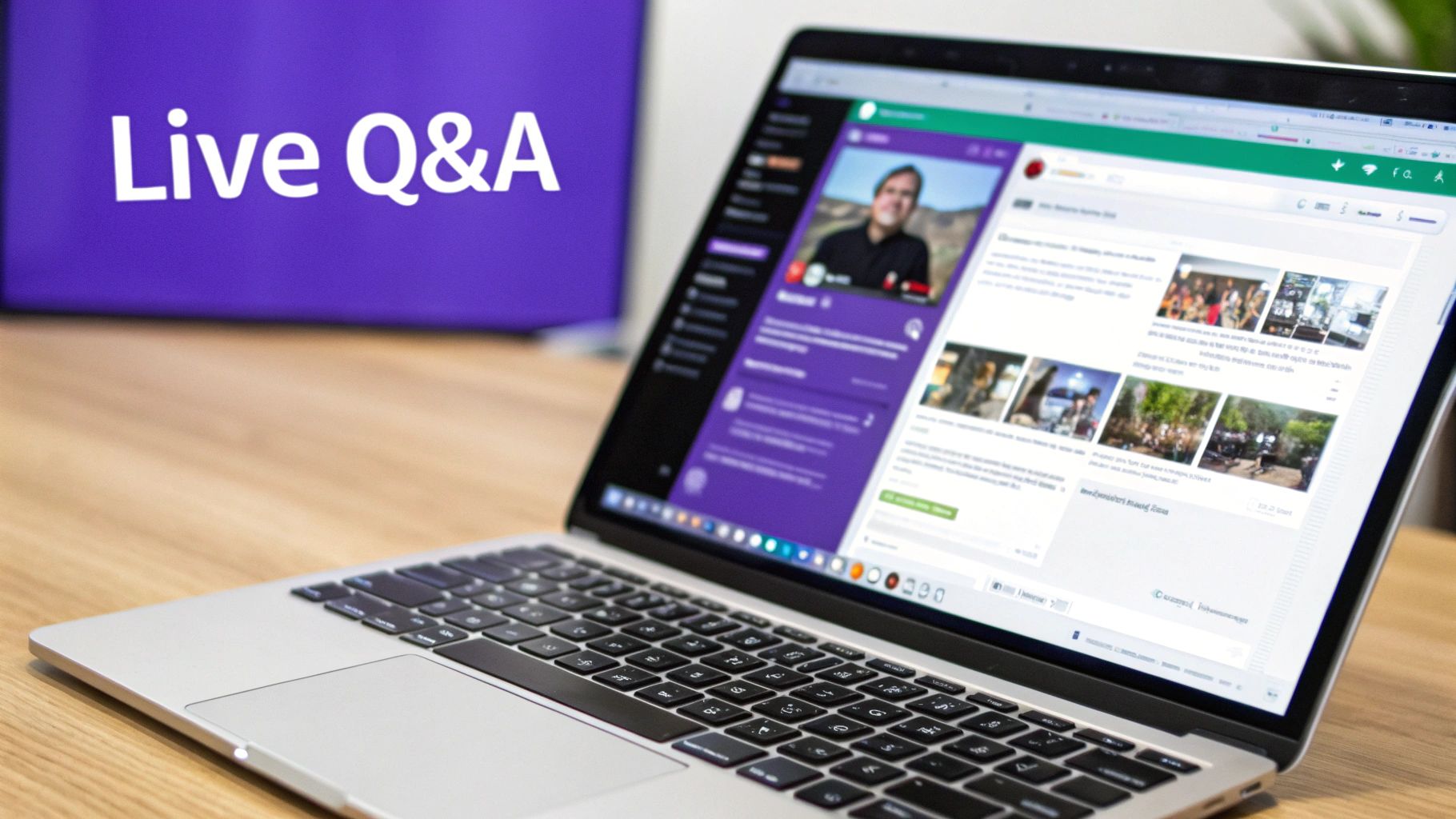
This method is incredibly effective for large webinars, remote-first company all-hands, and tech conferences where managing questions from hundreds of attendees would otherwise be impossible. For instance, a product manager can use the chat during a feature launch to gather instant feedback and address concerns as they arise, creating a more dynamic and responsive session. It transforms a one-way broadcast into a two-way conversation.
How to Implement It
- Appoint a Chat Moderator: Assign a team member to monitor the chat, group similar questions, and surface the most critical ones for the presenter to answer live.
- Set Clear Norms: Start the session by establishing chat etiquette. Encourage questions and reactions, and remind everyone to "assume good intent" to foster a safe environment.
- Actively Prompt Engagement: Don't just wait for questions. Ask open-ended prompts like, "What are your initial thoughts on this?" or "Share an emoji that reflects how you feel about this update" to get the conversation started.
- Acknowledge and Credit: Verbally mention insightful comments from the chat and give credit to the contributor. This encourages further participation by making attendees feel seen and heard.
8. Rapid-Fire Idea Presentations and Speed Pitching
Rapid-fire idea presentations, or speed pitching, create a high-energy, focused environment where participants pitch concepts under tight time constraints, typically 60 to 90 seconds. This format forces presenters to be clear and concise, cutting straight to the core value of their idea. It’s an excellent way to get through a large volume of proposals without the session dragging on, making it a powerful tool for innovation challenges, brainstorming consolidation, or project kickoffs.
This method transforms a standard review into a dynamic and engaging event. For instance, a product team could use it to have engineers pitch different solutions to a technical problem, or a marketing team might use it to quickly evaluate a dozen different campaign slogans. The built-in time pressure keeps the momentum high and ensures every idea gets an equal, albeit brief, moment in the spotlight.
How to Implement It
- Create a Simple Template: Standardize presentations with a one or two-slide template (e.g., Problem, Solution, Impact) to keep everyone on a level playing field.
- Use a Visible Timer: Display a large countdown timer on the screen to maintain a sense of urgency and keep everyone on schedule.
- Structure Immediate Feedback: Follow each pitch with a 30-second live poll or a quick round of structured feedback to capture immediate reactions before moving on.
- Encourage Practice: Ask presenters to rehearse their pitch to ensure they can deliver their key points smoothly within the time limit, which is a key part of what makes these interactive ideas for presentations successful.
9. Role-Based Thinking and Perspective Shifting (Six Thinking Hats)
Role-based thinking is a structured brainstorming technique that guides participants to examine a problem from multiple, distinct perspectives. Popularized by Edward de Bono's "Six Thinking Hats," this method assigns roles or "hats" representing different thinking styles: optimistic, critical, emotional, analytical, creative, and organizational. It's a powerful way to overcome individual biases and ensure a comprehensive evaluation of any idea.
This approach transforms standard feedback sessions into dynamic, structured discussions. For example, a marketing team could use the hats to evaluate a new campaign concept, ensuring they consider the data (analytical), potential risks (critical), and audience feelings (emotional) with equal weight. It’s one of the most effective interactive ideas for presentations when you need to make a well-rounded group decision.
How to Implement It
- Introduce the Framework: Clearly define each of the six hats and its corresponding perspective before you begin. Use visual aids like color-coded slides to reinforce each role.
- Assign Roles Intentionally: Assign specific hats to individuals or breakout groups. For a productive challenge, ask someone who is naturally optimistic to wear the critical thinking hat.
- Sequence the Perspectives: Guide the group through the hats in a logical order. For instance, start with analytical (facts), move to creative (ideas), and then use critical (cautions) to refine them.
- Use Role-Based Prompts: Provide specific questions for each hat to guide the conversation. For more ways to structure ideation, explore these creative thinking exercises for groups to keep your sessions fresh and productive.
10. Shared Decks and Document Co-Creation with Version Control
Shared decks and collaborative documents turn presentation creation into a live, interactive team activity. Using tools like Google Slides, Notion, or collaborative whiteboards, this approach allows multiple team members to build, edit, and refine content simultaneously. It democratizes the creation process, ensuring diverse perspectives are included from the start and transforming a solo task into a dynamic group effort.
This method is ideal for remote teams that need to build consensus and co-create materials efficiently. For instance, a startup can collaboratively build its all-hands presentation in Google Slides, with different departments adding their updates in real-time. A product team could use a shared document to present research findings, allowing stakeholders to add questions and comments directly within the content as it's being developed.
How to Implement It
- Establish a Clear Structure: Before inviting collaborators, create a solid template or outline. This guides contributions and prevents the document from becoming disorganized.
- Set Editing Guidelines: Define rules for collaboration, such as using the "Comments" feature for feedback during early drafts and reserving direct edits for later stages.
- Appoint a Curator: Designate one person to synthesize input, maintain consistency, and organize the final narrative. This role is crucial for harmonizing different voices.
- Use Version Control: Leverage features like version history to track changes and revert to previous versions if needed. This provides a safety net for large-scale collaborative edits.
10-Point Comparison of Interactive Presentation Ideas
| Technique | 🔄 Implementation Complexity | ⚡ Resource Requirements | 📊 Expected Outcomes | 💡 Ideal Use Cases | ⭐ Key Advantages |
|---|---|---|---|---|---|
| Real-Time Polls and Live Voting | Low–Medium; needs good question design | Low; polling tool + stable connection | Rapid quantitative feedback and visible consensus | Prioritization, quick-checks in presentations | Increases engagement; anonymous reduces bias |
| Breakout Room Discussions & Small Group Brainstorms | Medium; requires skilled facilitation and timing | Medium; hosts/facilitators, room management | Parallel idea generation; higher individual participation | Focused ideation by subteams, workshops | Encourages quieter voices; creates psychological safety |
| Collaborative Digital Whiteboards (Visual Brainstorming) | Medium; learning curve for tools and structure | Medium–High; licenses, templates, bandwidth | Tangible visual artifacts; asynchronous contributions | Design sprints, mapping, visual prototyping | Visual thinking; democratizes participation and iteration |
| Gamification & Competitive Ideation Challenges | Medium; needs careful game design to avoid bias | Low–Medium; platforms, scoring, small rewards | Elevated engagement; variable idea quality | Engagement drives, innovation challenges | Boosts motivation and participation; measurable outcomes |
| Asynchronous Idea Submission & Comment Threads | Low; process design required for discipline | Low; collaboration/idea tools and notifications | Thoughtful, documented contributions across time zones | Distributed teams, time-zone–spread ideation | Inclusive for slow processors; creates searchable archive |
| Screen Sharing with Live Annotation & Feedback | Low–Medium; needs annotation etiquette | Low; conferencing + annotation tools | Shared, visible refinements and clarified understanding | Design reviews, walkthroughs, live feedback sessions | Makes thinking visible; enables real-time refinement |
| Chat-Based Q&A & Live Interaction | Low; requires active moderation to scale | Low; chat/Q&A tools and a moderator | High volume of parallel input; records audience sentiment | Large webinars, conferences, panel Q&A | Low barrier to participation; parallel discourse captured |
| Rapid-Fire Idea Presentations & Speed Pitching | Medium; strict timing and standard formats needed | Low–Medium; timers, templates, voting tools | Concise, comparable pitches; fast decisioning | Pitch events, idea consolidation phases | Maintains energy; forces clarity and comparability |
| Role-Based Thinking & Perspective Shifting (Six Thinking Hats) | Medium–High; needs skilled facilitation and buy-in | Low; framework materials and time allocation | Balanced evaluation; reduced cognitive bias | Strategy reviews, evaluation phases, risk assessment | Ensures multiple lenses; reduces conflict and blind spots |
| Shared Decks & Document Co-Creation with Version Control | Low–Medium; coordination and curation required | Low–Medium; collaborative editors + curator role | Faster prep, shared ownership, documented decisions | All-hands, collaborative reporting, distributed editing | Parallelization of work; transparent version history and ownership |
From Ideas to Impact: Making Your Next Presentation Unforgettable
The one-way presentation, where a speaker broadcasts information to a passive audience, is a relic of a bygone era. For today's distributed and hybrid teams, true progress isn't about delivering a monologue; it's about facilitating a dynamic, two-way dialogue. The collection of interactive ideas for presentations we've explored moves you from being a presenter to becoming a facilitator of innovation. You are now equipped with a toolkit to transform any virtual gathering into a hub of creative energy and collective problem-solving.
The Shift from Broadcasting to Collaborating
The core takeaway is simple: interaction is not an add-on, it is the main event. Whether you use rapid-fire polls to gauge immediate sentiment, breakout rooms to foster deeper connection and ideation, or a shared digital whiteboard to visualize complex thoughts, you are actively inviting your team into the creative process. This shift fundamentally changes the dynamic, making every participant a co-owner of the outcome. It signals that their voice, perspective, and expertise are not just welcome but essential for success.
The most effective approach is to be intentional. Before your next presentation, ask yourself:
- What is my primary goal? Is it to generate a high volume of new ideas, align on a specific decision, or gather detailed feedback?
- Which interactive technique best serves that goal? A competitive gamified challenge is perfect for high-energy brainstorming, while a structured method like Six Thinking Hats is better suited for critical evaluation and de-risking a proposal.
Turning Interaction into Actionable Outcomes
Capturing the incredible output from these sessions is just as important as generating it. The flurry of ideas from a chat Q&A, the decisions made in breakout rooms, and the action items agreed upon during a collaborative co-creation session can be easily lost. To truly make your next presentation unforgettable and ensure ideas translate into impact, consider tools that automate the post-presentation work. A robust system, such as a custom designed meeting minutes AI pipeline, can capture every spoken word and action item, allowing you to focus on the interaction itself.
Ultimately, mastering these interactive ideas for presentations builds more than just better meetings; it builds a stronger, more connected, and more innovative team culture. You create an environment where psychological safety thrives, and the collective intelligence of your team is unlocked. Start small. Choose just one or two techniques from this list to implement in your next call. The momentum you build will be immediate and powerful.
Ready to turn these ideas into repeatable, high-impact innovation sessions? Bulby provides the AI-powered framework and research-backed exercises to guide your team through structured brainstorming, ensuring every interactive moment leads to a breakthrough. Stop guessing and start facilitating with confidence. Explore Bulby today and make your next presentation the most productive one yet.