

In a world of distributed teams and flexible schedules, relying on constant real-time pings is a recipe for burnout and fractured focus. True productivity in a remote setting comes from mastering asynchronous communication, the art of collaborating effectively across different time zones and schedules. But which async communication tools actually support this deep work?
This guide cuts through the noise to showcase the best platforms designed to foster thoughtful collaboration, create a single source of truth, and give your team their focus back. We'll explore each tool's core strengths, ideal use cases, and honest limitations, helping you build a tech stack that works with your team's rhythm, not against it.
Each recommendation includes screenshots and direct links to help you evaluate your options quickly. We’ll cover everything from project management hubs like Basecamp and Notion to specialized video messaging tools like Loom. You'll gain a clear understanding of how platforms like Slack and Microsoft Teams can be adapted for asynchronous workflows, and when dedicated alternatives like Twist are a better fit.
For comprehensive async engagement, consider multichannel customer support platforms like Gleap's multichannel customer support platform, which consolidate communication from email, social media, and messaging apps, offering a unified async experience beyond traditional real-time chat. This list provides the practical insights you need to choose the right async communication tools and reclaim your team's most valuable resource: uninterrupted time.
1. Slack
Slack has evolved from a simple chat app into a comprehensive hub for asynchronous work, making it one of the most essential async communication tools for modern teams. Its core strength lies in channel-based messaging, which allows conversations to be organized by topic, project, or team. This structure, combined with powerful threading, keeps discussions focused and prevents important information from getting lost in a general chat stream. The platform’s robust, searchable history acts as a living archive of decisions and context.
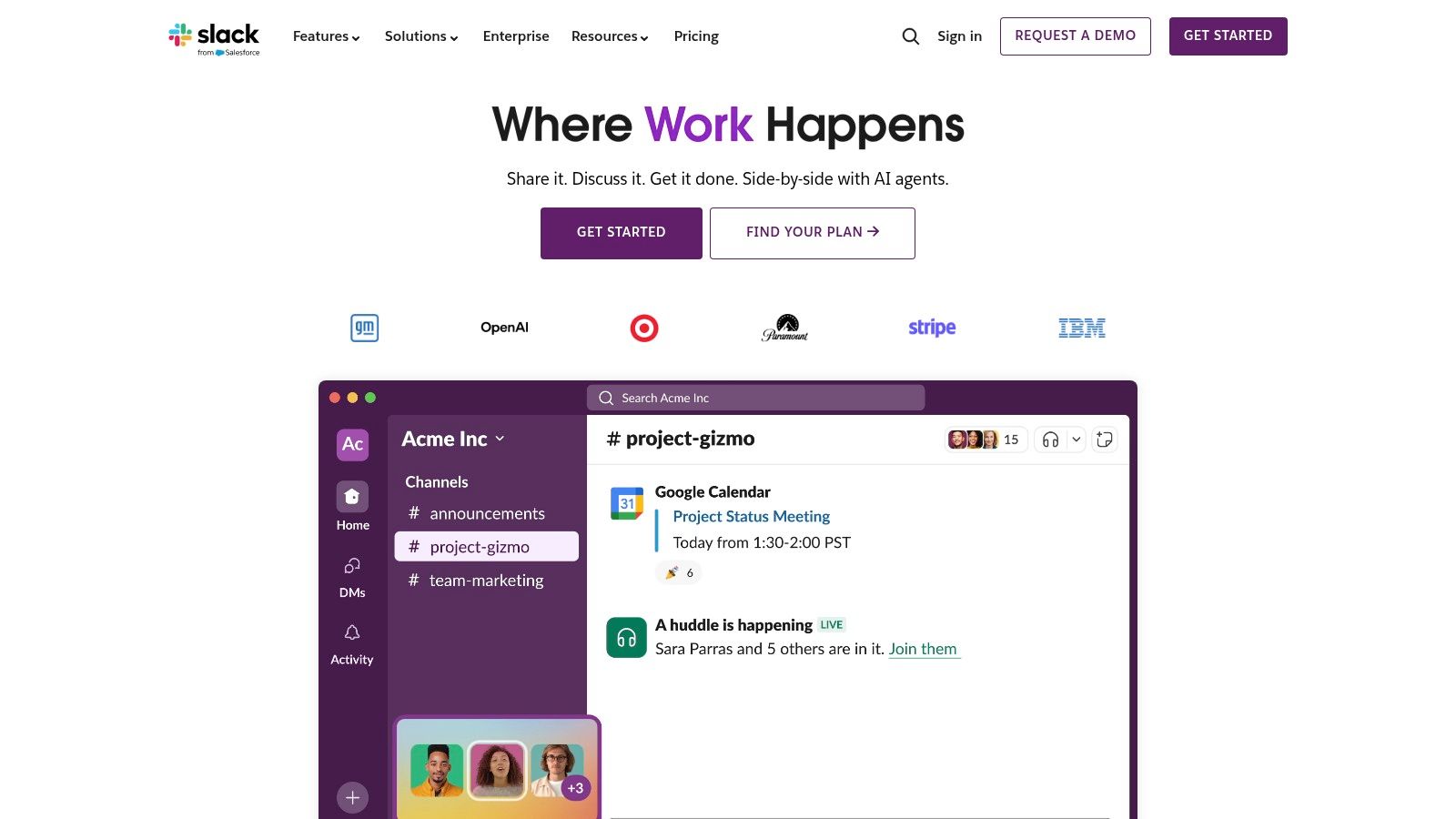
While Huddles offer a synchronous escape hatch for quick voice or video chats, the platform's primary value for async work comes from its integrations. Updates from Salesforce, Jira, or Google Drive can be piped directly into relevant channels, allowing teams to stay informed and make decisions without a meeting. The addition of AI-powered conversation and thread summaries on paid plans further enhances its async capabilities, helping users quickly catch up on long discussions.
Key Details & Use Cases
- Best For: Teams needing a central, searchable hub for daily communication and integrated app notifications.
- Key Features: Organized channels with threads, Huddles for quick syncs, a massive app integration directory, and AI summaries.
- Pricing: Offers a free plan with limited history. Paid plans (Pro, Business+) start at $8.75 per user/month, unlocking unlimited history, more integrations, and AI features.
- Website: https://slack.com
Pros & Cons
| Pros | Cons |
|---|---|
| Mature and stable platform with advanced admin controls | Can become expensive as your team grows |
| Excellent search functionality across messages and files | Risk of notification overload without clear channel rules |
| Massive ecosystem of third-party app integrations | The free plan's message history limit can be restrictive |
To get the most out of the platform, it's crucial to establish clear communication guidelines. You can learn more by exploring some best practices for asynchronous communication to ensure your team uses Slack effectively.
2. Microsoft Teams
For organizations deeply embedded in the Microsoft 365 ecosystem, Microsoft Teams serves as a powerful and integrated option among async communication tools. Its strength lies in persistent channels where conversations are organized as posts with threaded replies, keeping project discussions contained and easy to follow. This structure ensures that context isn't lost and allows team members to contribute on their own schedule. Tight integration with SharePoint and OneDrive means file collaboration happens seamlessly within the conversation.
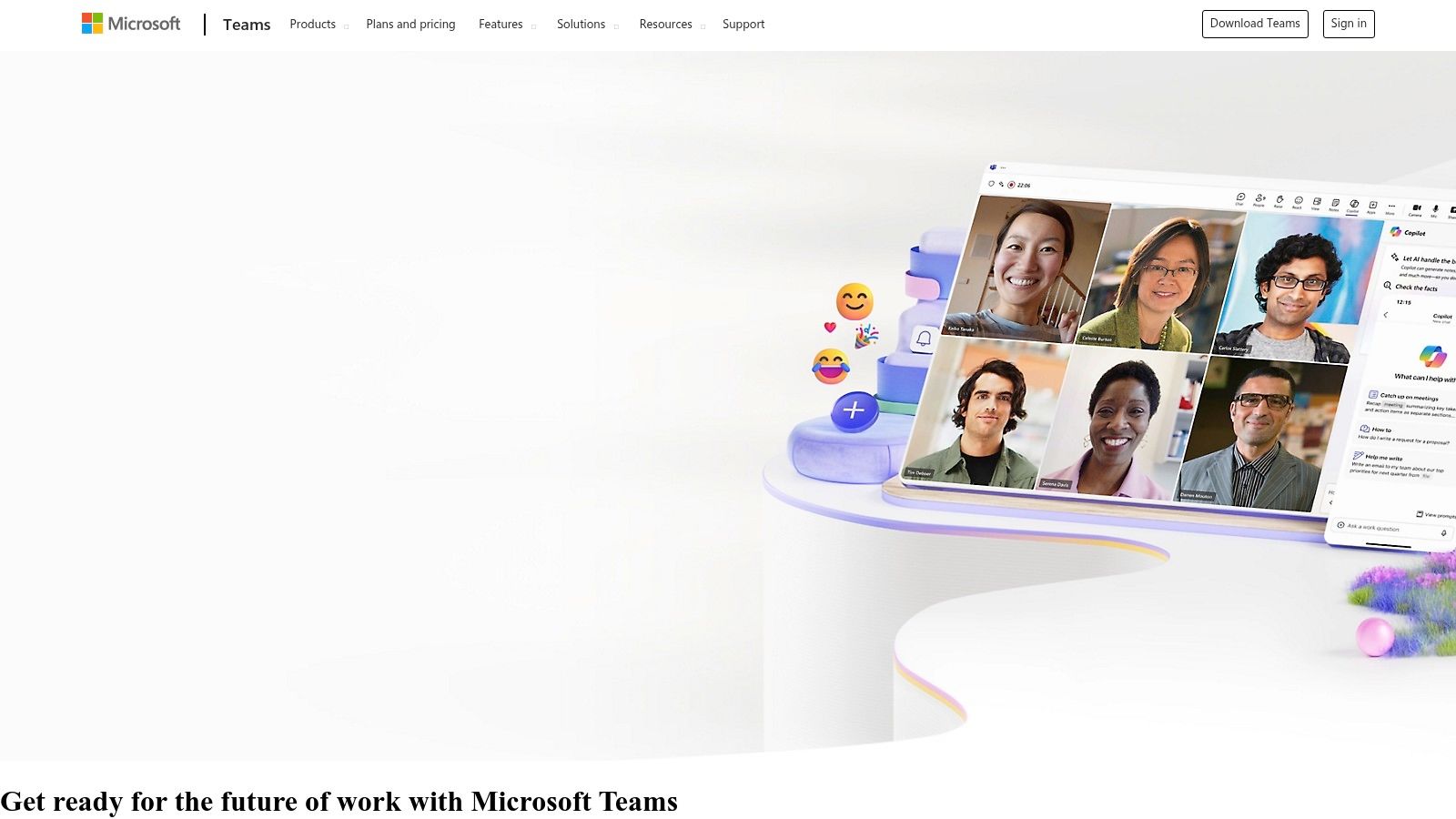
While known for its synchronous video meetings, Teams enhances async work by automatically recording, transcribing, and saving them to the relevant channel. This allows anyone who missed the live session to catch up completely, review decisions, and even search the transcript for keywords. The platform is further extended by a vast app store, allowing teams to pull in updates from other tools and centralize notifications, reducing the need for constant context switching.
Key Details & Use Cases
- Best For: Companies already using Microsoft 365 who need a unified platform for communication, file sharing, and meetings.
- Key Features: Channel posts with threaded replies, deep integration with Microsoft 365 apps, meeting recordings with searchable transcripts, and an extensive app marketplace.
- Pricing: A free version is available. Paid plans are included with Microsoft 365 Business Basic starting at $6.00 per user/month, unlocking more features and admin controls.
- Website: https://www.microsoft.com/en-us/microsoft-teams/
Pros & Cons
| Pros | Cons |
|---|---|
| Strong fit for Microsoft 365 tenants | The best experience is tied to Microsoft 365 |
| Solid compliance and governance options | Can have admin complexity in large organizations |
| Broad device support and single sign-on (SSO) capabilities | The user interface can feel busier than competitors |
To maximize its potential, teams should establish clear guidelines on when to use chat, channels, and meetings. By doing so, you can learn more about how to improve remote collaboration and ensure the tool supports your asynchronous workflows effectively.
3. Google Workspace (Gmail, Chat, Spaces, Meet)
Google Workspace bundles a suite of familiar applications into a powerful ecosystem for asynchronous work, making it one of the most accessible async communication tools for teams of any size. Its strength lies in its deep integration, where Gmail's scheduled send and nudge features combine with threaded conversations in Spaces to keep projects moving. The ability to collaborate directly within Docs, Sheets, and Slides using comments, suggestions, and assignable action items eliminates the need for endless back-and-forth emails.
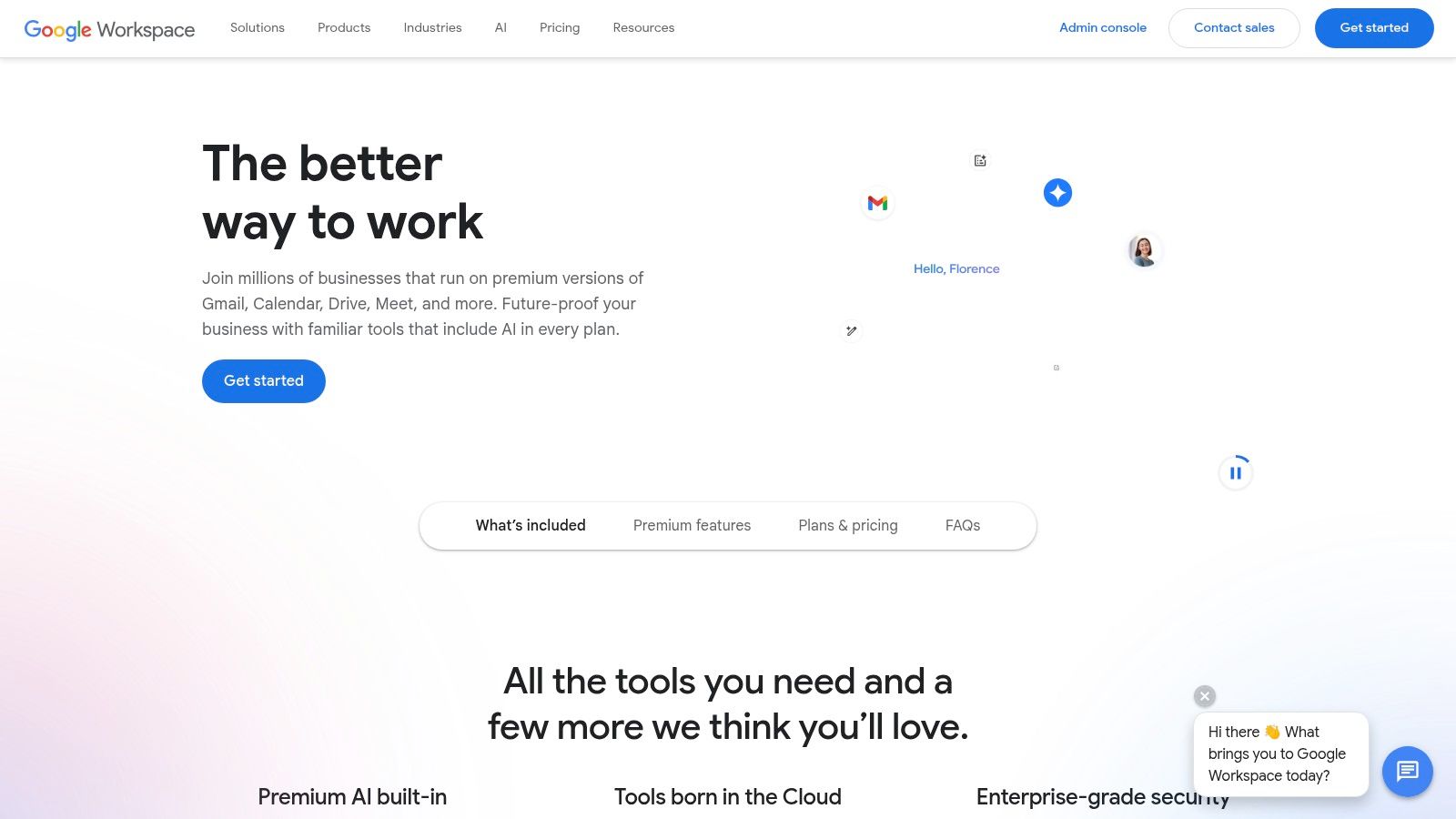
While Google Meet provides a best-in-class synchronous video option, its recordings can be automatically shared and searched, preserving key decisions for those unable to attend. The entire suite is governed by a single admin console, providing centralized control over data retention and security. The recent integration of Gemini AI helps summarize long email threads and documents, further reducing the time needed to catch up and enabling teams to stay aligned without constant meetings. This comprehensive, interconnected approach solidifies its place as a foundational async platform.
Key Details & Use Cases
- Best For: Organizations deeply embedded in the Google ecosystem seeking a unified platform for email, chat, and document collaboration.
- Key Features: Gmail with scheduled send and nudges, Spaces for topic-based threaded chats, real-time document co-authoring with comments, and integrated Meet recordings.
- Pricing: Business Starter plan begins at $6 per user/month. Higher tiers (Business Standard, Plus) unlock more storage, advanced security, and eDiscovery features.
- Website: https://workspace.google.com
Pros & Cons
| Pros | Cons |
|---|---|
| Strong cross-app search and seamless file sharing | Advanced admin and archiving tools require higher-priced plans |
| Simple and familiar interface leads to easy onboarding | Pooled storage may require add-ons for heavy file users |
| Large marketplace of third-party add-ons and integrations | Chat and Spaces can feel less robust than dedicated chat apps |
4. Loom
Loom transforms spoken explanations and visual demonstrations into a core part of your team's workflow, cementing its place among the best async communication tools. It excels at replacing short meetings with shareable video messages, allowing you to record your screen, camera, or both. This is ideal for code reviews, design feedback, or onboarding walkthroughs, where showing is much more efficient than telling. The platform adds context and personality to updates that would otherwise be flat text.
What makes Loom truly powerful for asynchronous work are its AI-driven features. Every video is automatically transcribed, making the content searchable and accessible. The AI also generates titles, summaries, and chapters, so viewers can jump directly to the most relevant information without watching the entire recording. With deep integrations into tools like Jira and Slack, a Loom video can be embedded directly where your team already works, keeping conversations in context and driving projects forward across time zones.
Key Details & Use Cases
- Best For: Engineering, design, and support teams that need to share complex visual information or provide detailed feedback without scheduling a live call.
- Key Features: Screen and camera recording (up to 4K), AI-powered transcriptions and summaries, viewer comments and reactions, and broad integration support.
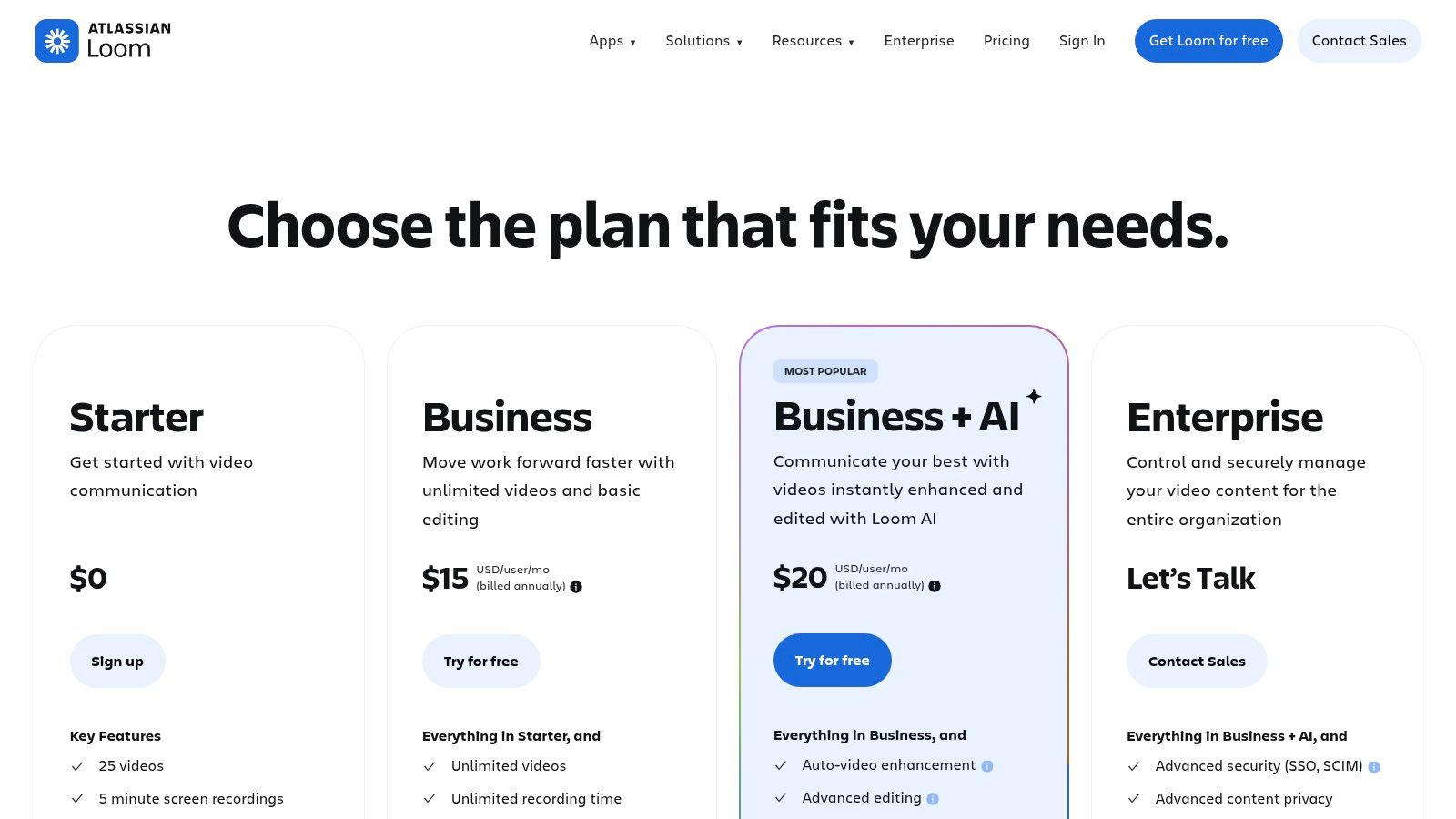
- Pricing: A free plan is available for individuals with limits on video length and count. The Business plan starts at $20 per user/month, unlocking unlimited videos, AI features, and admin controls.
- Website: https://www.loom.com/pricing?utm_source=openai
Pros & Cons
| Pros | Cons |
|---|---|
| Incredibly fast capture and sharing of verbal/visual context | Heavy video usage requires storage and policy planning |
| Excellent for onboarding and handoffs across time zones | Some advanced AI features are gated to higher tiers |
| Viewer analytics and commenting provide a clear feedback loop | Over-reliance can sometimes replace necessary documentation |
By adding a visual layer to asynchronous updates, teams can foster deeper understanding and connection. You can explore how tools like Loom support different work styles in this guide to asynchronous creative collaboration.
5. Twist by Doist
Twist is built from the ground up as a Slack alternative designed specifically for calmer, more organized work. Unlike real-time chat apps that create an endless stream of messages, Twist structures every conversation into topic-based threads. This core design choice makes it one of the most dedicated async communication tools available, helping teams across different time zones collaborate without the pressure of an immediate response. It prioritizes focused discussions and creates a searchable knowledge base of decisions.
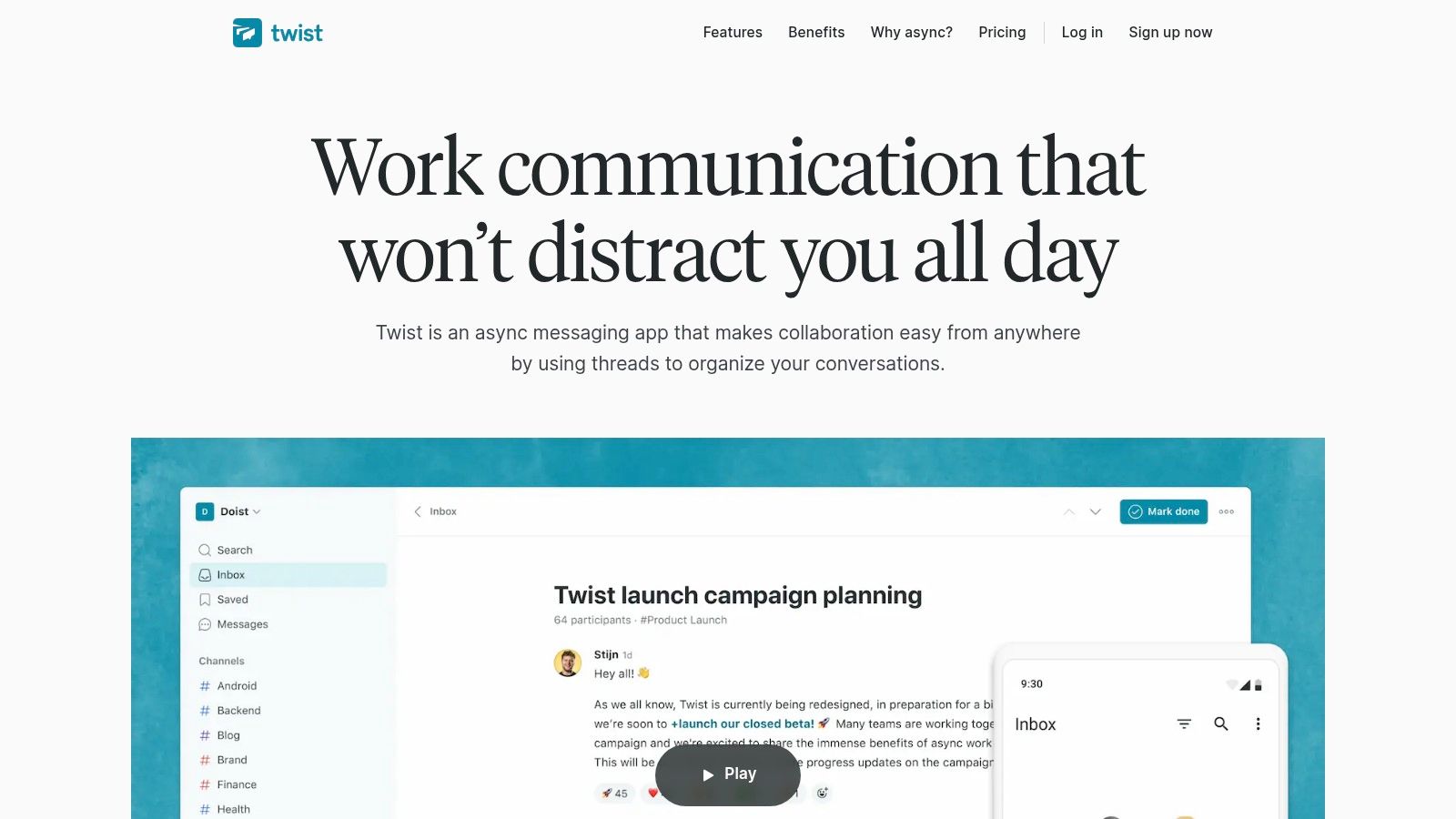
The platform actively discourages the "always-on" culture common with other chat tools. Features like a smart inbox bundle notifications, allowing you to catch up on your own schedule rather than being constantly interrupted. Twist also offers extensive resources, including playbooks and guides, to help teams transition to and master an async-first culture. By forcing conversations into threads from the start, it ensures context is never lost and that deep work can be the default.
Key Details & Use Cases
- Best For: Fully distributed teams committed to an async-first culture who want to eliminate real-time chat pressure.
- Key Features: Thread-first communication model, a smart inbox for calm notifications, guest access, and built-in async culture resources.
- Pricing: Free plan available with a one-month message history limit. The paid plan is $8 per user/month and unlocks unlimited history and guests.
- Website: https://twist.com
Pros & Cons
| Pros | Cons |
|---|---|
| Built specifically for async and deep work | Smaller app marketplace compared to Slack or Teams |
| Easy onboarding for distributed teams | Fewer synchronous features by design |
| Clear message history and decision tracking | The thread-only model can be a big adjustment for new users |
6. Basecamp
Basecamp centralizes project communication by bundling message boards, to-do lists, schedules, and file storage into a single, straightforward platform. It stands out among async communication tools by intentionally moving away from the constant-on nature of real-time chat. Instead, its core is the Message Board, a forum-style space where posts and comments are organized chronologically, ensuring a clear and permanent record of discussions and decisions. This opinionated approach is designed to foster deeper, more thoughtful communication over scattered, real-time pings.
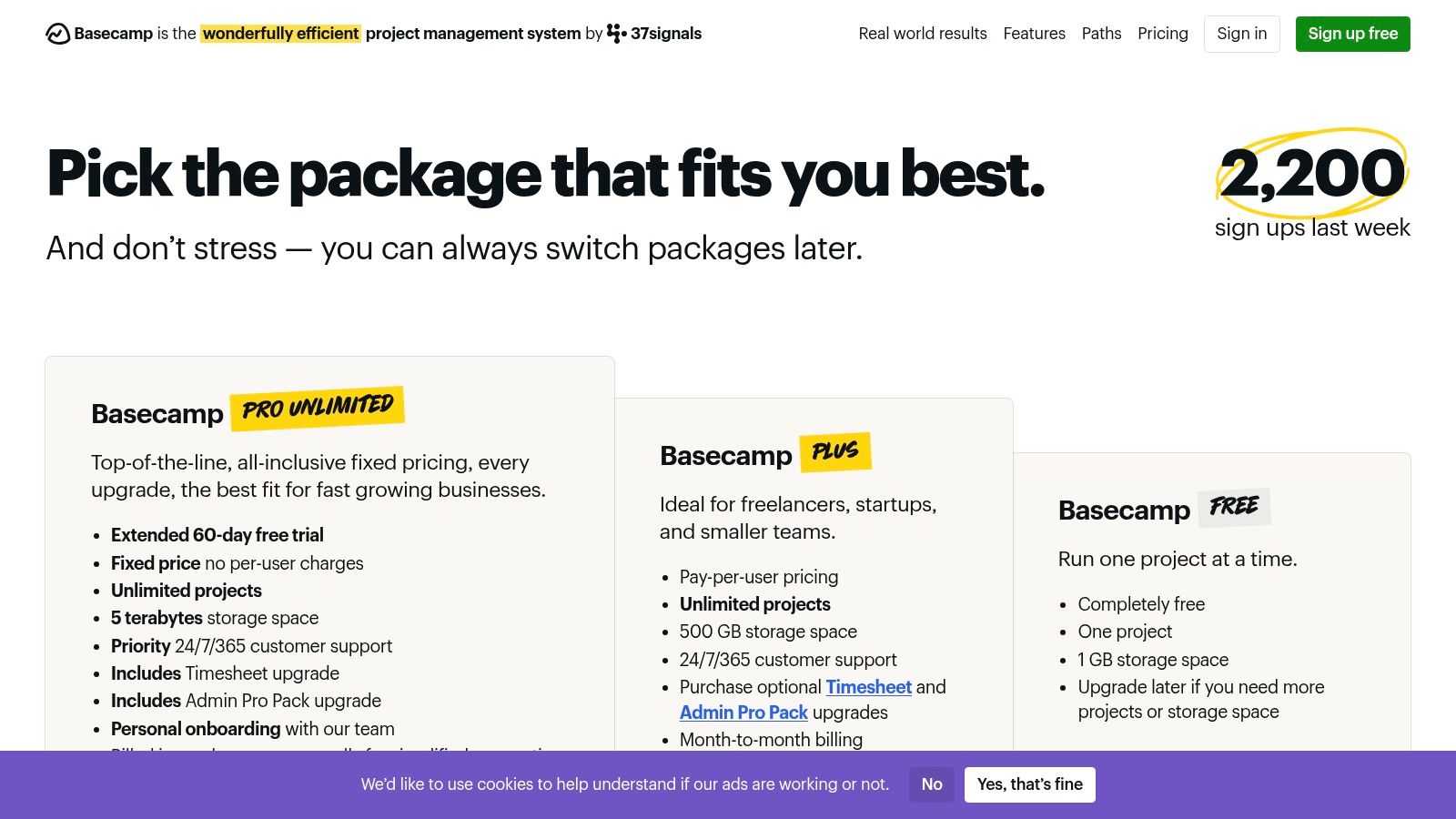
While Basecamp does include a real-time chat feature called Campfire, its emphasis is on features like Automatic Check-ins, which systematically solicit updates from the team on a recurring schedule. This replaces the need for status meetings and keeps everyone informed without manual effort. Each project acts as a self-contained unit, making it easy to grant clients or guests access to specific discussions and deliverables without exposing internal conversations, a key benefit for agencies and consulting firms.
Key Details & Use Cases
- Best For: Teams that want an all-in-one, opinionated system for client projects and internal work, especially those looking to reduce chat dependency.
- Key Features: Message Boards, To-dos, Automatic Check-ins, Campfire chat, Card Tables (kanban-style), and free client access.
- Pricing: Basecamp offers a free plan for up to 3 projects. The Pro Unlimited plan is a flat $349/month for unlimited users, projects, and 5 TB of storage.
- Website: https://basecamp.com/pricing/?utm_source=openai
Pros & Cons
| Pros | Cons |
|---|---|
| Minimal setup with a simple, opinionated toolkit | Fewer advanced project management features than specialized tools |
| Flat unlimited pricing plan is great for large organizations | Limited third-party integrations compared to Slack or Teams |
| Excellent for managing client workspaces and outsourced teams | The all-in-one approach may feel restrictive for some teams |
The platform's project-centric design helps maintain a structured repository of information, aligning well with effective knowledge management best practices for distributed teams.
7. Notion
Notion serves as a flexible all-in-one workspace that consolidates docs, wikis, and project databases, making it a powerful platform for async communication tools. Its strength is in creating a single source of truth where teams can collaborate on long-form documents, track project progress, and build internal knowledge bases. Asynchronous collaboration is built directly into its core, with features like in-line comments, @-mentions, and detailed page history allowing for rich, contextual discussions without live meetings.
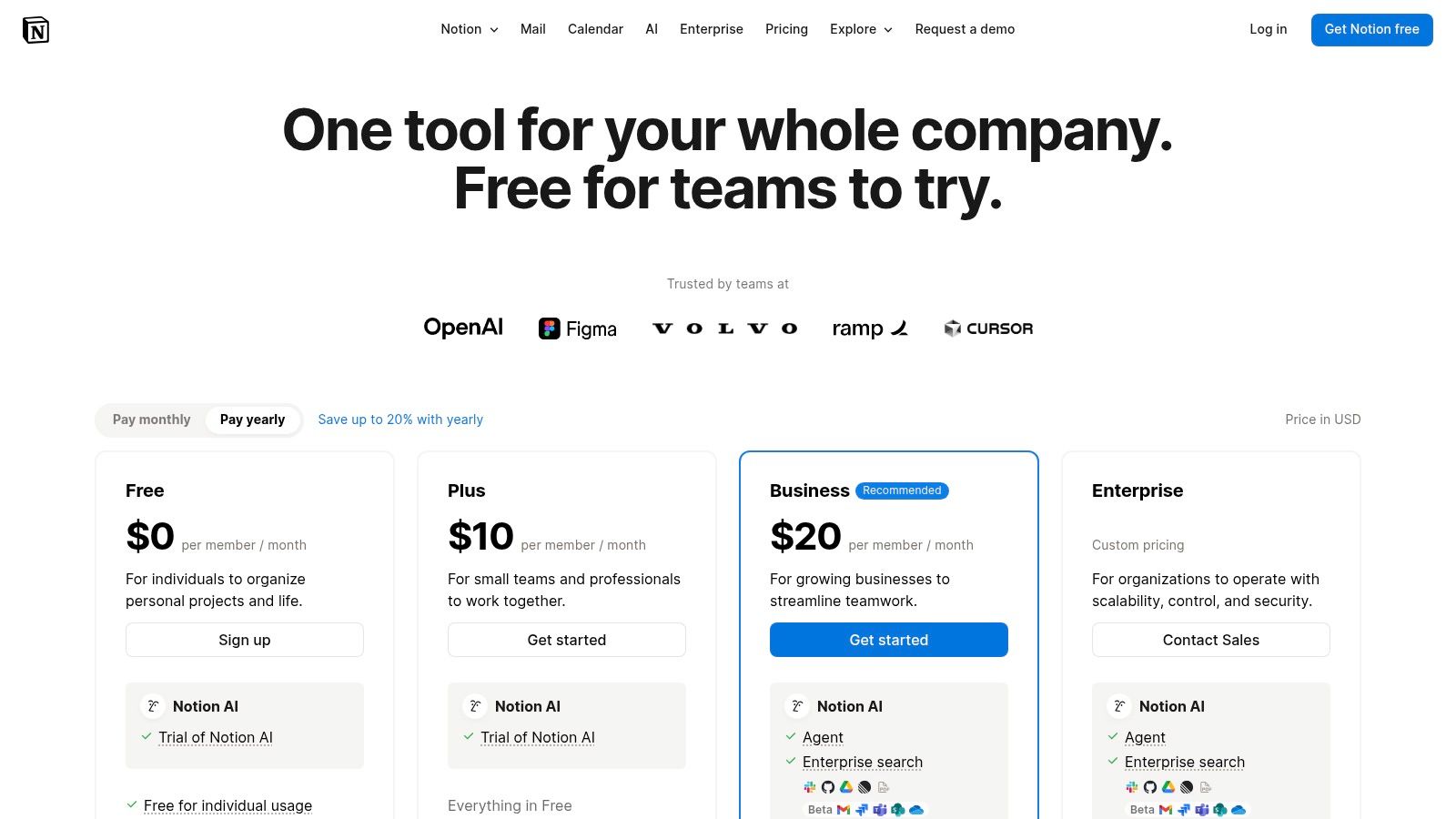
Unlike dedicated chat apps, Notion excels at documenting decisions and processes over time, turning discussions into permanent, easily referenced artifacts. The platform's flexibility allows teams to build custom workflows, from simple to-do lists to complex content calendars. With the recent addition of Notion AI on paid plans, users can automatically summarize meeting notes or find information across the entire workspace, further reducing the need for synchronous catch-ups and enhancing its async capabilities.
Key Details & Use Cases
- Best For: Teams that need a central hub for documentation, project management, and a company wiki.
- Key Features: Connected pages and databases, inline comments and mentions, granular permissions, extensive template library, and Notion AI.
- Pricing: Free plan for individuals. Paid plans (Plus, Business) start at $10 per user/month, adding collaboration features, advanced permissions, and AI.
- Website: https://www.notion.com/pricing?utm_source=openai
Pros & Cons
| Pros | Cons |
|---|---|
| Combines docs and lightweight project tracking in one space | Workspace can become disorganized without clear governance |
| Highly customizable with flexible templates and views | Can feel complex for new users and has a learning curve |
| Strong template ecosystem for various use cases | Some AI and security features require higher-tier plans |
To fully leverage the platform, it’s helpful to understand its foundational principles; you can learn more about how Notion facilitates asynchronous collaboration to structure your workspace effectively.
8. Discourse (hosted)
Discourse reclaims the power of the classic forum, modernizing it as a sophisticated platform for deep, long-form conversations. As an async communication tool, it excels where real-time chat apps falter by creating a permanent, organized, and searchable knowledge base. Its structure, built around topics and threaded replies, is intentionally designed for thoughtful discussion, making it perfect for documenting decisions, hashing out complex technical problems, or building a community of practice where context is king.
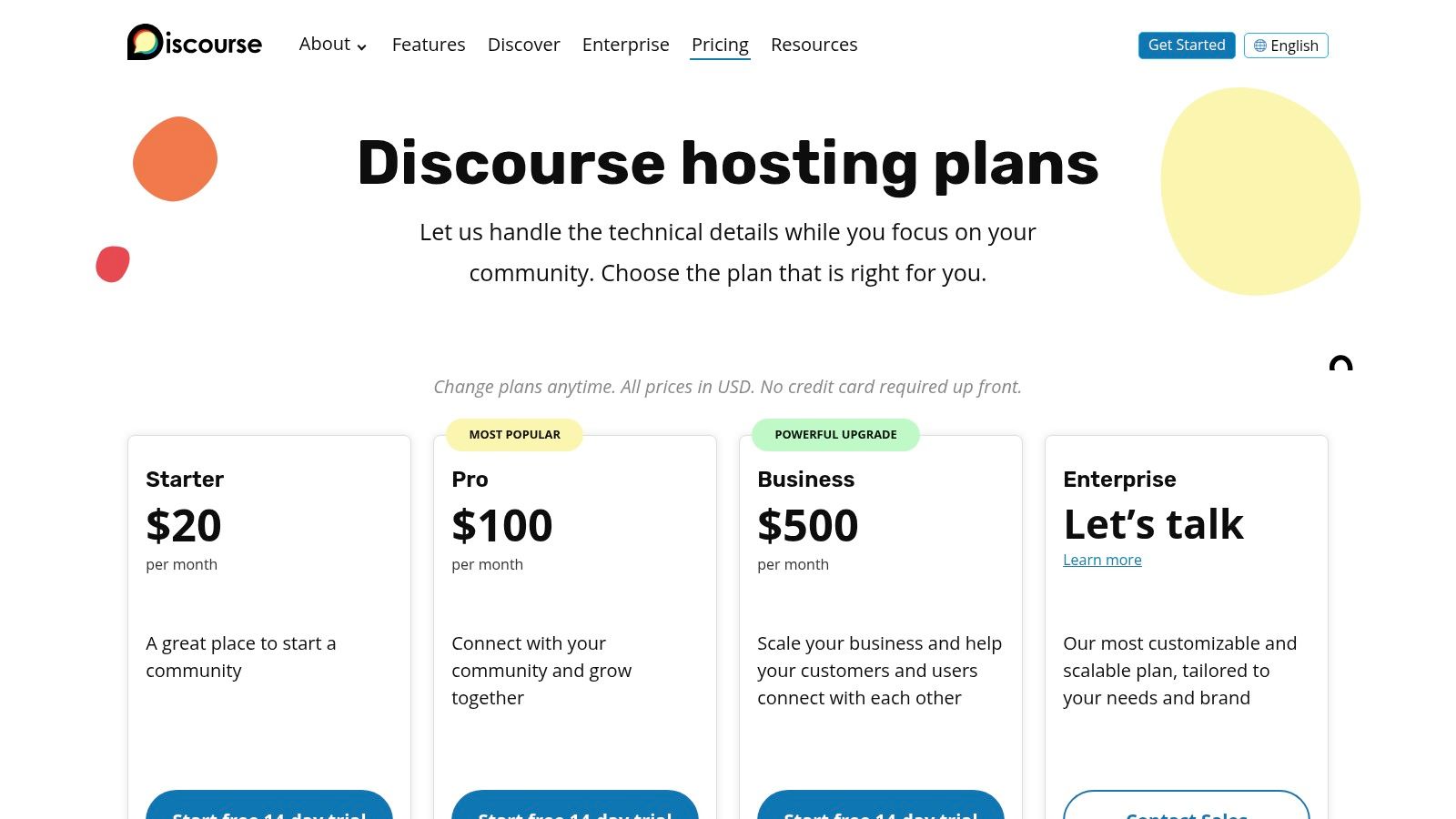
Unlike the ephemeral nature of chat, conversations in Discourse are built to last and be rediscovered. This makes it an invaluable asset for onboarding new team members who can self-serve by exploring historical context on past projects. With rich text formatting, powerful moderation tools, and email digests to keep everyone in the loop without constant notifications, it encourages a slower, more deliberate pace of communication. The optional AI features on hosted plans, like summarization, further enhance its utility for catching up on complex threads.
Key Details & Use Cases
- Best For: Teams that need a dedicated space for long-term knowledge retention, technical Q&A, and in-depth project discussions.
- Key Features: Topic-based threads with rich embeds, powerful search and moderation tools, email digests, and optional AI features.
- Pricing: Open-source version is free to self-host. Hosted plans start at $100/month (Standard), with Business and Enterprise tiers offering more features.
- Website: https://discourse.org/pricing?utm_source=openai
Pros & Cons
| Pros | Cons |
|---|---|
| Excellent for thoughtful, persistent discussions | Slower-paced by design compared with chat apps |
| Creates a valuable and easily searchable knowledge base | Can be overkill for simple, quick team communication |
| Scales from small private groups to large communities | Hosted plans can be a significant investment for small teams |
For teams drowning in chat, Discourse offers a structured sanctuary. Setting up dedicated categories for different departments or long-running projects helps ensure that every important conversation has a permanent and findable home.
9. GitHub
While primarily a code hosting platform, GitHub is one of the most powerful and widely-used async communication tools for technical teams. Its core strength lies in tying every conversation directly to the work being done, whether through issues, pull requests, or project discussions. This contextual approach ensures that decisions, feedback, and history are preserved alongside the code, creating an invaluable, searchable record. Features like pull request reviews with threaded comments allow for detailed, line-by-line feedback without a single meeting.
Beyond code, GitHub Projects provides kanban boards and tables for async project management, while wikis serve as a collaborative documentation hub. The platform's extensive notification system, with email digests and granular controls, keeps team members informed without creating constant interruptions. Automations via GitHub Actions can further enhance async workflows by running tests, deploying code, and updating issue statuses automatically, keeping the entire development lifecycle moving forward without synchronous check-ins.
Key Details & Use Cases
- Best For: Engineering, DevOps, and technical documentation teams that need to collaborate on code and related projects.
- Key Features: Issues and pull-request reviews with threaded conversations, Projects (kanban/tables), wikis, and GitHub Actions for automation.
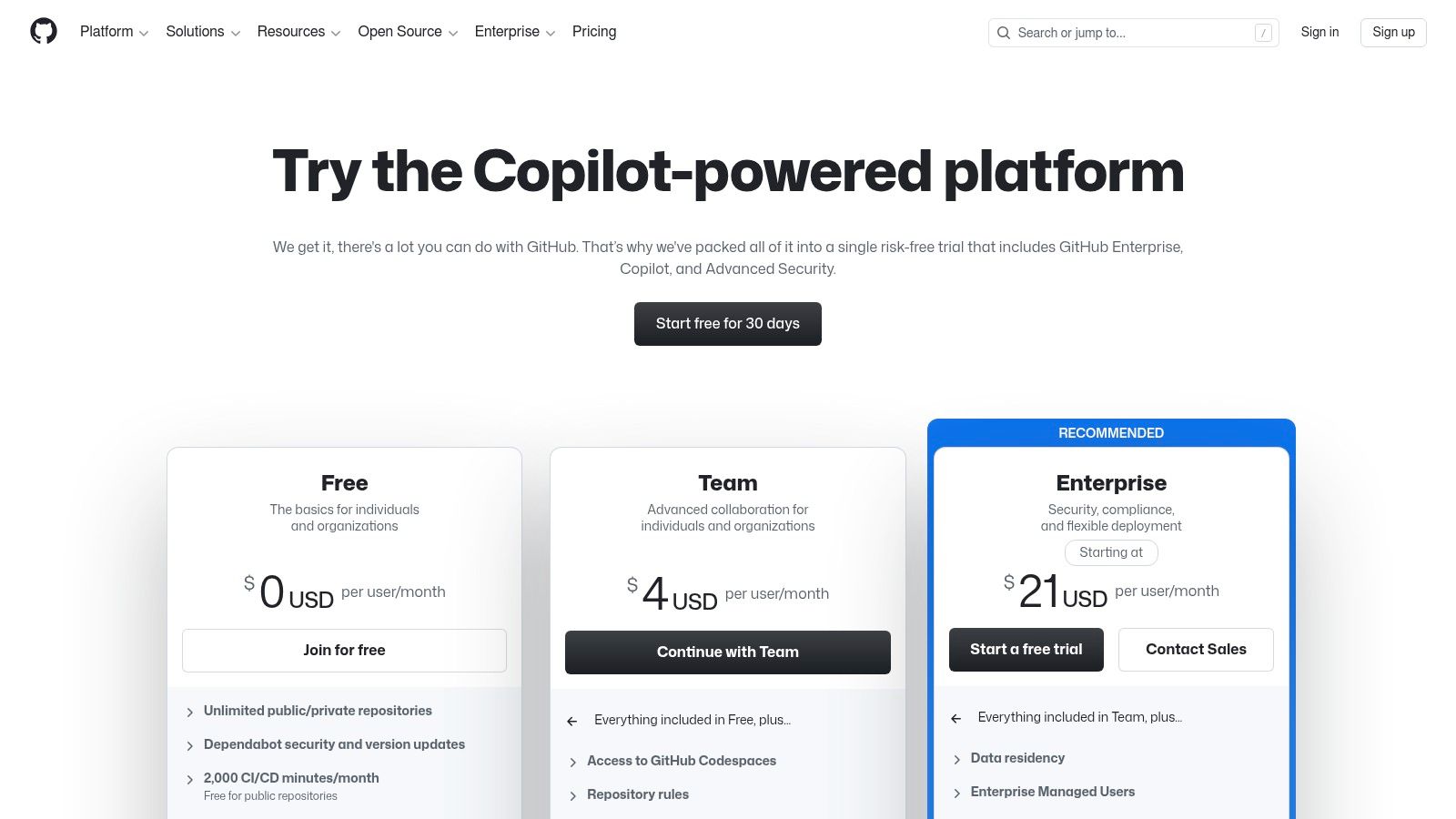
- Pricing: Free plan for individuals and small teams. Paid plans (Team, Enterprise) start at $4 per user/month, adding advanced features, security, and compliance.
- Website: https://github.com/pricing?utm_source=openai
Pros & Cons
| Pros | Cons |
|---|---|
| Everything related to development in one place | Best fit for engineering-centric organizations |
| Strong audit and compliance features in Enterprise offerings | Administrative features are gated to higher tiers |
| Massive integration ecosystem | Can be overwhelming for non-technical users |
To maximize the use of GitHub for asynchronous collaboration and code management, you might find this Developer's Guide to GitHub Source Control a helpful resource for your team.
10. Mattermost
Mattermost is an open-source messaging platform designed for organizations that require full control over their data and infrastructure, making it a powerful choice among async communication tools for security-conscious teams. It mirrors the channel-based, threaded conversation model of competitors but stands out by offering self-hosting and private cloud deployment. This gives technical teams in regulated industries like government, defense, and finance the flexibility to operate in secure or even air-gapped environments while maintaining a modern async workflow.
While its core is asynchronous messaging, Mattermost extends its capabilities with deep integrations for DevOps and technical workflows. Features like incident collaboration playbooks and tight connections with tools like Jira, GitLab, and Jenkins allow engineering teams to streamline their processes directly within their communication platform. For enterprises, Mattermost also supports bring-your-own Large Language Models (LLMs) for secure, on-premise AI summaries and assistance, ensuring sensitive data never leaves their control.
Key Details & Use Cases
- Best For: Technical and DevOps teams in highly regulated or security-focused industries needing full data sovereignty.
- Key Features: Self-hosting and private cloud deployment, channel-based messaging with threads, integrated playbooks for incident response, and bring-your-own AI capabilities.
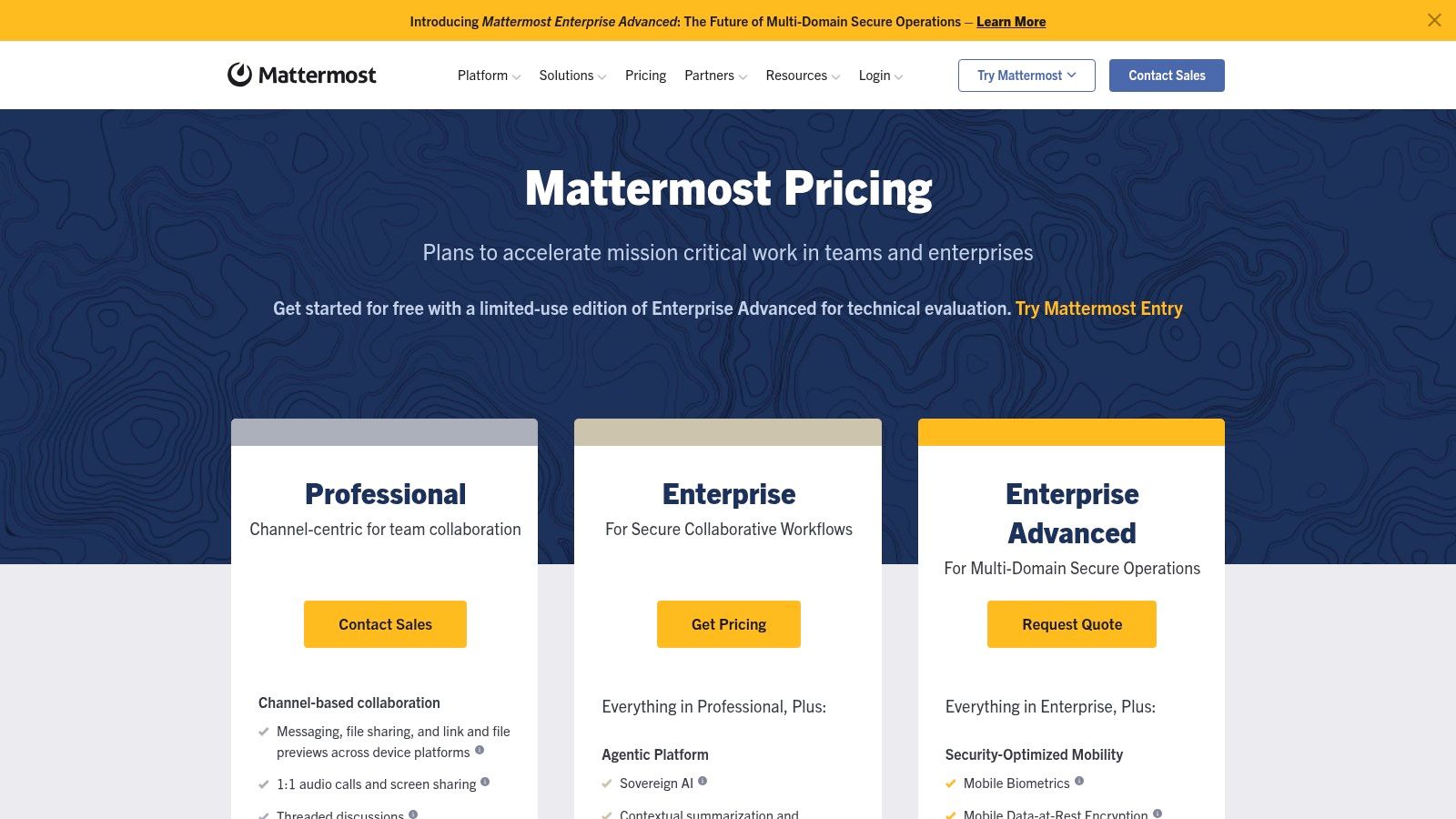
- Pricing: A free, self-hosted version is available for small teams. The Professional plan starts at $10 per user/month, with Enterprise plans available for advanced security and compliance needs.
- Website: https://mattermost.com/pricing/?utm_source=openai
Pros & Cons
| Pros | Cons |
|---|---|
| Full data control and sovereignty for regulated environments | Heavier setup and maintenance than pure SaaS alternatives |
| Deep technical and DevOps integrations | Some advanced features are limited to Enterprise tiers |
| Flexible deployment options including self-hosting | Can require more technical expertise to manage effectively |
11. Google Workspace Marketplace
While not a standalone tool, the Google Workspace Marketplace is a critical resource for transforming your existing Google suite into a powerful async communication ecosystem. It acts as an official app store, allowing you to discover and install third-party tools directly into Gmail, Google Chat, Drive, and Docs. This enables teams to build custom, asynchronous workflows without leaving their familiar environment, making it one of the most versatile resources for finding specialized async communication tools.
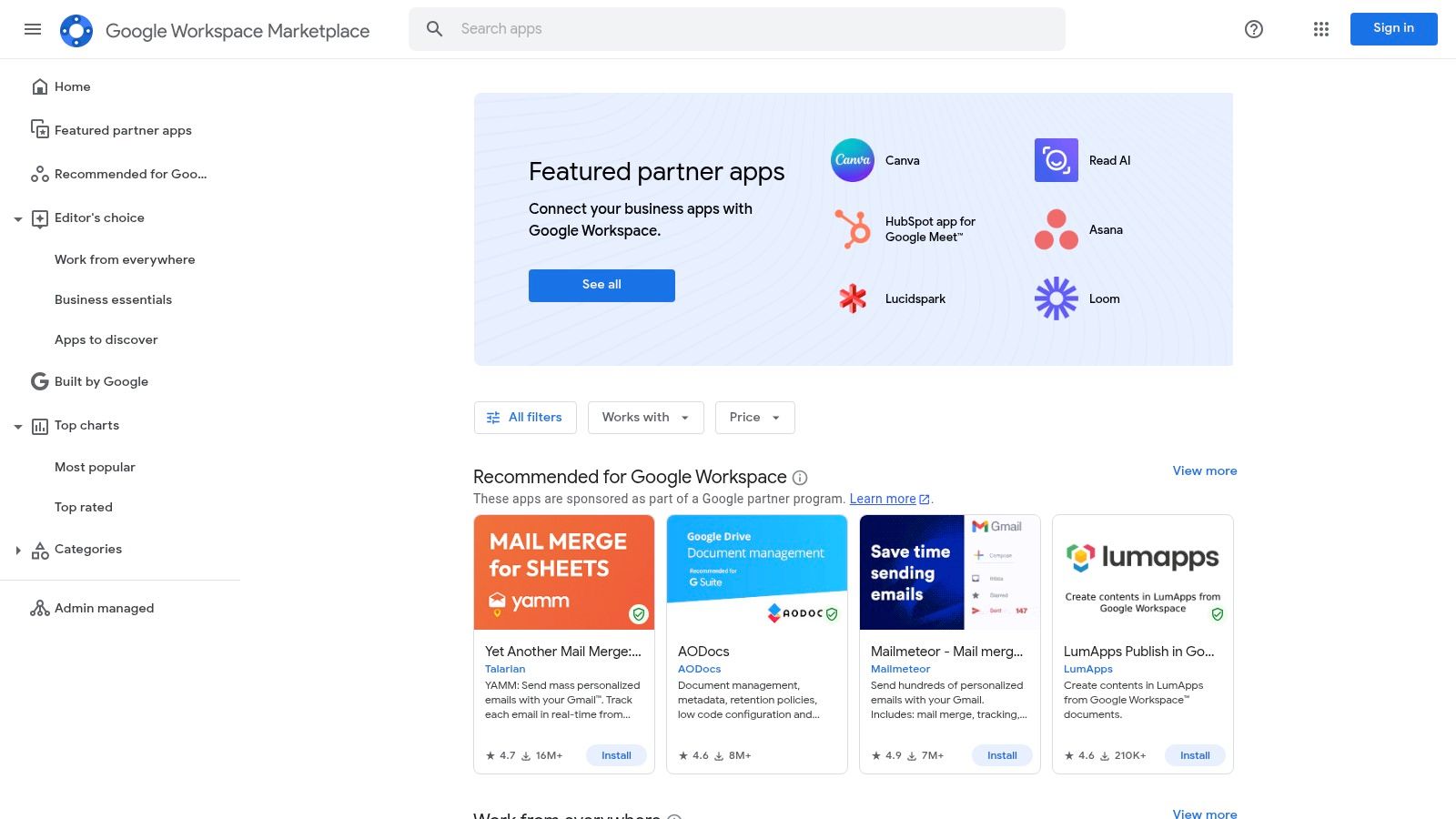
Through the marketplace, you can find apps that add project tracking to Gmail, run approval workflows in Google Docs, or connect services like Zendesk and PagerDuty directly to Google Chat. This centralized approach streamlines administration, as admins can deploy and manage apps domain-wide with trusted permissions and integrated billing. Instead of adopting entirely new platforms, teams can enhance the tools they already use daily, adding layers of async functionality exactly where they are needed most.
Key Details & Use Cases
- Best For: Teams heavily invested in the Google Workspace ecosystem looking to add specific async functions like approvals, ticketing, or project management.
- Key Features: Curated apps for Gmail, Chat, Drive, and Docs; listings for chatbots, transcription, and ticketing; and domain-wide admin controls for installation.
- Pricing: The marketplace itself is free to browse. Individual app pricing varies, with many offering free tiers or requiring separate subscriptions.
- Website: https://workspace.google.com/marketplace/
Pros & Cons
| Pros | Cons |
|---|---|
| Trusted listings with centralized permissions for Workspace domains | Quality and support can vary significantly across third-party vendors |
| One-click installs can be deployed across an entire organization | Many of the most useful apps require separate SaaS subscriptions |
| Excellent discovery path for finding async add-ons and integrations | Can be overwhelming to find the right tool without a clear need |
12. Microsoft AppSource (Teams apps)
While not a standalone tool, Microsoft AppSource is the key to unlocking the full potential of Microsoft Teams as one of the most powerful async communication tools available. It functions as an official marketplace where teams can find and install hundreds of third-party apps directly into their Teams channels and conversations. This integration transforms a simple chat thread into a dynamic workspace for project management, polling, or document approvals without ever leaving the platform. By embedding tools like Asana, Miro, or DeepL into a channel, all related updates and actions happen in one central, asynchronous feed.
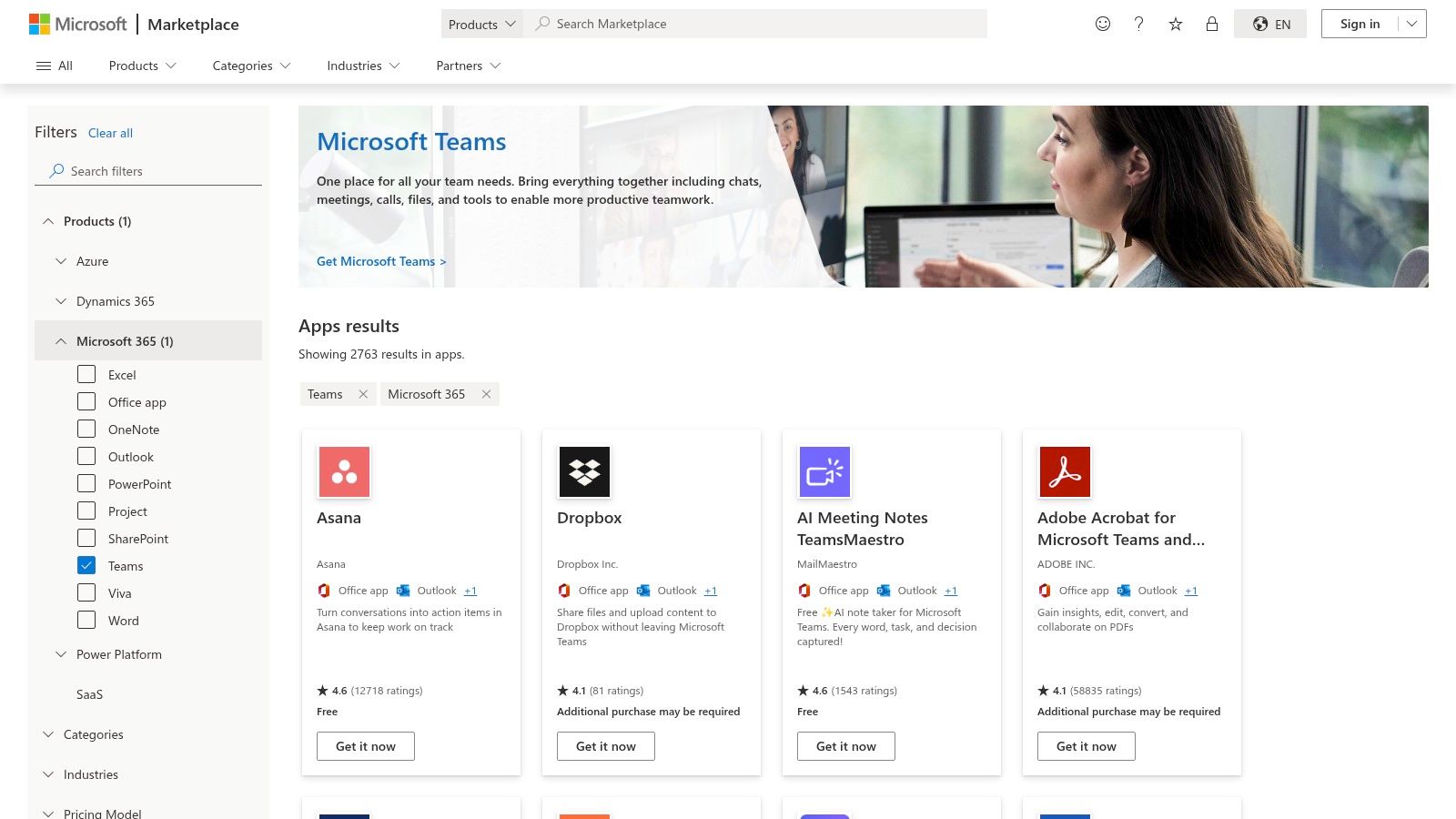
The platform’s strength lies in its tight integration with the Microsoft 365 ecosystem, offering single sign-on with Entra ID and IT admin controls for security and compliance. This curated approach ensures that apps meet Microsoft’s standards, simplifying procurement and deployment for organizations. Instead of context-switching between different websites, teams can add a Trello board as a tab in a channel or launch an Adobe Sign workflow from a message, keeping all context and decisions archived within the conversation thread.
Key Details & Use Cases
- Best For: Organizations already invested in Microsoft 365 looking to consolidate workflows and enhance async collaboration within Teams.
- Key Features: Large catalog of vetted apps, single sign-on integration, IT admin controls for deployment, and apps that work across all Teams clients (desktop, web, mobile).
- Pricing: Access to AppSource is free with a Microsoft 365 subscription, but many of the apps listed require their own separate subscriptions from the vendor.
- Website: https://appsource.microsoft.com/en-us/marketplace/apps?product=teams
Pros & Cons
| Pros | Cons |
|---|---|
| Curated apps compatible with Teams' security model | Many powerful apps require a separate vendor subscription |
| Simplifies software procurement and management | User experience can vary based on company policies |
| Keeps workflows inside channels to maintain async focus | App availability can be restricted by IT administrators |
Async Communication Tools: Top 12 Comparison
| Tool | Core features ✨ | Async fit ★ | Value/Price 💰 | Best for 👥 | Standout/USP 🏆 |
|---|---|---|---|---|---|
| Slack | Channels, threads, files, 3rd‑party apps, AI summaries ✨ | ★★★★ | Free → Paid; costs scale 💰💰 | Cross‑functional teams & integrations 👥 | Mature ecosystem & search 🏆 |
| Microsoft Teams | Persistent channels, meetings+transcripts, SharePoint/OneDrive ✨ | ★★★★ | Included with M365; tiered 💰💰 | Enterprises on Microsoft 365 👥 | Deep Office integration & compliance 🏆 |
| Google Workspace (Gmail/Chat/Spaces) | Gmail, Chat/Spaces, Docs co‑authoring, Gemini summaries ✨ | ★★★★ | Tiered; AI on higher plans 💰 | orgs using Google apps & docs-centric teams 👥 | Cross‑app search & real‑time coauthoring 🏆 |
| Loom | Screen/camera recording, transcriptions, AI summaries ✨ | ★★★★ | Free → Paid; storage considerations 💰 | Remote teams needing walkthroughs/onboarding 👥 | Fast rich context via short video 🏆 |
| Twist | Topic-based threads, calm inbox, async playbooks ✨ | ★★★★★ | Affordable plans; focused value 💰 | Distributed teams prioritizing deep work 👥 | Async-first design and culture playbooks 🏆 |
| Basecamp | Message boards, to‑dos, schedules, automated check‑ins ✨ | ★★★ | Flat org plan option 💰💰 | Agencies, client work, small‑to‑mid teams 👥 | Opinionated, simple toolkit & flat pricing 🏆 |
| Notion | Pages, DBs, templates, Notion AI on higher tiers ✨ | ★★★★ | Freemium → Paid; governance needed 💰 | Teams needing docs + lightweight PM 👥 | Highly customizable templates & databases 🏆 |
| Discourse (hosted) | Long‑form threads, moderation, email digests ✨ | ★★★★ | Self‑host or hosted tiers; scales 💰 | Communities, knowledge bases, decision logs 👥 | Persistent searchable discussions & moderation 🏆 |
| GitHub | Issues, PR reviews, projects, Actions automation ✨ | ★★★ | Free → Enterprise; dev‑centric 💰 | Engineering teams & code‑centric workflows 👥 | Decisions tied to code + CI automation 🏆 |
| Mattermost | Self‑hosted channels, BYO‑LLM, data residency ✨ | ★★★ | Enterprise/self‑host costs 💰💰 | Regulated orgs, government & security teams 👥 | Full data control & deployment flexibility 🏆 |
| Google Workspace Marketplace | Curated apps for Gmail/Chat/Drive/Meet ✨ | ★★★★ | App pricing varies; domain installs 💰 | Workspace admins & IT procuring apps 👥 | One‑click domain installs & Google‑vetted apps 🏆 |
| Microsoft AppSource (Teams apps) | Teams apps, bots, tabs, SSO & vetting ✨ | ★★★★ | App pricing varies; simplifies procurement 💰 | Microsoft 365 orgs & IT admins 👥 | Curated Teams‑compatible app catalog & security vetting 🏆 |
Choosing the Right Async Tools for Your Team's Workflow
Navigating the landscape of async communication tools can feel overwhelming. We've explored a wide range of options, from real-time giants like Slack and Microsoft Teams that can be adapted for async work, to purpose-built platforms like Twist and Basecamp that prioritize thoughtful, organized conversations. The journey from a reactive, interruption-driven culture to a proactive, deep-work-focused environment is powered by the right technology stack.
The key takeaway is that there is no single "best" tool. The ideal solution is a carefully curated ecosystem of tools that addresses your team's specific communication bottlenecks. A powerful combination often includes a central messaging hub, a dedicated documentation and knowledge base, and specialized tools for specific tasks like video messaging or collaborative ideation.
How to Build Your Perfect Async Stack
To make the right choice, don't start by looking at features. Start by looking at your workflow and identifying the friction points. A self-audit is the most critical first step.
Ask your team these questions:
- Where do our most important decisions get lost? If the answer is in a fast-moving chat stream, you need a system with better threading and searchability, like Twist, or a documentation-first tool like Notion.
- What tasks constantly interrupt our deep work? For quick status updates or feedback that don't need an immediate response, a video messaging tool like Loom can replace dozens of disruptive pings and unnecessary meetings.
- How do we handle complex, multi-threaded discussions? For technical teams, the structured conversations in GitHub or a forum-style platform like Discourse are invaluable for maintaining clarity over long periods.
- Is our remote brainstorming effective? If creative sessions feel flat or unstructured, a specialized tool is essential. This is where general-purpose tools often fall short, failing to provide the guided, equitable environment needed for true innovation.
The Human Element: Implementation and Culture
Remember, adopting async communication tools is as much a cultural shift as it is a technological one. Simply installing a new app won't solve your problems. Success hinges on clear guidelines and team-wide buy-in.
Consider these implementation factors:
- Set Clear Expectations: Create a team communication charter. Define which tool to use for which purpose. For example, use Slack for urgent, time-sensitive alerts, an async-first tool for project discussions, and a documentation hub for decisions and official records.
- Lead by Example: Leadership must model async behaviors. If managers expect instant replies, the team will follow suit, regardless of the tools you've implemented.
- Invest in Onboarding: Don't just send an invite link. Provide training on how to use the new tools to support an async-first mindset. Show them the difference between a good async update and a poor one.
Ultimately, the goal is to create an environment where everyone has the uninterrupted time needed to do their best work. Your chosen async communication tools should be the invisible infrastructure that supports this focus, enabling thoughtful collaboration without demanding constant attention. The right stack will not only boost productivity but also improve work-life balance and reduce team burnout, creating a more sustainable and effective way of working for the long term.
Ready to fix the biggest gap in your async toolkit: creative collaboration? Bulby provides the structured, AI-powered environment your team needs for brilliant remote brainstorming and ideation. Try Bulby to turn your asynchronous sessions into your most innovative ones.