
Remote work offers incredible flexibility, but it often leaves teams missing a key ingredient: genuine human connection. The spontaneous coffee break chats and hallway conversations that once built camaraderie are gone, replaced by a wall of scheduled video calls. This can lead to disconnection, reduced collaboration, and a sense of isolation among team members.
To bridge this digital divide, teams need intentional strategies to foster stronger relationships. A well-chosen break the ice online game is more than just a fun distraction; it's a powerful tool for rebuilding team dynamics, encouraging psychological safety, and making virtual interactions more engaging and human. For leaders, integrating these activities is a practical step to manage virtual teams effectively, as they directly boost morale and improve communication channels.
This guide moves beyond generic advice. We will provide a curated list of proven games that actually work for remote settings. Each entry comes complete with clear instructions, setup tips, and actionable notes to help you facilitate them for any remote team, ensuring every session is a success. We'll cover everything from quick five-minute energizers to more involved team-building exercises.
1. Two Truths and a Lie
A classic for a reason, Two Truths and a Lie is a fantastic break the ice online game that adapts seamlessly to virtual environments. The concept is simple: each person shares three "facts" about themselves. Two are true, and one is a lie. The rest of the team then votes on which statement they believe is the lie.
This game is incredibly effective because it encourages personal sharing in a structured, low-pressure way. It bypasses awkward small talk and lets team members reveal interesting, unexpected, and often funny aspects of their lives. It's a go-to for remote companies like GitLab during onboarding and a staple in virtual conference breakout rooms to quickly build rapport.
How to Facilitate
To run this smoothly, give everyone a few minutes at the beginning of the meeting to prepare their three statements. As the facilitator, go first to set the tone and provide a clear example. Encourage participants to craft believable lies, as this makes the guessing portion much more engaging and fun.
For larger groups, use your video conference platform’s features to your advantage:
- Polls: Set up a quick poll for each person’s turn to formalize the voting.
- Chat: Ask participants to type their guesses into the chat. This keeps the energy high and the game moving quickly.
- Reactions: Use emoji reactions (like a thumbs up or a specific symbol) for a fast, visual way to cast votes.
Game at a Glance
For a quick overview of how this game fits into different team settings, here are the key details.
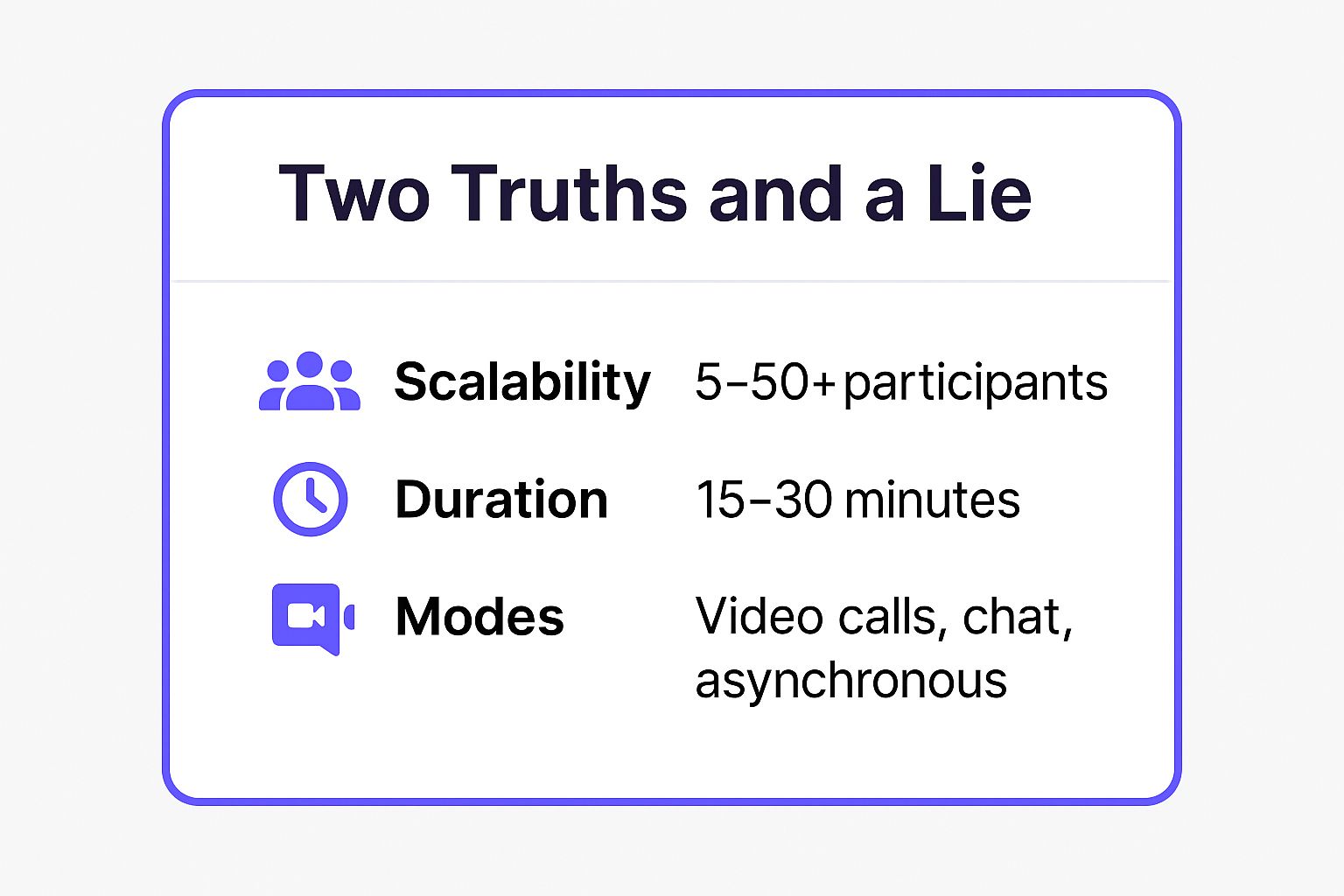
The infographic highlights the game's exceptional flexibility, making it a reliable choice whether you have a small team or a large department. Its adaptability across live video calls, simple chat platforms, and even asynchronous channels (like a dedicated Slack thread) means you can deploy it in almost any remote work context. For more ideas on how to adapt classics for virtual teams, you can find a great collection of icebreakers for team building on remotesparks.com.
2. Virtual Scavenger Hunt
An incredibly energetic break the ice online game, the Virtual Scavenger Hunt gets participants up and moving. The facilitator calls out a type of item, and everyone races to find it in their home or office and show it on camera before the time runs out. The first person back wins a point for that round.
This game is a powerful tool for injecting fun and physical activity into otherwise static video calls. It breaks the monotony of sitting at a desk, encourages spontaneous sharing, and offers a fun glimpse into each other’s personal environments. It's used effectively by companies like Salesforce during large all-hands meetings to boost engagement and by event platforms like Hopin to energize networking sessions.

How to Facilitate
To ensure a smooth and lively game, prepare a list of items beforehand. Start with simple, common objects to get everyone comfortable, like "something blue" or "your favorite mug." Keep the energy high by setting a tight time limit, such as 30 to 60 seconds per item.
For a more engaging experience, consider these simple enhancements:
- Creative Prompts: Include a more personal and creative category, such as "find something that makes you happy" or "an object from your favorite hobby."
- Give a Heads-Up: Announce the activity in advance so team members in shared or public spaces can prepare to participate comfortably.
- Offer Recognition: Award small, fun prizes or simply verbal recognition to the winner to add a lighthearted competitive element.
Game at a Glance
The Virtual Scavenger Hunt is perfect for adding a burst of energy to any virtual gathering. Here’s a quick summary of its key attributes.
The game excels at breaking up long meetings and re-engaging a tired audience. Its simple, active format makes it a standout choice for team-building events, virtual classroom warm-ups, and conference intermissions. Its true strength lies in its ability to generate laughter and connection through a shared, active experience. You can find more inspiration for your team with these great virtual team building activities.
3. Zoom Bingo (Video Call Bingo)
A fun and observant game, Zoom Bingo (also known as Video Call Bingo) turns the common, often repetitive, moments of virtual meetings into a competitive sport. Participants receive a bingo card filled with squares listing typical remote work scenarios, like "Someone's pet appears on camera," "You hear an echo," or "Awkward silence." Players mark off squares as these events happen during the call.
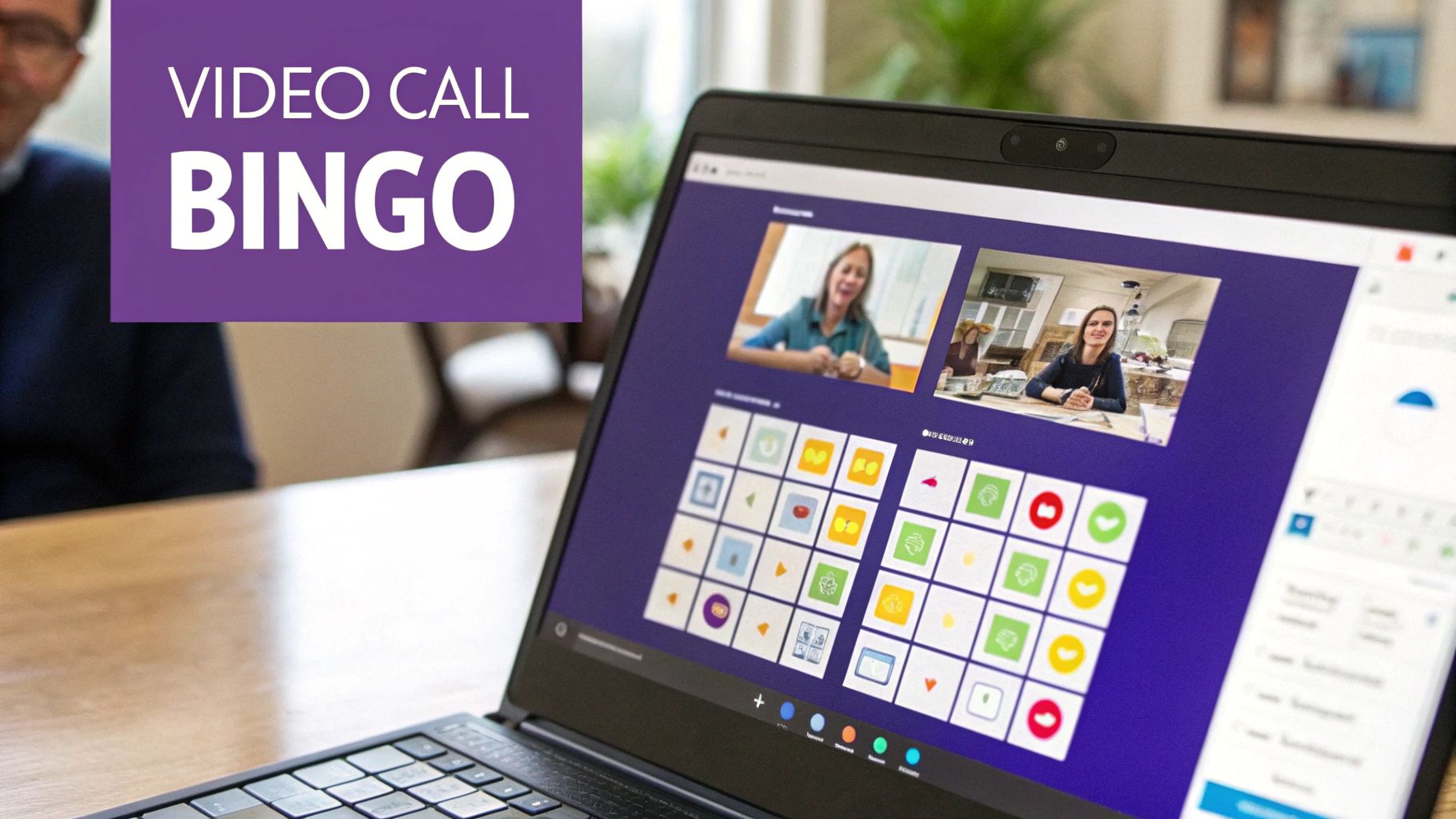
This break the ice online game is fantastic because it encourages active listening and observation in a lighthearted way. Instead of zoning out, participants are engaged and looking for the next bingo-worthy moment. It was widely popularized by remote work communities during the pandemic and is now a staple for universities during virtual orientations and for marketing agencies looking to add a layer of fun to client kickoff calls.
How to Facilitate
Preparation is minimal but key. Use a free online generator like Bingo Baker to create and distribute unique cards to participants via email or a chat message just before the meeting starts. Announce the game at the beginning to set expectations and explain that the first person to get a "Bingo!" wins.
To maximize engagement and keep the game fair, consider these tips:
- Mix It Up: Include a blend of very common occurrences ("Someone says 'Can you hear me?'") and rarer, more specific ones to keep the game from ending too quickly.
- Offer Prizes: A small prize, like a digital coffee gift card or bragging rights in the team's Slack channel, can significantly boost participation and excitement.
- Keep It Casual: This game works best in meetings where the tone is already relatively relaxed, such as team check-ins, virtual happy hours, or all-hands meetings.
Game at a Glance
For a quick overview of how this game fits into different team settings, here are the key details.
Zoom Bingo excels at turning passive attendees into active observers, adding a layer of meta-humor to any standard video call. Its simplicity means it can be deployed with virtually no lead time, making it a perfect spontaneous activity. For more ways to keep virtual audiences engaged, explore these ideas for interactive presentations from remotesparks.com.
4. Rose, Bud, Thorn
A deeply reflective and structured check-in, Rose, Bud, Thorn is an excellent break the ice online game for building team empathy and psychological safety. The concept is straightforward: each person shares a "rose" (a success or positive event), a "bud" (something they're looking forward to or developing), and a "thorn" (a challenge they are facing).
This game is highly effective because it provides a balanced framework for sharing. It moves beyond surface-level updates and encourages vulnerability in a controlled, safe manner. Agile teams often use it in sprint retrospectives to gauge team morale, and it's a staple in design thinking workshops as an emotional check-in before diving into creative work.
How to Facilitate
To create a safe space, the facilitator should go first to model the desired level of openness and vulnerability. Clearly explain each component: the rose is a win, the bud is about future potential, and the thorn is a current difficulty. This structure prevents the conversation from becoming overly negative or boastful.
For effective management in a virtual setting, consider these tips:
- Timeboxing: Give each person a set time, like 90 seconds, to keep the activity moving, especially in larger groups.
- Simultaneous Sharing: In very large meetings, ask everyone to type their Rose, Bud, and Thorn into the chat at the same time. This ensures everyone participates without taking up an hour of meeting time.
- Allow Passing: Make it clear that participants can "pass" on sharing any part, particularly the thorn, if they are not comfortable.
- Private Follow-Up: If a serious "thorn" is shared, make a note to follow up with that person privately after the meeting to offer support.
Game at a Glance
This activity excels at fostering connection and is best suited for groups where building deeper trust is a primary goal.
The infographic shows that while this game is highly adaptable, it thrives in smaller, more intimate settings where genuine connection is possible. Its structured nature makes it a reliable tool for consistent team health check-ins. For more inspiration on framing these kinds of questions, you can find a variety of check-in questions for meetings on remotesparks.com.
5. Kahoot! Quiz Games
A high-energy, game-show-style quiz platform, Kahoot! transforms standard questions into a vibrant and competitive break the ice online game. Participants join a live game using a unique code on their smartphones or in a separate browser tab, answering multiple-choice questions in real-time. Points are awarded for both accuracy and speed, creating an exciting atmosphere with its catchy music and a live leaderboard.
This game is remarkably effective for engaging groups of any size because it taps into a natural sense of fun and competition. It moves beyond simple conversation by creating a shared, memorable event. Many of the world’s largest companies, including 97% of the Fortune 500, have used Kahoot! for everything from internal training to team-building events, proving its power to energize and connect remote employees.
How to Facilitate
Your role as the facilitator is to be the game show host. Before the meeting, prepare a "Get to Know Your Team" quiz with fun facts about colleagues, inside jokes, or company trivia. Aim for 10-15 questions to maintain high energy without causing fatigue. The key is to make it interactive and visually appealing.
To ensure a great experience for everyone, consider these tips:
- Balance the Questions: Mix easy, fun questions with a few challenging ones to keep everyone engaged and on their toes.
- Use Multimedia: Add images, GIFs, or short video clips to your questions to make the quiz more dynamic and entertaining.
- Celebrate Everyone: While you should crown a winner, emphasize participation and fun over pure competition. Acknowledge funny answers or surprising results.
- Keep it Moving: Kahoot!'s timed questions naturally keep the pace brisk, but as the host, keep the energy up between questions with light commentary.
Game at a Glance
For a quick overview of how this game fits into different team settings, here are the key details.
The game's platform-based nature makes it incredibly scalable, handling small teams or entire company all-hands meetings with ease. Its primary mode is a live, hosted video call, which creates a shared, high-energy experience perfect for kicking off a meeting or a dedicated social event. For more information or to create your own quiz, visit the official Kahoot! website.
6. Virtual Pictionary or Skribbl.io
This classic drawing and guessing game gets a powerful digital makeover, making it an exceptional break the ice online game for remote teams. In Virtual Pictionary, one person draws a given word or phrase using a digital whiteboard, while everyone else races to guess it. Platforms like Skribbl.io have perfected this experience, offering a free, browser-based tool that is instantly accessible without any downloads.
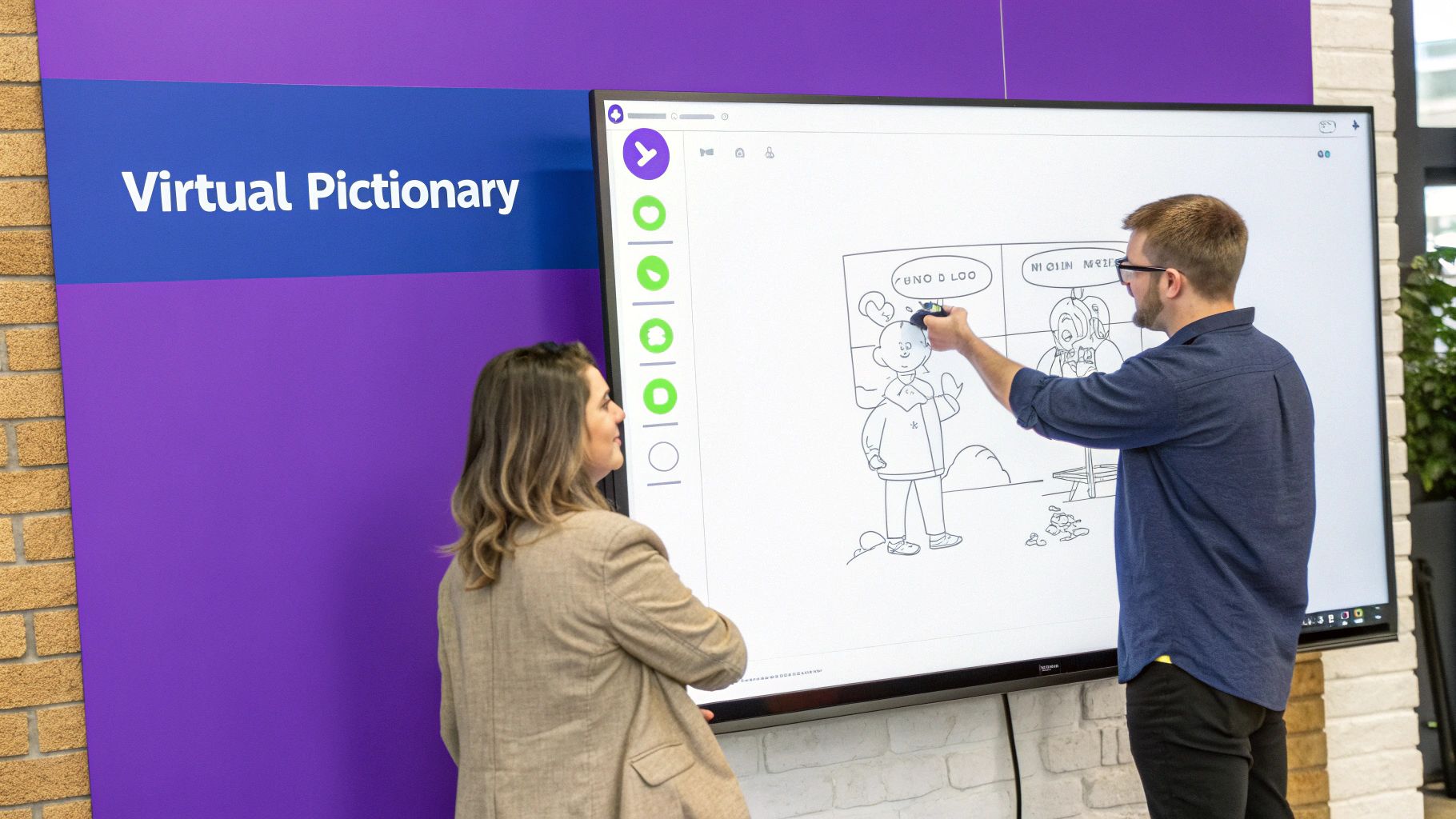
The game’s magic lies in its ability to generate spontaneous laughter and camaraderie. The combination of creativity, friendly competition, and the almost-guaranteed terrible drawings quickly breaks down barriers and loosens up the group. It’s widely used by tech startups during virtual happy hours and has been adapted by corporate teams for quick, energizing social breaks between long meetings.
How to Facilitate
Your primary goal is to make the game accessible and fun for everyone, regardless of artistic talent. Emphasize that "bad" drawings are often the most hilarious and memorable part of the experience. Before starting, create a private room in Skribbl.io to ensure no random players can join your session.
To maximize engagement and keep the energy high, consider these tips:
- Custom Words: Create a custom word list relevant to your company culture, industry, or recent projects. This adds a personal touch and creates inside jokes.
- Time Limits: Stick to short rounds of 60 to 90 seconds. This keeps the game fast-paced and prevents anyone from getting stuck on a difficult drawing.
- Platform Alternatives: If you can't use an external site, the whiteboard feature built into Zoom or Microsoft Teams works as a great alternative. Just have one person act as the "word master" who sends words privately to the drawer.
Game at a Glance
This game is perfect for teams that enjoy visual, creative, and slightly chaotic fun. It excels at injecting pure, lighthearted energy into a virtual setting.
- Group Size: Best for 4-20 participants.
- Time Required: 15-25 minutes.
- Best For: Creative teams, virtual happy hours, and any group needing a fun, energetic boost.
- Tools: Skribbl.io, Zoom/Teams Whiteboard, or similar drawing apps.
7. Would You Rather
A timeless classic that thrives in a virtual setting, Would You Rather is a simple yet powerful break the ice online game. The premise is straightforward: participants are presented with two hypothetical scenarios and must choose which one they would prefer. The questions can range from the absurdly silly to the deeply thought-provoking, sparking instant conversation and debate.
This game excels at revealing personalities, values, and humor without feeling intrusive. It’s an easy way to get team members talking and discovering shared interests or funny disagreements. This simple format is used everywhere from HR onboarding sessions, which use work-themed questions to align new hires, to virtual conference breakouts where it serves as a fast and effective networking tool.
How to Facilitate
To run a great session, prepare a list of 10-15 questions in advance to keep the game moving. Start with lighter, funnier questions to warm up the group before moving to more meaningful ones. As the facilitator, you can call on individuals to explain their choice, which often leads to hilarious or insightful stories.
For any group size, leverage the tools available on your video conferencing platform:
- Polls: Use Zoom or Mentimeter polls for a quick, anonymous way for everyone to vote, then reveal the results for a dramatic effect.
- Chat: Ask everyone to type their choice (e.g., 'A' or 'B') into the chat. This generates a rapid-fire visual of the group's preferences and keeps the energy high.
- Reactions: Assign an emoji to each option and have participants use reactions to cast their vote instantly.
Game at a Glance
For a quick overview of how this game fits into different team settings, here are the key details.
The infographic shows the game's high scalability and speed, making it perfect for a quick warm-up or a dedicated team-building activity. Its simplicity allows it to work in live meetings or as an asynchronous activity in a Slack or Teams channel, where a question can be posted daily or weekly to keep the team connected. To find a curated list of questions suitable for professional teams, check out the collection of work-friendly Would You Rather questions on Museumhack.com.
8. Virtual Escape Room
For a truly immersive and collaborative experience, a Virtual Escape Room is an exceptional break the ice online game. Teams are dropped into a digital environment where they must work together to find clues, solve a series of interconnected puzzles, and “escape” before time runs out. It’s an intense, high-energy activity that fast-tracks team bonding.
This game excels because it requires active communication, critical thinking, and genuine teamwork to succeed. It moves beyond simple introductions, revealing how team members approach problems, communicate under pressure, and collaborate toward a shared goal. Major remote-first companies often use virtual escape rooms for quarterly bonding events to strengthen team dynamics in a fun, challenging setting.
How to Facilitate
While many professional companies like The Escape Game offer fully facilitated experiences, you can also create a DIY version. Start by choosing a theme and difficulty level appropriate for your team’s experience. If you are running it yourself, assign one person to be the Game Master who can provide hints and manage the flow.
For the best experience, consider these tips:
- Test Technology: Ensure all links, documents, and platforms work correctly before the session begins.
- Breakout Rooms: For larger groups, split them into smaller teams of 4-6 people to ensure everyone can participate actively.
- Practice Puzzle: Start with a simple, introductory puzzle to help everyone get familiar with the format and tools.
- Debrief: After the game, hold a short debriefing session. Discuss what went well, what was challenging, and what the team learned about its communication style.
Game at a Glance
For a quick overview of how this game fits into different team settings, here are the key details.
The video above showcases the dynamic, puzzle-solving nature that makes this game so engaging. While it requires more setup than other icebreakers, the payoff in team cohesion is significant. It’s a powerful tool for teams that need to build trust and improve their collaborative problem-solving skills quickly. To discover more activities like this, explore a variety of virtual team engagement activities on remotesparks.com.
Top 8 Online Icebreaker Games Comparison
| Activity | Implementation Complexity 🔄 | Resource Requirements ⚡ | Expected Outcomes 📊 | Ideal Use Cases 💡 | Key Advantages ⭐ |
|---|---|---|---|---|---|
| Two Truths and a Lie | Low – simple rules, minimal setup | Minimal – no special tools needed | Builds team bonding, personal sharing | Small to medium teams (5-20), first meetings or early bonding | Easy to explain, scalable, fosters vulnerability |
| Virtual Scavenger Hunt | Medium – requires facilitation | Moderate – camera & space needed | Energizes, breaks screen fatigue | Mid-sized groups (10-30), energy boost needed | Active, inclusive, promotes laughter and movement |
| Zoom Bingo | Low to Medium – setup of cards | Low – printable/digital cards | Adds humor, encourages observation | Longer meetings (45+ min), recurring team calls | Minimal facilitation, customizable, low pressure |
| Rose, Bud, Thorn | Medium – structured sharing format | Minimal – only communication needed | Builds psychological safety, empathy | Established teams, regular check-ins or longer sessions | Balanced sharing, builds emotional intelligence |
| Kahoot! Quiz Games | Medium – requires quiz creation | High – devices and internet required | Highly engaging competition & learning | Medium to large groups (10-100+), competitive motivation | Game-show format, robust analytics, widely recognized |
| Virtual Pictionary | Medium – requires game facilitation | Moderate – internet and input device | Creative fun, encourages problem-solving | Small groups (6-12), high-energy creative fun | Interactive, accessible, funny and fast-paced |
| Would You Rather | Low – simple question format | Minimal – basic communication tools | Reveals values, sparks discussion | Any size group, quick warm-ups (5-15 min) | Easy to facilitate, culturally flexible, low risk |
| Virtual Escape Room | High – complex facilitation needed | High – tech, facilitation, possible cost | Deep engagement, reveals team dynamics | Established teams, longer sessions (45-90+ min), trust building | Immersive, builds problem-solving & communication |
From Icebreakers to Breakthroughs: Building a Culture of Connection
Choosing the right break the ice online game is more than just picking a fun activity; it's the first step toward building a more connected and collaborative remote team. As we've explored, a quick round of Two Truths and a Lie can spark personal revelations, a Virtual Scavenger Hunt can inject high-energy fun, and a collaborative puzzle in a Virtual Escape Room can forge powerful team bonds. The true power of these tools lies not in a single, isolated event, but in their consistent and intentional application.
A single game creates a fun moment. Integrating these activities into your team's regular rhythm creates a culture where connection is a core value, not an afterthought. The key is to move from random activities to a strategic approach that fosters genuine interaction and psychological safety.
Key Takeaways for Lasting Impact
To transform these games from simple diversions into powerful team-building assets, remember these core principles:
-
Match the Game to the Goal: Are you looking for a quick 5-minute energy boost before a heavy meeting? Would You Rather is perfect. Do you need to encourage deeper, more reflective sharing? Rose, Bud, Thorn offers a structured way to do so. Aligning the activity with your team's needs and the meeting's objective is crucial for success.
-
Facilitation is Everything: The difference between an awkward virtual game and a memorable team moment is thoughtful facilitation. Your role is to set clear expectations, encourage participation without pressure, and ensure the environment feels inclusive and supportive for everyone.
-
Consistency Breeds Connection: One-off icebreakers are easily forgotten. By scheduling them regularly, whether it's at the start of a weekly team meeting or during a dedicated monthly social, you signal that building relationships is a priority. This consistency builds trust over time.
From Connection to Collaboration
Ultimately, the goal of using any break the ice online game is to strengthen the human relationships that fuel great work. When team members feel seen, heard, and connected to their colleagues, they are more likely to share ideas openly, collaborate effectively, and support one another through challenges. This foundation of trust is the bedrock of high-performing remote teams.
As you implement these icebreakers to build a culture of connection, it's also crucial to understand their impact on your team's morale and motivation. You can explore strategies to measure employee engagement effectively to gain deeper insights into how these small, consistent efforts are contributing to a healthier and more productive work environment. By paying attention to these metrics, you can refine your approach and ensure your team-building initiatives are truly making a difference.
The games listed in this article are your starting point. Use them to dissolve the digital distance, turn screens into windows of genuine connection, and build a team that isn't just productive but is also resilient, engaged, and truly enjoys working together.
Ready to channel that newfound team energy into groundbreaking ideas? Bulby helps you move from fun icebreakers to structured, creative breakthroughs. Our guided brainstorming and innovation platform gives your connected team the tools to generate, develop, and select brilliant ideas in a collaborative virtual space. Explore Bulby to see how you can turn connection into innovation.